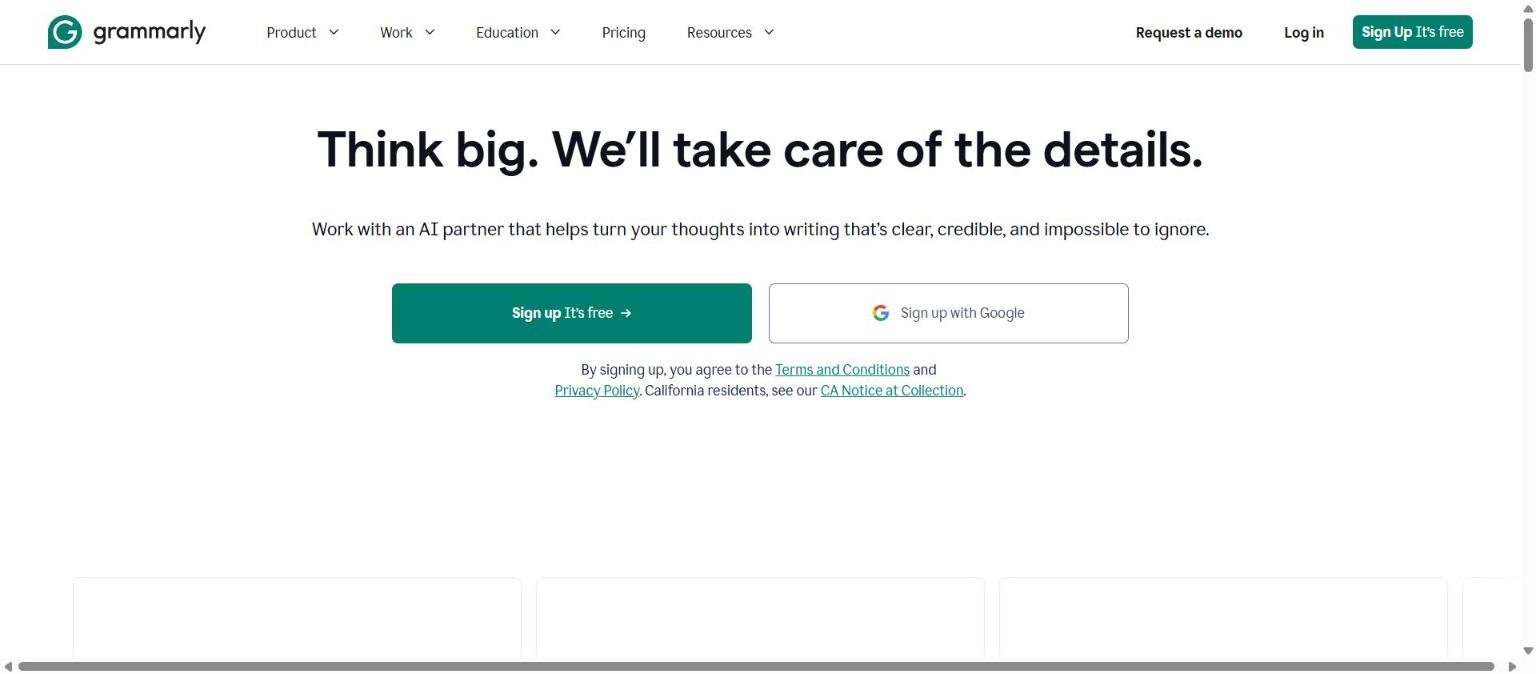
Grammarly is one of the best-known writing assistants on the web. It began as a grammar and spelling checker, and the current homepage describes it as an AI partner that helps turn your thoughts into writing that is “clear, credible, and impossible to ignore”. Its headline reads “Think big. We’ll take care of the details.”
This guide profiles Grammarly from its own pages: what it does, who it suits, the features it lists, how Free, Pro and Enterprise plans are structured, strengths, limits and what the vendor says about privacy. It is a different job from a general chatbot, so we also point to alternatives. A shorter read is available in our shorter review.
How we researched this: we did not run hands-on tests for this article. It is based on the vendor’s own documentation and public sources, checked on 14 November 2026. Features and prices change, so confirm details on the vendor’s site before you buy.
Key takeaways
- Grammarly is an AI writing assistant that works in desktop apps, browser extensions, Microsoft Office and Google Docs add-ins, and mobile apps. The homepage says it is now part of Superhuman.
- The homepage lists Free ($0), Pro ($12 per member per month billed annually or $30 monthly) and Enterprise (contact sales). We checked these on 14 November 2026.
- The plans page lists 100 AI prompts per month on Free and 2,000 per member per month on Pro. Enterprise is listed with unlimited prompts.
- Grammarly says it does not sell user content, use it for advertising, or let third-party providers train models on it. Read the full policy before you rely on that.
- It is strongest as an editor of text you wrote. For open-ended research or long drafting, compare it with a general assistant.
What it is and who makes it
Grammarly is an AI writing assistant that offers suggestions on text you write. The homepage describes core AI writing features: paragraph rewrites that tighten clarity and flow in a single action, tone suggestions that adjust a message to fit the context while keeping your own voice, and proofreading that checks grammar, structure and clarity.
The homepage states that Grammarly is now part of Superhuman, and the Enterprise tier is described as delivered through Superhuman Go. Its privacy policy link redirects to a Superhuman domain, which fits that statement. We could not read the policy itself, so we do not describe its terms.
The product spans several surfaces. The homepage lists desktop apps for Windows and Mac, a browser extension for Chrome, Safari, Firefox and Edge, add-ins for Microsoft Office and Google Docs, and mobile apps for iPhone, iPad and Android. The Enterprise tier is described as including proactive AI that works across every app and browser tab.
If you want to understand how the AI side works, see what is a large language model.
It is worth being clear about the boundaries. Grammarly improves text that already exists. It is not described on its own pages as a research tool or a source of facts, so it will not tell you whether a claim in your draft is true. Keep fact-checking as a separate step.
Who it is for
- Students and professionals who write a lot. Proofreading, tone and rewrites help with essays, emails and reports. The homepage lists Resume Builder, Citation Finder and AI Grader agents that target student and job-seeker tasks.
- Non-native English writers. Grammar, tone and clarity suggestions are the main benefit, though we found no page claim about language coverage, so check supported languages.
- Teams that want consistent voice. The homepage lists business features such as Style Guide, Brand Tones, Snippets, Analytics and Authorship, and the Pro plan lists one style guide and one brand tone.
- Large organisations. Enterprise lists unlimited members and prompts, SAML single sign-on, SCIM, custom roles, data loss prevention and BYOK encryption.
It is less suited to people who want a general assistant for research, coding or analysis, where tools such as ChatGPT or Claude cover more ground.
A useful test of fit is how much of your writing is routine. If most of your day is emails, reports and messages that need to be clear and polite, an always-on editor can save real time. If most of it is creative or technical writing with its own conventions, you may spend as long rejecting suggestions as accepting them, and a lighter setup, such as turning the assistant on only in selected apps, may suit you better.
Core features
Proofreading and grammar
Checks grammar, structure and clarity. This is the foundation of the product and what the Free plan emphasises, with spelling and grammar checks included.
Tone suggestions and tone detection
Tone suggestions adjust a message to its context. The Free plan has tone visibility, while tone adjustment is a Pro feature, according to the plans page. A Tone Detector tool is also listed.
Paragraph and full-sentence rewrites
The homepage describes paragraph rewrites. The plans page says full-sentence rewrites are on Pro and not on Free.
Plagiarism and AI-text detection
Listed as Pro features on the plans page. The homepage also lists an AI Detector agent that flags likely AI-generated passages and areas to revise. Treat any detector as a signal and not as proof.
AI prompts allowance
The plans page lists 100 AI prompts per month on Free and 2,000 per member per month on Pro. Enterprise is listed with unlimited prompts.
Paraphrasing, translation and citations
The homepage lists a Paraphrasing Tool, Translator and Citation Generator among related tools, plus a Plagiarism Checker, Word Counter and AI Chat.
Style guide and brand tone
Pro is listed with one style guide and one brand tone, and the homepage lists Style Guide, Brand Tones and Snippets as business features.
Newer and advanced features and integrations
AI agents
The homepage lists agents including a Humanizer agent that adds a more natural, personal style to text, an AI Detector agent, Resume Builder, Citation Finder, AI Grader and Reader Reactions, which shows how different audiences might respond to your text. Agent features are newer and the pages do not give usage limits for each, so test them before relying on them.
Authorship and analytics
For business use, the homepage lists Authorship and Analytics. The pages we read do not explain how Authorship works, so ask the vendor if provenance matters to you.
Integrations
Grammarly works through the desktop apps, browser extensions and add-ins listed above. This broad surface area is part of its appeal, since the suggestions appear where you already write.
Enterprise controls
Enterprise adds SAML single sign-on, SCIM, custom roles, data loss prevention, BYOK encryption, dedicated support and cost center visibility, per the plans page, plus confidential mode per the homepage.
A sensible editing workflow
A writing assistant works best as a second reader. Write the first draft yourself, run the proofreading pass, then review each suggestion instead of accepting all of them at once. Use tone suggestions on messages where the register matters, such as a customer reply or a cover letter, and read the result aloud to check it still sounds like you. Use rewrites sparingly on key sentences, because a rewrite that reads smoothly can still shift the meaning. Keep a copy of the original so you can compare. For documents with legal, medical or financial content, treat suggestions as prompts to think and not as corrections to accept.
Questions to ask before a team rollout
Ask where the product will be enabled and whether it can be switched off for specific apps, how prompts are counted against the monthly allowance, whether the style guide and brand tone apply to every member, who can see analytics, and what the vendor’s commitments are on content use and retention. Ask for the current privacy terms in writing, since the policy now sits on a Superhuman domain.
Pricing and plans
Checked on 14 November 2026. The homepage and plans page list these prices in US dollars. The plans page did not state the billing period for Pro, while the homepage says $12 per member per month billed annually or $30 monthly. Please confirm on the vendor page.
| Plan | Price on the pages | What is included |
|---|---|---|
| Free | $0, billed monthly | Spelling and grammar checks, tone visibility, 100 AI prompts per month; no tone adjustment, full-sentence rewrites, plagiarism or AI-text detection |
| Pro | $12 per member per month billed annually, or $30 monthly (homepage); free trial offered | Everything in Free plus tone adjustment, full-sentence rewrites, personalised suggestions, plagiarism and AI-text detection, 2,000 AI prompts per member per month, 1 style guide, 1 brand tone, 2 user groups, priority support |
| Enterprise | Contact sales | Unlimited members and prompts, SAML SSO, SCIM, custom roles, data loss prevention, BYOK encryption, dedicated support |
The plans page does not list a Business or Education plan as such. Its FAQ mentions Grammarly Business only for invoicing with 10 or more members on an annual plan, and says education discounts are available through a separate page. For help comparing plans, see how to read an AI tool’s pricing page.
Strengths
Works where you write
Desktop apps, browser extensions, Office and Google Docs add-ins, and mobile apps mean suggestions follow you across tools.
Focused on writing quality
Proofreading, tone and clarity are the core job. A specialist often has more depth than a general chatbot at that job.
A usable free plan
Free includes spelling and grammar checks and 100 AI prompts per month, which is enough to judge fit.
Team style features
Style guides, brand tones and snippets help teams keep a consistent voice.
Stated stance on content
The vendor says it does not sell user content, use it for advertising or let third-party providers train models on it.
Weaknesses and limits
Prompt allowances are capped
Free is limited to 100 AI prompts per month and Pro to 2,000 per member per month, so heavy users of the AI features can hit limits.
Many useful features sit behind Pro
Tone adjustment, full-sentence rewrites, plagiarism and AI-text detection are not on Free.
Detectors are not proof
An AI Detector flags likely AI-generated text and cannot prove authorship. Do not use a score alone to accuse anyone.
Not a general-purpose assistant
It edits and improves text you give it. For research, coding or analysis, you will need another tool.
Billing wording differs by page
The plans page does not state the Pro billing period while the homepage does. Read the checkout page before paying.
Suggestions can be wrong
Style and grammar rules have exceptions, and rewrites can change meaning. Read every change, and see how to check AI output for mistakes.
Unclear limits on newer agent features
The pages list agents such as Humanizer and Reader Reactions, but we found no stated usage limits for each one. If you plan to rely on them, test how quickly you reach the prompt allowance, which is the only limit the plans page documents.
Privacy, data handling and security
Statements below are from Grammarly’s homepage. We could not read the full privacy policy, which now sits on a Superhuman domain.
- The vendor says it does not sell user content, use it for advertising, or let third-party providers train models on it.
- It points to a Trust Center and Security pages that describe its security accreditations. We did not read them, so we cannot list specific certifications.
- Enterprise is listed with confidential mode, granular roles and permissions, data loss prevention, SAML SSO, SCIM and BYOK encryption.
- Because a writing assistant sees whatever you type in its supported apps, check where it is enabled. Disable it for confidential documents unless your organisation has approved it.
For a policy template, see how to protect company data when using AI tools.
How it compares
The table compares Grammarly with three other tools in the 50-tool list that overlap in writing help. It documents differences and does not rank. QuillBot and Jasper have their own guides on Genrosys.
| Aspect | Grammarly | QuillBot | Jasper | ChatGPT |
|---|---|---|---|---|
| Main job | Proofreading, tone and rewrites in the apps you use | Paraphrasing, grammar and summarising | Marketing content with brand context | General assistant |
| Free plan | Yes, 100 AI prompts per month | Yes, with limits (for example paraphrase up to 125 words) | 7-day free trial for Pro on its pricing page | Yes, with limits |
| Paid entry price on official page | Pro $12 per member per month on annual billing | Premium $8.33 per month billed annually | Pro $59 per seat per month on annual billing | Not readable on the page we fetched |
| Team features | Style guide, brand tone, Enterprise controls | Team plan with usage metrics and billing | Business plan with admin controls and SSO | Business and Enterprise plans |
See our full guides for ChatGPT, and the shorter Notion AI review if you write inside Notion.
| If you mostly | Consider | Reason |
|---|---|---|
| Edit your own text everywhere you type | Grammarly | Documented across apps, browsers and mobile |
| Rewrite or paraphrase passages | QuillBot or Grammarly | Both list paraphrasing tools |
| Produce marketing content at scale | Jasper | Built around brand context and agents |
Getting started
- Sign up for the Free plan and install the browser extension or desktop app.
- Turn the assistant on only in the apps where you want it.
- Write a real email or document and review each suggestion before accepting it.
- Test tone detection and a rewrite, and note which Pro features you miss.
- If you consider Pro, use the free trial and set a reminder before it ends.
- For a team, set up a style guide and brand tone and agree where the tool may be used.
Frequently asked questions
Who makes Grammarly?
The homepage says Grammarly is now part of Superhuman.
Is Grammarly free?
Yes, there is a Free plan at $0 with spelling and grammar checks, tone visibility and 100 AI prompts per month.
How much is Grammarly Pro?
The homepage lists $12 per member per month billed annually or $30 monthly, checked on 14 November 2026. Confirm on the vendor page.
Does Grammarly sell my writing?
The vendor says it does not sell user content, use it for advertising or let third-party providers train models on it. Read the privacy policy for full terms.
Can Grammarly detect AI-written text?
It lists an AI Detector agent and AI-text detection on Pro. Treat it as a signal, not proof.
Where does it work?
Desktop apps, browser extensions for Chrome, Safari, Firefox and Edge, Microsoft Office and Google Docs add-ins, and mobile apps.
Does it have a team plan?
The plans page lists Enterprise through sales. It mentions Grammarly Business in an invoicing FAQ, but not as a separate plan.
Does Grammarly replace a human editor?
No page claims that. It is a tool that suggests changes to text you wrote, and you decide what to accept. For important documents, a human reader still adds judgement about audience, facts and meaning.
What happens when I run out of AI prompts?
The plans page lists monthly allowances (100 on Free, 2,000 per member on Pro) but we could not read what happens when you reach them. Check the current terms or test with your own usage.
Conclusion
Grammarly is a focused writing assistant with a free entry plan, a clearly priced Pro tier and an Enterprise tier for larger organisations. Its strengths are reach across apps and a focus on writing quality. Its cautions are capped AI prompt allowances, detector limits and the need to read changes before accepting them.
Try the Free plan on real documents, decide whether the Pro features matter to you, and set rules for confidential text. For general method, see how to choose an AI tool and how to test an AI tool before you pay for it.
One more point on fit: because Grammarly focuses on editing, it pairs well with a general assistant rather than replacing one. Some people draft or research with a chatbot and then polish in a dedicated editor. If you try that pattern, remember that text pasted into any tool is subject to that tool’s data terms, so apply your policy at each step.
Sources
- Grammarly homepage, accessed 14 November 2026
- Grammarly plans page, accessed 14 November 2026


