
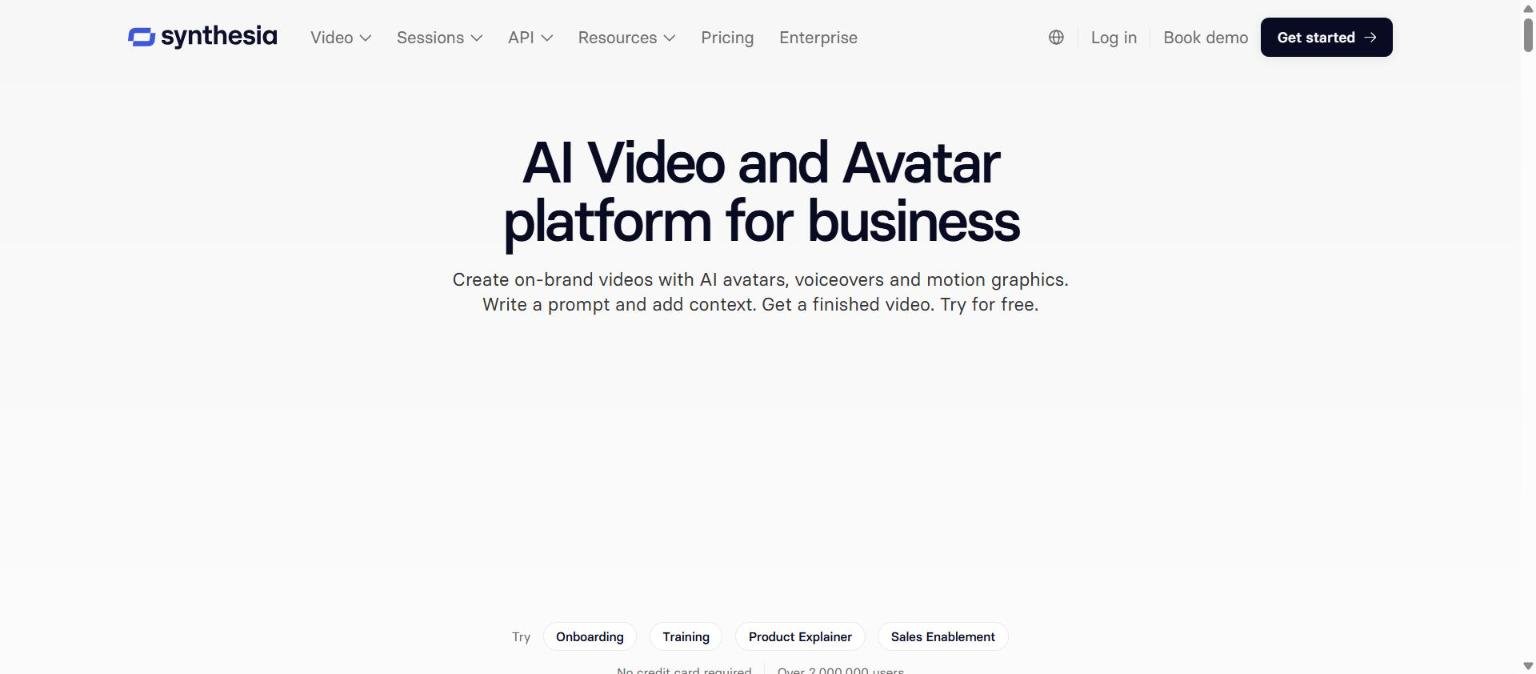
Synthesia is an AI video platform aimed at businesses. Its homepage describes it as a way to create videos with AI avatars, voiceovers and motion graphics from a text prompt or from source material such as documents, PowerPoint files or links. It is built around workplace uses such as training, onboarding, internal communication and sales enablement, rather than around cinematic or social clips.
This review looks at what Synthesia’s own pricing page, homepage, terms and AI governance page say about its features, credits, pricing, ownership of videos and data handling, and how it sits beside similar tools. Because the avatar video category is crowded, we also point you to our HeyGen and Synthesia comparison and our HeyGen guide.
How we researched this: we did not run hands-on tests for this article. It is based on the vendor’s own documentation and public sources, checked on 14 November 2026. Features and prices change, so confirm details on the vendor’s site before you buy.
Key takeaways
- Synthesia makes avatar-led business video, with video creation, Sessions (roleplay and surveys), an API and translation and dubbing.
- On 14 November 2026 its pricing page listed Basic at $0, Starter at $19 a month, Pro at $89 a month and custom Enterprise pricing, on monthly billing, with lower yearly rates.
- Plans are credit based, starting at 500 credits a month on the free Basic plan.
- Its AI governance page says it does not use customer inputs or outputs to pre-train its AI components, and its terms say the customer owns videos made with their data.
- User counts, customer results and the number one claim on the homepage are vendor statements that we have not verified.
What it is and who makes it
Synthesia is made by Synthesia, and its homepage calls it the number one AI video platform for business. That is a description the company applies to itself and not an independent ranking. The platform turns a script, a document or a slide deck into a video presented by an AI avatar, with a voiceover in the language you choose.
Scale and reach claims
The homepage says the platform has over 2,000,000 users, is trusted by more than 50,000 teams and is used by more than 90 percent of the Fortune 100. It also says videos can be made in 140 or more languages. We treat all of these as marketing figures and have not checked them.
Customer examples on the homepage
The page features results from named customers. Examples include a claim from Linde of video creation that is over 50 percent faster than traditional shoots, a Mondelez claim of 100 hours of translation done in 10 minutes, and a Moody’s claim that a four hour task now takes 30 minutes. These are vendor-reported case results, and your results will depend on your content and workflow.
Who it is for
The documented product and plan features point to the following groups.
- Learning and development teams who want to turn documents and slides into training videos and export them as SCORM packages for a learning management system.
- Internal communications and HR teams who need to publish the same message in many languages.
- Sales and customer teams who want roleplay practice with an avatar, which the Sessions product describes.
- Developers building video creation, dubbing or conversational avatars into their own products through the API.
- Enterprises who need SSO, SCIM, brand kits and a dedicated customer success manager, which the pricing page lists for the Enterprise plan.
It is less suited to people who want cinematic generative video, where a model-driven tool is a better match. If you are unsure which category you need, our guide to choosing an AI tool is a good first stop.
Core features
AI avatars
The homepage says there are hundreds of avatars to choose from, plus an Avatar Builder and Personal Avatars. The pricing page gives plan-level counts: 9 AI avatars on Basic, 125 or more on Starter, 180 or more on Pro and 240 or more on Enterprise. Pro lists 5 personal avatars and Enterprise lists unlimited personal avatars.
Video from documents, slides and links
The homepage says you can generate video from documents, PowerPoint files or links, and the Starter plan adds an AI Video Assistant. We did not read documentation on how closely the video follows the source, so quality is something to test with your own material.
Translation and dubbing
The homepage describes one-click translation, AI dubbing and translation of finished or external videos with optional lip sync and a custom glossary. The pricing page lists 140 or more languages for studio video and 70 or more for dubbing, and its yearly allowances state dubbing minutes separately from video minutes.
Brand kits, approvals and sharing
The homepage lists brand kits, approval workflows, sharing by link, embed or SCORM, and analytics. On the pricing page, brand kits and live team collaboration are shown under Enterprise, while Pro adds branded video pages and interactive videos.
Sessions
Sessions is a separate product area. Roleplay Sessions let people practise conversations with an avatar, and Survey Sessions run avatar-led interviews with automatic theme summaries. The plan table gives survey response allowances, such as 3 on Basic and 17 on Pro per month.
Newer or advanced features and integrations
API and interactive avatars
The homepage lists an API for programmatic video creation, dubbing and Interactive Avatars, which are real-time conversational avatars for use in other products. It also lists MCP documentation, which suggests the platform can be called from AI assistant workflows. We did not read the API documentation itself.
LMS and embed integrations
Videos can be embedded in LMS courses or exported as SCORM packages, including translated versions, and the homepage says embedded videos update automatically when edited. A full integrations list is linked from the site, which we did not open.
Syren videos
The plan table mentions Syren videos, with about 2 on Starter and about 7 on Pro each month, and one limited promotional Syren video on Basic. We could not find a description of what Syren means on the pages we read, so we do not explain it.
Pricing and plans
The table shows monthly billing as listed on Synthesia’s pricing page on 14 November 2026. The page uses a dollar sign without naming a currency, so confirm the currency and the current figures on the live page.
| Plan | Price a month | Credits a month | Approximate allowance on top of free | Avatars | Watermark |
|---|---|---|---|---|---|
| Basic | $0 | 500 | 10 minutes of video or dubbing | 9 | Synthesia watermark |
| Starter | $19 ($9 first month) | 1,250 | About 12 minutes of video, up to 16 minutes of dubbing | 125 or more | Logo removable |
| Pro | $89 ($49 first month) | 6,000 | About 60 minutes of video, up to 78 minutes of dubbing | 180 or more, plus 5 personal avatars | No watermark |
| Enterprise | Custom | Custom volumes | Unlimited video minutes | 240 or more, unlimited personal avatars | Not stated |
Yearly billing
The page also shows yearly billing, which lowers the monthly equivalent.
| Plan | Monthly equivalent | Billed yearly | Credits a year | Approximate video allowance |
|---|---|---|---|---|
| Starter | $14 | $168 | 15,000 | About 150 minutes |
| Pro | $59 | $708 | 72,000 | About 720 minutes |
What each plan adds
- Basic: a free allowance, share links, templates, libraries, roleplays and surveys.
- Starter: downloads, logo removal, the AI Video Assistant, survey analytics, 3 guests and chat and email support.
- Pro: 5 personal avatars, branded video pages, interactive videos, 5 guests, on-brand avatars, flexible plan tiers and priority support.
- Enterprise: SAML SSO, live team collaboration, brand kits, SCORM export, tailored onboarding, implementation services and a dedicated customer success manager.
The Pro plan offers higher credit tiers of 12,000, 24,000, 36,000 and 48,000, but the page shows struck-through and discounted figures, so we could not confirm the current price of each tier. The page does not address commercial use for any plan, which you should check in the terms before using videos in paid work. Our guide to reading an AI tool’s pricing page explains how to compare allowances like these.
Strengths
Built for business workflows
The feature list centres on brand kits, approvals, SCORM, analytics and SSO. If you are producing training or internal video at scale, those are the controls you are likely to need.
A free plan with no card
The homepage says a free Basic plan needs no credit card, and it includes 500 credits a month. That lets you check the avatars and the editor before paying.
Broad language coverage
Synthesia states 140 or more languages for video and 70 or more for dubbing. For multinational teams that is a documented breadth, although we have not assessed quality or accents.
Clear stance on training data
The AI governance page says Synthesia does not use customer data, including inputs or outputs, to pre-train its AI components. Few vendors say this so directly, and it is helpful if you handle internal material.
Published certifications
The homepage lists SOC 2 Type II, ISO 27001, ISO 27701 and ISO 42001, plus GDPR compliance with EU data residency. These are vendor claims, but they are specific and checkable by asking for reports.
Weaknesses and limits
Allowances are modest on lower plans
Starter gives about 12 minutes of video a month at monthly billing, and Pro about 60. If you produce a lot of video, the plan choice matters, and you may be pushed to higher tiers or Enterprise.
Credits make costs harder to predict
Video, dubbing, surveys and Syren videos each draw on credits in different amounts, and the page presents them as approximate allowances. Work out your needs from a real project before committing.
Unclear points on the pricing page
The page did not state commercial use per plan, the Enterprise watermark position, or the exact current prices of the higher Pro tiers. Some compare-table cells were ambiguous in the text we could read.
Not a creative video generator
Synthesia is organised around presenters and business content. For cinematic or stylised generative clips you would look at tools such as the ones in our video tool coverage.
Vendor claims we could not verify
The user counts, customer results, certifications and ranking on the homepage come from the vendor. Ask for evidence that matters to your decision, and test with a short real script.
Privacy, data handling and security
We read Synthesia’s AI governance practices page and its user terms of service, which showed a last updated date of 23 February 2024. We did not read its privacy policy, so check that separately.
| Topic | What the vendor’s pages say | Source |
|---|---|---|
| Training on customer data | It does not use customer data, including inputs or outputs, to pre-train its AI components. Fine-tuning that uses customer data depends on the customer’s written instructions and agreement | AI governance practices |
| Ownership of videos | Videos are customer data, which the customer owns as between the customer and Synthesia, including custom avatar videos | User terms |
| Custom avatars | Synthesia may use voice or video samples to fine tune and improve its models so that the avatar represents the person, where the customer requests a custom avatar and the individual consents | User terms |
| Moderation | Content is moderated at the point of generation using algorithmic and manual means | AI governance practices |
| Roles | The customer acts as controller and Synthesia as processor under privacy law | AI governance practices |
| Certifications | SOC 2 Type II, ISO 27001, ISO 27701 and ISO 42001 are claimed on the homepage | Homepage |
If you plan to upload confidential material or likenesses, follow our checklist on protecting company data when using AI tools, and ask the vendor for its current reports and contract terms.
How it compares
This table sets Synthesia beside three other tools from our list, using what each vendor’s own pages showed on 14 November 2026. We have not tested any of them.
| Tool | Positioning | Pricing point we could confirm | Distinctive documented point |
|---|---|---|---|
| Synthesia | AI video and avatar platform for business | Free Basic plan, Starter $19 a month, Pro $89 a month | Sessions, SCORM export, SOC 2 and ISO claims |
| HeyGen | Avatar video, voice and translation | Free plan, Creator $29 a month | 175 or more languages, personal avatars, API |
| Runway | Creative tools for video, images and audio | Credit plans from Free to Enterprise, prices not read | Generative video models and an API |
| Pika | AI creative tools for video, image and audio | Free plan, then Starter from $10 a month | Access to several third-party models |
For a head-to-head view of the closest rival, see HeyGen versus Synthesia.
Getting started
- Open the Synthesia pricing page and note the current plan limits and currency for your region.
- Start on the free Basic plan and make a short video from a real script or slide deck.
- Check the video against your brand and tone, and have a native speaker review any translation.
- Read the terms for commercial use and the privacy policy before using material that includes people or confidential data.
- Estimate how many minutes you need each month and choose between Starter, Pro and Enterprise.
- Use our guide to testing an AI tool before you pay to structure a fair trial.
Frequently asked questions
Is Synthesia free?
The homepage says there is a free Basic plan with no credit card required, and the pricing page lists it at $0 with 500 credits a month, 9 avatars and a Synthesia watermark.
How much does Synthesia cost?
On 14 November 2026 the pricing page showed Starter at $19 a month and Pro at $89 a month on monthly billing, with yearly rates of $14 and $59 a month equivalent. Enterprise is custom. The page did not name a currency.
How many languages does it support?
The pricing page lists 140 or more languages for studio video and 70 or more for dubbing.
Does Synthesia train on my videos?
Its AI governance page says it does not use customer data, including inputs or outputs, to pre-train its AI components. It adds that fine-tuning involving customer data depends on the customer’s written instructions and agreement. Read the current privacy policy as well.
Who owns the videos I make?
The user terms say videos are customer data owned by the customer as between the customer and Synthesia, including custom avatar videos. The terms do not address commercial use directly, so check the customer contract.
Can I make an avatar of myself?
The homepage lists Personal Avatars and an Avatar Builder, and the pricing page shows 5 personal avatars on Pro. The terms say custom avatars require the individual’s consent.
Does it have an API?
Yes. The homepage lists an API for video creation, dubbing and interactive avatars, with MCP documentation.
Conclusion
Synthesia is a focused choice for business teams that want avatar-led video with strong workplace features such as SCORM, brand kits, SSO and many languages. Its published stance on training data and its listed certifications are attractive, though they are the vendor’s statements. The main cautions are modest monthly allowances, credit-based planning and a few pricing points the page leaves open.
It suits training, communications and sales enablement teams who can test it on a real project first. To weigh it against its closest rival read our comparison and our HeyGen guide.
Sources
- Synthesia homepage, accessed 14 November 2026
- Synthesia pricing page, accessed 14 November 2026
- Synthesia AI governance practices, accessed 14 November 2026
- Synthesia user terms of service, last updated 23 February 2024, accessed 14 November 2026

