Midjourney is one of the best-known AI image generators, and it works differently from many rivals: it began as a Discord bot and now also runs as a website with its own Create, Explore and Organize pages. This guide pulls together what Midjourney’s own documentation says about its features, plans, privacy defaults and rules, so you can decide whether it fits your work before you pay.
We have written about the tool before in our shorter review. This longer guide goes through every area in more depth, including a dated look at the plans page, the stealth mode privacy setting, the terms that affect businesses, and a table that sets Midjourney against three other image tools.
How we researched this: we did not run hands-on tests for this article. It is based on the vendor’s own documentation and public sources, checked on 14 November 2026. Features and prices change, so confirm details on the vendor’s site before you buy.
Key takeaways
- Midjourney’s documentation lists four paid plans (Basic, Standard, Pro and Mega) from $10 to $120 a month. We did not find a free plan on the plans page we read.
- Creations are public by default. Stealth mode, which hides them, is only available on the Pro and Mega plans.
- Style references, omni-reference, personalization profiles, moodboards and draft mode are documented tools for steering a look.
- Companies with more than $1,000,000 USD in annual gross revenue must subscribe to Pro or Mega to own their assets, according to the terms and plans page.
- Midjourney grants itself a broad licence to the content you input and the assets you produce, so read the terms before using it with sensitive material.
What it is and who makes it
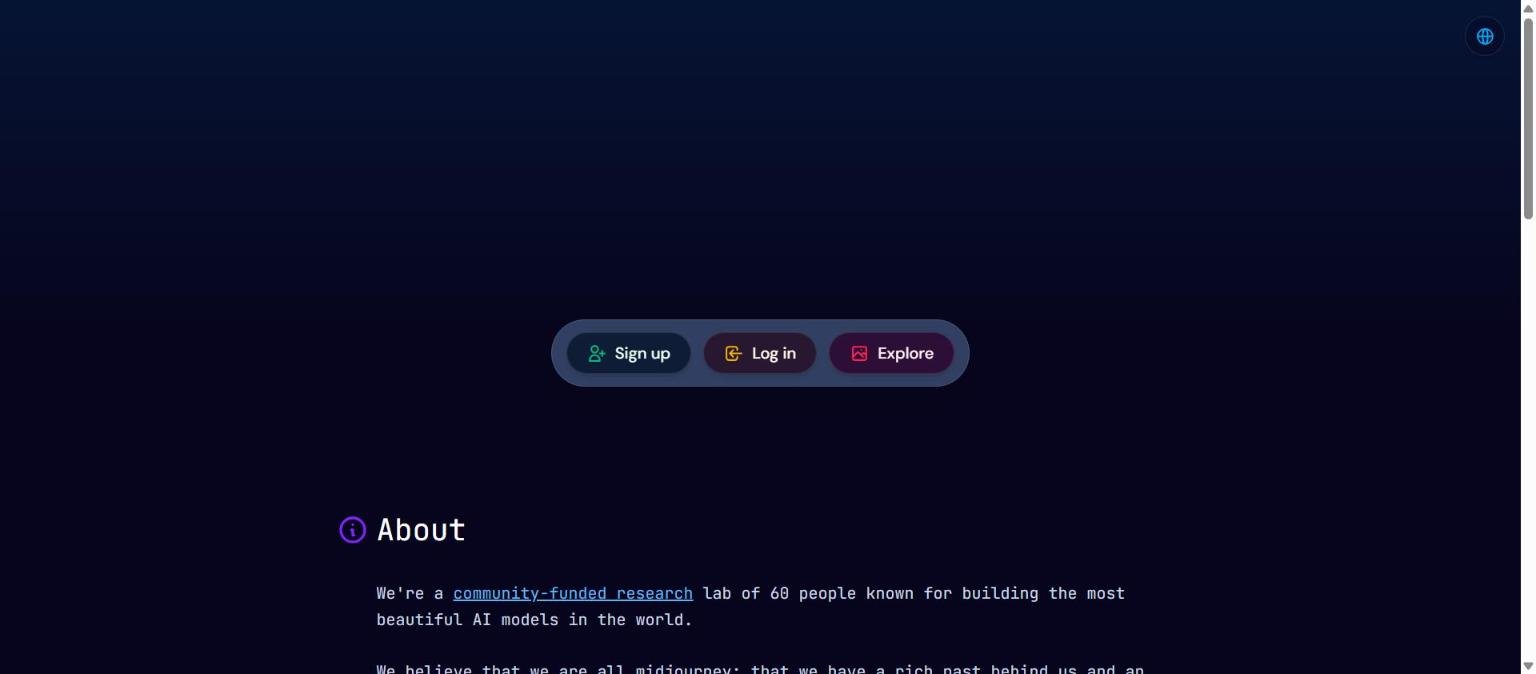
Midjourney is a text-to-image and image-to-video service. You describe what you want in a prompt, and the system produces images (and, on the plans that include it, short videos) that you can refine, vary and upscale. The company’s homepage describes Midjourney as a community-funded research lab of 60 people that builds AI models, and says it believes that everyone is a creator. We read that text on the homepage on 14 November 2026 and did not verify the headcount independently.
The service is reached in two ways. The original route is Discord, where you talk to the Midjourney Bot. The newer route is the Midjourney website, which the documentation describes as having Explore, Create, Edit, Personalize, Organize and Tasks areas. Both routes use the same subscription.
Where the product lives
The website is where most of the documented features are surfaced. The Create page is where you enter ideas and watch images and videos generate in real time, and the Organize page lets you search, filter and sort your creations, put them into folders and run bulk actions. Discord remains available, including direct messages with the bot for working alone.
What the product is not
Midjourney is not a general writing assistant, a slide builder or a layout design suite. It is an image and video generator with editing and organising tools around it. If you need finished marketing layouts, brand templates or team approval flows, you will probably pair it with another tool. See our guide on how to choose an AI tool for a method to work out what you actually need.
Who it is for
Based on the documented features, Midjourney suits people whose main output is imagery and who care about aesthetic control more than about an all-in-one workspace.
- Illustrators and concept artists who want to explore looks quickly, using style references and personalization to hold a consistent aesthetic.
- Marketers and designers who need visual starting points, mood boards or campaign imagery, and who are happy to finish the work in another editor.
- Hobbyists and creators who enjoy the community side, such as browsing the Explore page and trying style codes.
- Small teams comfortable with the plan limits and the public-by-default setting, or willing to pay for Pro to turn on stealth mode.
It is a weaker fit for anyone who needs strict privacy by default, a guaranteed free tier, or tight integration with design software. Those points are covered in the weaknesses section below.
Core features
Text prompts and parameters
You steer Midjourney with a written prompt plus optional parameters added at the end of the prompt. The documentation describes parameters such as the style weight setting --sw, which ranges from 0 to 1000 with a default of 100, and others for versions and styles. Parameters give you repeatable control, but they are a learning curve compared with tools that rely on simple sliders.
Image prompts
You can add images to a prompt to influence the result. The documentation has a dedicated page on image prompts, which is the route to blend your own reference material into a new generation.
Style references and the Style Explorer
The style reference parameter, --sref, applies the overall look of an image, such as its colours, medium, textures and lighting, to a new image without copying its objects or people. You can also use numerical style codes drawn from Midjourney’s own library, and the documentation says --sref random generates a random code and that several codes can be mixed. The documentation also says you cannot create a code from your own uploaded image. The Style Explorer, found in the Styles tab of the Explore page, lets you browse codes, try them on your current prompt, copy them and save favourites.
Explore and community browsing
The Explore page is a community showcase. You can search, sort by For You, Random, Hot or Top (day, week or month), and open any item to see its creator, prompt and settings. That openness is a learning aid, and it is also the reason the public-by-default setting matters, as discussed in the privacy section.
Create, Organize and Editor
The Create page is the main workspace on the web. Organize provides folders, filters, a timeline by date and bulk actions such as liking, trashing or moving items. The Edit area gives access to the Midjourney Editor for uploading and modifying any image with what the documentation calls advanced tools. The community guidelines warn that using the Editor to harass, deceive or sexualise real people can lead to suspension or a ban without refund.
Newer and advanced features
Version 7 tools
Midjourney’s V7 announcement, published on the company’s official newsletter, describes several additions. Draft mode, switched on with --draft, is described as ten times the speed of normal image generation. Omni-reference, --oref, lets you put consistent characters and objects into scenes. The announcement also says personalization profiles were improved and were preferred by 85 percent of users. These are vendor claims, and we have not measured them.
Personalization and moodboards
Personalize builds a custom aesthetic by asking you to rate images. Moodboards let you curate sets of images for a particular look. The documentation says you can manage several styles with both. A separate Tasks area offers image ratings and surveys that refine your profiles, and completing them can earn extra benefits such as additional GPU time.
Video
The plans page lists video as part of the subscription. It shows concurrent video prompt limits and says video resolution is SD on the Basic plan and SD and HD on the other plans. It also says Relax mode covers unlimited images on Standard, and unlimited images and SD video on Pro and Mega. The V7 announcement mentions that Midjourney would be testing a video Relax mode for Pro subscribers and higher. We could not open Midjourney’s dedicated video documentation page during our research, so we have not described how video prompts work in detail.
Discord and the bot
Discord remains a supported way to use the service. The plans page says all plans let you work solo in Discord direct messages, and the stealth documentation recommends the web Create page, Discord direct messages or a private Discord server for total privacy.
Pricing and plans
Midjourney publishes its plans in its documentation. The table below is copied from the official plans page, read on 14 November 2026. Prices are in US dollars. Always confirm on the vendor page before you subscribe, because plans change.
| Item | Basic | Standard | Pro | Mega |
|---|---|---|---|---|
| Monthly price | $10 | $30 | $60 | $120 |
| Annual price | $96 ($8 a month) | $288 ($24 a month) | $576 ($48 a month) | $1,152 ($96 a month) |
| Fast GPU time | 3.3 hours a month | 15 hours a month | 30 hours a month | 60 hours a month |
| Relax mode | Not available | Unlimited images | Unlimited images and SD video | Unlimited images and SD video |
| Stealth mode | Not available | Not available | Available | Available |
| Concurrent image prompts | 3 Fast | 3 Fast or Relax | 12 Fast or 3 Relax | 12 Fast or 3 Relax |
| Video resolution | SD | SD and HD | SD and HD | SD and HD |
Other points from the same page: extra GPU time costs $4 an hour on every plan, all plans use the General Commercial Terms for usage rights, subscriptions renew automatically unless cancelled, and the annual plans save 20 percent. A company with more than $1,000,000 USD in gross revenue per year must purchase the Pro or Mega plan for usage rights.
How the cost model works
Midjourney charges by plan, with GPU time acting as the usage meter. Fast hours are consumed when you generate, and Relax mode, where available, queues jobs at lower priority without using Fast time. That means the real cost depends on how much you generate and how quickly you need it. Our guide to reading an AI tool’s pricing page explains why the headline monthly price is only one part of the picture.
Strengths
Strong tools for steering a look
The documented combination of style references, style codes, personalization, moodboards and omni-reference gives several ways to keep a visual identity consistent across many images. Few tools document as many separate levers for style.
A transparent plans page
The plans page is a clear comparison table with monthly and annual prices, GPU hours, concurrency limits and privacy features side by side. That makes it easier to match a plan to a workload than with vendors that hide limits behind a sales call.
Community discovery
The Explore page shows prompts and settings next to results, so you can learn by example. The Style Explorer makes it easy to try a documented style code on your own prompt.
Relax mode on mid-tier plans
Standard includes unlimited images in Relax mode, and Pro and Mega add unlimited SD video in Relax mode. For people who are not in a hurry, that can reduce reliance on the Fast hour allowance.
Commercial use is addressed in the terms
The terms say users may own the images, videos and other outputs they create to the fullest extent possible under applicable law, and that ownership continues even if a user later downgrades or cancels. That is clearer than silence, although ownership of AI output is a developing area of law. See our overview of where AI copyright cases stand.
Weaknesses and limits
Public by default
The stealth documentation says creations are public by default unless you turn on stealth mode, and that creations made in public Discord channels stay visible to others even in stealth mode. Stealth is limited to Pro and Mega. If you work on client material, this is the single most important cost consideration, because the cheaper plans do not include the setting.
No free plan found on the plans page
The plans page we read lists four paid plans and no free tier. We did not confirm whether any trial exists, so check the official site if cost of entry matters to you.
A learning curve for parameters
Much of the control comes through parameters typed after the prompt, such as --sref, --sw, --oref and --sv. The documentation notes version differences, for example that V7 has six style reference versions selected with --sv and that older style codes may look different now. Newcomers should expect some trial and error.
Limited GPU time on entry plans
Basic includes 3.3 hours of Fast GPU time a month and no Relax mode, so a busy month can hit the limit and push you to buy extra time at $4 an hour or upgrade.
Strict moderation that also applies to private content
The community guidelines say the rules apply to all content, including private servers, deleted or hidden images, stealth mode, direct messages with the bot and the websites. They also say automatic input blocking is not a guarantee that content is allowed. Consequences include warnings, time-outs or blocks. Know the rules before using it professionally.
Revenue threshold for companies
The terms and plans page say companies with more than $1,000,000 USD in annual revenue, and their employees, must be on Pro or Mega to own their assets. Larger organisations should budget for the higher plans and read the terms carefully.
Privacy, data handling and security
This section reports only what Midjourney’s official pages state, read on 14 November 2026.
| Topic | What the official page says |
|---|---|
| Default visibility | Creations are public by default unless you turn on stealth mode. |
| Stealth mode | Available to Pro and Mega members. If you cancel or downgrade, content already made private stays private. |
| Existing images | Upgrading or setting stealth as default does not automatically privatise existing public creations. You change them manually, one at a time or in bulk from Organize. |
| Trashing | Trashing a creation is not the same as making it private. Trashed creations may still appear on Explore or be reachable by job ID or URL. |
| Licence to Midjourney | Users grant a broad, free, irrevocable, worldwide, non-exclusive copyright licence to the content they input and the assets they produce, which survives termination. |
| Stealth commitment | Midjourney commits to best efforts not to publish assets made in stealth mode. |
| Age | Users must be at least 13 and meet their country’s minimum age of digital consent. |
The terms we read carry a version effective date of 27 May 2026. In practice, avoid putting confidential client artwork, unreleased product designs or personal images into a public-by-default workflow. Our guide on protecting company data when using AI tools sets out a checklist you can apply before adopting any generator.
How it compares
The table compares Midjourney with three other tools on our list. The facts for the alternatives come from each vendor’s own homepage as read on 14 November 2026. Details are limited to what those pages state, and we have not tested any of them. For a fuller method, see our comparison of Midjourney, DALL-E and Firefly.
| Tool | Positioning on its own homepage | Pricing model we could confirm | Notable point |
|---|---|---|---|
| Midjourney | Community-funded research lab building AI models | Four paid plans, $10 to $120 a month | Public by default, stealth on Pro and Mega only |
| Adobe Firefly | Generate and edit images, video and audio in one AI-powered creative studio | Homepage mentions free daily generations and paid plans, details not captured here | Part of the wider Adobe product range |
| Leonardo.Ai | The creator-first generative AI platform | Homepage has a Pricing link, details not captured here | Offers a developer API, shown on the homepage |
| Ideogram | Models for visual intelligence, with the headline stressing prompt fidelity, type and editing | Homepage has a Pricing link, details not captured here | Homepage names typography as a focus |
The right choice depends on privacy needs, budget and where the images end up. Compare on your own prompts rather than on marketing copy.
Getting started
- Read the plans page and decide whether you need stealth mode before you pay, because it is only on Pro and Mega.
- Create an account on the Midjourney website and subscribe to the plan that fits your expected GPU hours.
- Open the Create page and try a short prompt. Check the documentation for the parameters you plan to use.
- Browse the Explore page and the Style Explorer to find style codes, then test one with
--sref. - Set your default visibility in the settings panel before you generate anything sensitive.
- Use Organize to sort results into folders, and review the terms and community guidelines before commercial use.
Frequently asked questions
Is Midjourney free?
The plans page we read lists four paid plans starting at $10 a month and does not list a free tier. We did not confirm whether any trial is offered, so check the official site.
Are my Midjourney images private?
Not by default. The documentation says creations are public unless you turn on stealth mode, which is available on Pro and Mega. Creations made in public Discord channels remain visible even in stealth mode.
Can I use Midjourney images commercially?
The plans page says all plans use the General Commercial Terms for usage rights, and the terms say users may own their outputs to the fullest extent possible under applicable law. Companies above $1,000,000 USD in annual revenue must be on Pro or Mega. This is general information, not legal advice.
Do I need Discord?
No. The documentation describes a website with Create, Explore, Edit, Personalize and Organize areas. Discord remains an option, including direct messages with the bot.
What is the difference between Fast and Relax mode?
The plans page shows Fast GPU hours as a monthly allowance. Relax mode is listed separately as unlimited images on Standard and unlimited images and SD video on Pro and Mega. The page does not describe the queueing in detail, so check the documentation for specifics.
Can I generate video?
The plans page lists concurrent video prompt limits and video resolution for each plan, so video is part of the subscription. We could not open the dedicated video documentation, so we do not describe how it works.
How should I check the output?
AI images can contain errors, odd details and unexpected likenesses. Review every image before publishing, and keep a record of the prompts and settings used so that you can reproduce or explain a result.
Conclusion
Midjourney is a focused image and video generator with a rich set of documented style controls, a clear plans table and an active community. Its main trade-offs are the public-by-default setting, stealth mode being limited to Pro and Mega, a parameter-heavy learning curve and strict moderation rules. It suits people who care most about aesthetics and are comfortable with those conditions.
It is best for creators and small teams who will use the Pro plan if privacy matters, and less suited to teams that need confidentiality on a lower budget. Whichever tool you choose, run a small trial first, and use our pieces on choosing an AI tool and our shorter Midjourney review alongside this guide.
Sources
- Midjourney: Comparing Midjourney Plans, accessed 14 November 2026
- Midjourney: Stealth Mode, accessed 14 November 2026
- Midjourney: Website Overview, accessed 14 November 2026
- Midjourney: Terms of Service, accessed 14 November 2026
- Midjourney: Community Guidelines, accessed 14 November 2026
- Midjourney: Style Reference, accessed 14 November 2026
- Midjourney: V7 Released, accessed 14 November 2026
- Midjourney homepage, viewed 14 November 2026


