Suno is an AI music service. Its own about page calls the company a music company building a creative entertainment platform, and its pricing page shows a ladder of three plans that differ mainly in credits, downloads, queue priority, rights and editing tools. This guide walks through what the vendor documents publicly, who each plan seems to suit, where the limits are and what we could not confirm.
We keep this profile to what is written on Suno’s own pages. That means we can describe the plans and the stated limits with some confidence, but we cannot tell you how good the songs sound, how well prompts are followed or how the service behaves under load. For those questions you need to listen for yourself, and our guide on how to test an AI tool before you pay for it shows a fair way to do that.
How we researched this: we did not run hands-on tests for this article. It is based on the vendor’s own documentation and public sources, checked on 11 November 2026. Features and prices change, so confirm details on the vendor’s site before you buy.
Key takeaways
- Suno has three plans on its pricing page: Free at $0, Pro and Premier, with prices read on 14 November 2026.
- Commercial rights are listed as not included on Free and included on Pro and Premier, but the page points to the terms of service for limits, so read those before you publish anything.
- Credits do not roll over from month to month, so a plan only pays off if you use the allowance.
- Suno Studio, with MIDI, effects, automation and custom plugins, is listed only on the top plan, Premier.
- We could not open the main suno.com page, Suno’s privacy terms or its training policy, so the privacy section says only what we could verify.
What Suno is and who makes it
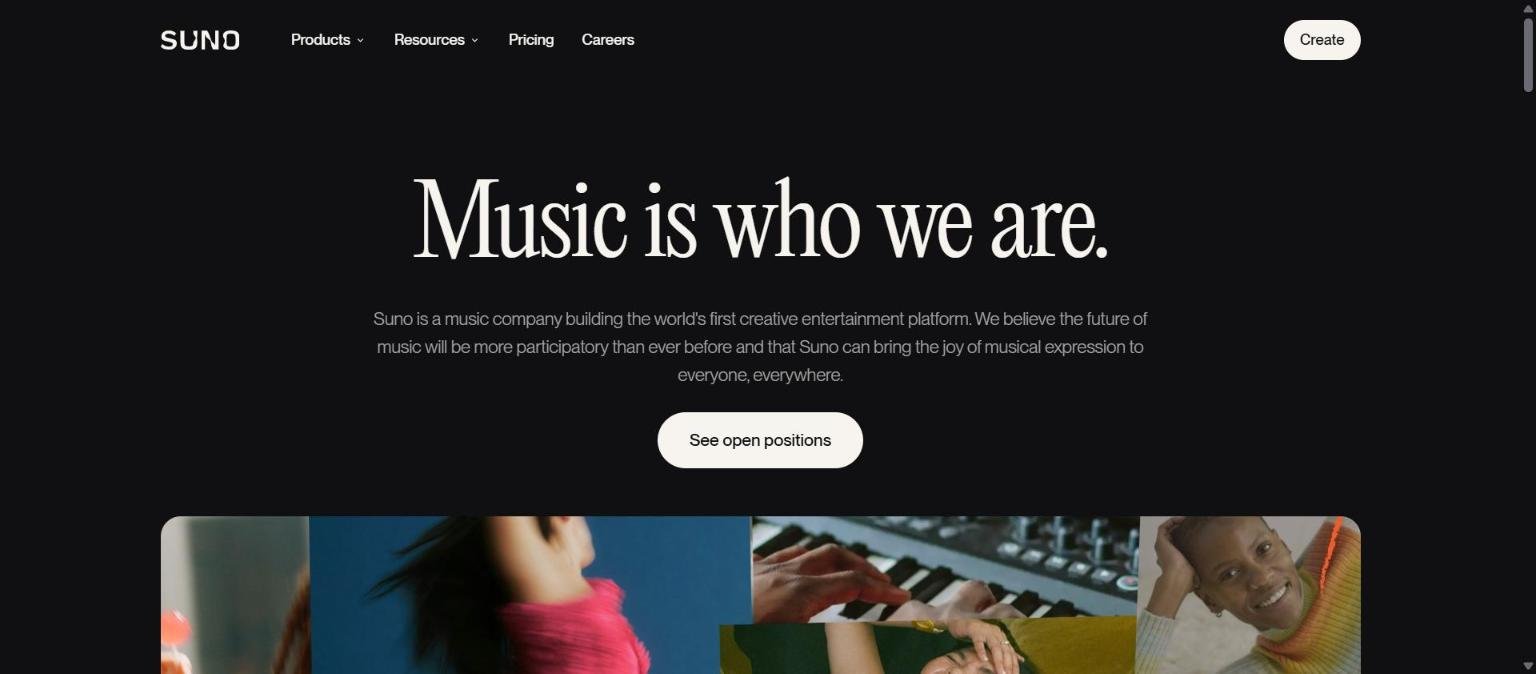
Suno is a music creation service run by a company that describes itself on its about page as a music company building the world’s first creative entertainment platform. The same page says the company believes the future of music will be more participatory than ever before, and that Suno can bring the joy of musical expression to everyone. That is the vendor’s own framing, and it tells you the target audience is broad, from people who have never made music to people who already do.
The pricing page, which is the main source for the product details in this guide, describes the service through its plan features: generations, a credit allowance, downloads, uploads, voices, editing tools, stems and a Studio workspace. It also names model versions, v6-mini on the free plan and v6 and v6-wild on paid plans. We did not read model release notes, so we cannot say how these versions differ in sound or quality.
The main suno.com page showed an endless loading state when we tried it in our browser, so we did not see the logged-in product. Everything below about features comes from the plan comparison, not from using the product.
| Item | What the vendor page says | Source |
|---|---|---|
| Company description | A music company building a creative entertainment platform | suno.com/about |
| Model names listed | v6-mini (Free), v6 and v6-wild (paid) | suno.com/pricing |
| Plans | Free, Pro, Premier | suno.com/pricing |
| Check date | 14 November 2026 | Our check |
Who Suno is for
Based on the plan design, Free looks aimed at people who want to try the service without paying, Pro at individuals who want commercial rights and more control, and Premier at people who need a larger monthly allowance and the Studio workspace. This is our reading of the plan table, not something Suno states about its customers.
If you plan to publish or sell what you generate, the commercial rights line matters most. If you only want to experiment, the daily free credits may be enough. If you work with stems, MIDI or effects, look at the higher plans. The table below maps these situations to the plan features listed on the pricing page.
| If you want to | Plan features to check | Plans that list them |
|---|---|---|
| Try the service for free | 50 credits per day, v6-mini, shared queue | Free |
| Use songs commercially | Commercial rights, subject to the terms of service | Pro, Premier |
| Upload longer audio | Uploads up to 8 minutes (Free) or 30 minutes (Pro) | Free, Pro (Premier not read) |
| Work with stems | 2 stem types (Pro) or 3 stem types (Premier) | Pro, Premier |
| Use a full production workspace | Suno Studio with MIDI, effects, automation, plugins | Premier |
Core features
Song generation with a credit allowance
Generation is the core action, and the pricing page measures it in credits. Free gives 50 credits per day, Pro gives 2,500 credits a month and Premier gives 10,000 credits a month. We did not find a page that states exactly how many credits one song costs, so we cannot convert these numbers into a count of songs.
Choice of model version
The pricing page lists v6-mini on Free and v6 and v6-wild on Pro. Having more than one paid model suggests a choice between styles or behaviours, but we did not read documentation explaining the difference, so treat that as unconfirmed.
Queue and parallel generations
Free lists 4 generations in a shared queue. Pro lists 10 generations in a priority queue. The practical effect is probably shorter waits and more songs at once on Pro, though Suno does not publish wait times on the page we read.
Downloads
Downloads are capped on paid plans: 20 a month on Pro and 60 a month on Premier. The Free plan does not list a download figure in what we read. If you make many songs and keep most of them, this cap may matter more than the credit count.
Uploads
Uploads are listed on Free with a limit of 8 minutes and on Pro with a limit of 30 minutes; we did not read the Premier limit. The page does not say here what you can do with an upload beyond the feature names, so check Suno’s help pages for details.
Stems
Stems let you split a track into parts. The page lists no stems on Free, 2 stem types on Pro and 3 stem types on Premier. It does not name the stem types on the page we read.
Newer and advanced features and integrations
Voices and personas
Pro lists voices and Premier lists personas. We could not confirm exactly how either works from the pricing page, so read Suno’s own help material before relying on them, especially if you plan to use a voice that resembles a real person.
Add vocals and add instrumental
Pro lists tools to add vocals or an instrumental to existing material. This suggests a workflow where you start from one part of a song and generate the other, but the page gives only the feature names.
Inspire and custom models
Pro also lists Inspire and custom models. Neither is explained on the pricing page, and we did not open a page that explains them, so we will not guess what they do.
Basic and advanced editing
Pro lists basic and advanced editing. For anyone who wants to adjust a result rather than regenerate it, editing is a key feature to check, and it is worth testing on a free account before paying.
Suno Studio
Premier lists Suno Studio, described on the page with MIDI, effects, automation and custom plugins. That reads like a more traditional music production environment. It is the only plan with Studio, so if Studio is the reason you are interested, Premier is the entry point.
Early access
Premier also lists early access to new features. The page does not say what features or how early, and we could not verify this beyond the line itself.
Pricing and plans
Suno’s pricing page lists three plans. We read it on 14 November 2026. The page shows promotional or annual prices alongside a list price, so the number you pay can depend on whether you choose monthly or annual billing. Confirm the figure on suno.com/pricing before you buy.
Free costs $0. Pro is shown at $8 a month, with $10 listed and $96 billed a year. Premier is shown at $24 a month, with $30 listed and $288 billed a year. The $8 and $24 figures multiply to $96 and $288, which suggests they are annual billing rates shown per month, but the page is the authority, not our arithmetic.
| Plan | Price on page (14 Nov 2026) | Credits | Downloads | Rights and queue |
|---|---|---|---|---|
| Free | $0 | 50 per day | Not listed | No commercial rights, 4 generations, shared queue |
| Pro | $8 a month shown ($10 listed, $96 a year) | 2,500 a month | 20 a month | Commercial rights, 10 generations, priority queue |
| Premier | $24 a month shown ($30 listed, $288 a year) | 10,000 a month | 60 a month | Commercial rights, Studio, personas |
Credits do not roll over, according to the page. Top-up credits do not expire, but they need an active subscription. Taxes and regional pricing are not covered in what we read. Our guide to reading an AI tool’s pricing page explains why the difference between monthly and annual prices matters.
The page also says to see the terms of service for commercial-use limits. We did not read those terms, so we cannot tell you what the limits are. If you rely on commercial rights, read them yourself before you publish.
Strengths
A clear plan ladder
The pricing page lays out three plans and the main differences between them: credits, downloads, queue, rights and tools. That makes it easier to see what you get for each step up in price.
A free way to try it
The Free plan gives 50 credits per day with no payment. For someone who wants to see what the service does before committing, a recurring daily allowance is more useful than a single trial.
Commercial rights are stated on paid plans
The page states that commercial rights are included on Pro and Premier and not on Free. Many tools bury this, so a clear line is a practical benefit, though you still need the terms of service.
A Studio workspace for deeper work
Premier lists Suno Studio with MIDI, effects, automation and custom plugins. For people who want to keep working on a track beyond generation, that is a documented step beyond a simple prompt box.
Top-up credits that do not expire
If you run out in a busy month, top-up credits are available and do not expire, though they require an active subscription. That helps if your use is uneven.
Weaknesses and limits
Credits do not roll over
Unused monthly credits are lost, so a quiet month wastes part of what you paid for. If your usage is uneven, compare the cost against what you actually use.
Download caps on paid plans
Pro allows 20 downloads a month and Premier allows 60. Heavy users who keep many songs may hit those caps before the credits run out.
Studio is Premier only
The most advanced workspace is on the top plan. If you want Studio but not 10,000 credits, the plan structure does not offer a middle option on the page we read.
Limited information on the page
The pricing page lists feature names but explains few of them. Inspire, custom models and personas are named without a description there, so you need further reading before you pay for a plan because of one of them.
Legal and rights questions remain with you
The page refers readers to the terms of service for commercial-use limits. Whether a given song is safe to release is a question about those terms and about the law, not about the pricing table. This is general information, not legal advice.
Privacy, data handling and security
We could not read Suno’s privacy policy or its terms of service, so we cannot say how it stores prompts, uploads or generated songs, whether it uses them for training, or how long it keeps them. We also did not find a security or compliance page. We will not guess.
What we can say from the pricing page is that uploads are a feature, up to 8 minutes on Free and 30 minutes on Pro. If you upload your own recordings or other people’s voices, you should read the terms first, and check who owns what you upload. Our guide on protecting company data when using AI tools lists questions to ask any vendor.
Questions about copyright in AI music are active and unsettled in places. Our overview of where AI copyright cases stand gives dated context. It is general information, not legal advice.
How Suno compares
The most direct comparison for Suno is another AI music service, and we have a separate piece on what to compare between Suno and Udio. For this guide we did not read Udio’s own pages, so we do not put its figures in a table here.
Two audio tools in our tool list are ElevenLabs and Murf. They are mainly known for voice work, and we did not confirm that either generates full songs, so they are not like-for-like substitutes. The table below compares only how each one structures its pricing, from the pages we read for our own guides.
| Tool | Plan structure we documented | Where to read more |
|---|---|---|
| Suno | Free, Pro, Premier, with monthly credits that do not roll over | This guide |
| ElevenLabs | Credit based plans from Free up to Business, plus Enterprise | ElevenLabs guide |
| Murf | Creator and Business plans on annual billing, plus other tiers | Murf guide |
Our guide on AI voice tools and what changed this year gives wider context for the audio category. If you want a side by side method, see how to compare AI tools side by side fairly.
Getting started
If you decide to try Suno, this order keeps spending to a minimum.
- Read suno.com/pricing and note the current price, billing period and any regional figure.
- Start on the Free plan and use the daily credits to judge the sound against your own needs.
- Write down what you want: background tracks, demos, finished songs or production work.
- Read the terms of service for the commercial-use limits before you publish anything.
- Only then pick Pro or Premier, and check the download cap against how many songs you keep.
- Set a reminder before renewal so credits you do not use do not roll into another paid month.
Frequently asked questions
Is Suno free?
Yes, there is a Free plan at $0 on the pricing page, with 50 credits per day. It does not include commercial rights and lists 4 generations in a shared queue.
Can I use Suno songs commercially?
The pricing page lists commercial rights on Pro and Premier and not on Free. It also tells readers to see the terms of service for commercial-use limits, which we did not read. Check them before you publish. This is general information, not legal advice.
Do unused credits roll over?
No. The pricing page says credits do not roll over. Top-up credits do not expire but need an active subscription.
What is Suno Studio?
The pricing page lists Suno Studio on Premier with MIDI, effects, automation and custom plugins. We did not use it, so we cannot describe how it feels in practice.
How much does Pro cost?
On 14 November 2026 the page showed $8 a month, with $10 listed and $96 billed a year. Confirm the current figure and billing period on the vendor page.
Does Suno train on my uploads?
We could not confirm this. We did not read Suno’s privacy terms or training policy, so check them before uploading anything sensitive.
Is there a Suno review on this site?
Not yet. This guide is our first full profile of Suno. For a broader method, see how to choose an AI tool.
Conclusion
Suno’s public pricing page shows a plan ladder that is easy to follow: a free tier to try, a middle tier with commercial rights and more control, and a top tier with a larger allowance and Studio. The documented limits are equally clear: credits do not roll over, downloads are capped, and Studio is tied to the top plan.
What we could not confirm matters as much as what we could. We did not read the terms or privacy policy, we did not see the logged-in product and we cannot judge sound quality. Treat this guide as a map of the vendor’s own claims, then test with the free plan and read the terms before you publish. Check how to check AI output for mistakes as part of your routine.
Sources
- Suno pricing page, read 14 November 2026, accessed 14 November 2026
- Suno about page, read 14 November 2026, accessed 14 November 2026


