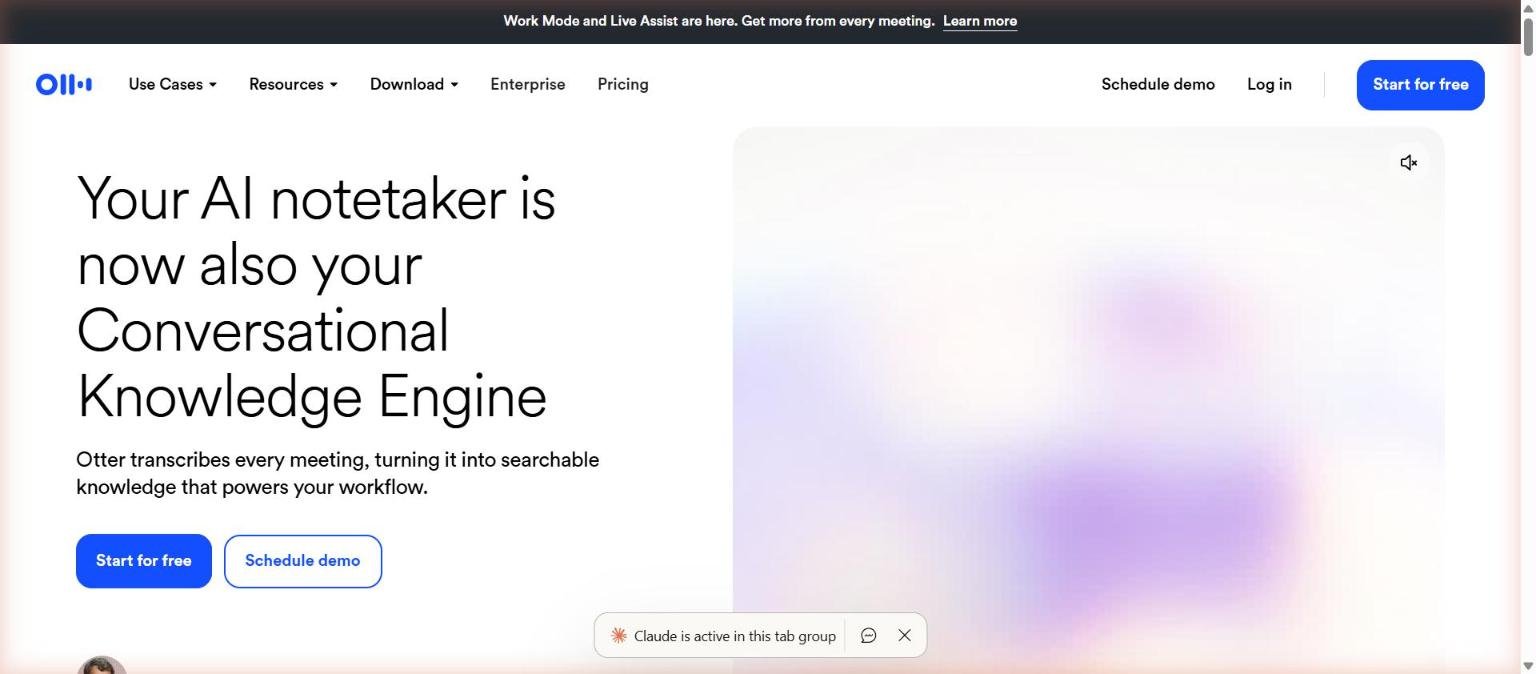
Otter.ai started as a transcription app and now describes itself as an AI notetaker that is also a “Conversational Knowledge Engine”. The pitch is that every meeting becomes searchable knowledge: a transcript, a summary with decisions and action items, and a chat interface you can ask questions across all your meetings.
This guide is a researched profile of what Otter publishes about itself on its homepage and pricing page: the features, the plan limits and the enterprise options. It is not a hands-on test. For a shorter take, read our shorter review, and for a three-way comparison with other notetakers see Otter vs Fireflies vs Fathom.
How we researched this: we did not run hands-on tests for this article. It is based on the vendor’s own documentation and public sources, checked on 11 November 2026. Features and prices change, so confirm details on the vendor’s site before you buy.
Key takeaways
- Otter transcribes meetings on Zoom, Microsoft Teams and Google Meet, and also records from a desktop app, Chrome or mobile, so you can capture meetings with or without a bot joining.
- The pricing page we read on 14 November 2026 lists Basic (free), Pro, Business and Enterprise, with per-meeting limits that rise from 30 minutes on Basic to 4 hours on Business.
- The free Basic plan includes 300 monthly transcription minutes, only 3 lifetime audio or video file imports and the 25 most recent conversations, so it is a trial rather than a full tier.
- Otter lists an MCP server so AI chat tools such as ChatGPT and Claude can access meeting knowledge, and an AI Chat that searches across meetings and connected apps.
- We could not open Otter’s privacy policy or security page, so we cannot summarise how it handles recordings or training; read them before recording sensitive calls.
What Otter.ai is and who makes it
Otter.ai is a meeting transcription and notes product. Its homepage on 14 November 2026 says the product transcribes every meeting, turns it into searchable knowledge and powers your workflow. A banner at the top says that Work Mode and Live Assist are new. The homepage describes it as being like having your own executive assistant: send it to meetings or record from your device, and it captures the conversation, tracks takeaways and handles follow-ups.
The product has several capture paths. The homepage lists sending an AI notetaker to meetings, a desktop app for bot-free meetings on Mac or Windows, recording through Chrome, and capture on mobile. The pricing page lists support for Zoom, Microsoft Teams and Google Meet, plus iOS and Android apps. We could not confirm details such as company size, funding or user counts from the pages we read.
Output is meant to be useful after the call too. The homepage lists summaries that include decisions, action items and insights, automatic capture and assignment of action items, Channels to group meetings by team or topic, and sales features that push deal details to a CRM.
| Area | What the Otter site says |
|---|---|
| Capture | Notetaker joins meetings, or bot-free recording from desktop, Chrome or mobile |
| Transcription | Live transcription in multiple languages with speaker recognition |
| Summaries | Summaries with decisions, action items and insights |
| AI Chat | Searches across your meetings and connected apps to answer questions and draft follow-ups |
| Organisation | Channels group meetings by team, project or topic |
| Sales | Key deal details and next steps extracted and synced to a CRM |
Who Otter.ai is for
Otter suits people who sit in many meetings and need a searchable record: sales teams, managers, consultants, students and journalists. The homepage lists use cases for sales, education and media, such as capturing lectures and discussions, and turning interviews into searchable transcripts and draft-ready notes.
It is most useful when your calls happen on the main video platforms and when you want summaries and action items without writing them yourself. Teams that need CRM sync, admin analytics or single sign-on will find those mostly on higher tiers.
It is a weaker fit if you need a polished editor for audio or video, or highly accurate transcription of specialised content with no review step. As with any AI summary, someone should check the output before decisions are made, see how to check AI output for mistakes. Recording rules also vary by place and by who is on the call, so make sure participants know they are being recorded. This is general information, not legal advice.
| If you are… | Otter may fit because… | Watch out for… |
|---|---|---|
| A student or occasional user | A free Basic plan with 300 monthly minutes exists | 3 lifetime imports and a 30 minute cap per conversation |
| A sales rep | Sales notetaker and CRM sync are described; Pro lists Salesforce, HubSpot and Zapier integrations | Integrations are subject to user limits |
| A manager with many meetings | Pro and Business raise minute and meeting length limits | Business and Enterprise carry higher per-user prices |
| An enterprise buyer | Enterprise lists SSO, SCIM, Domain Capture, API and an HIPAA add-on | Custom pricing and sales-led process |
Core features
Automatic transcription and speaker identification
The pricing page lists AI transcription in English, Spanish, French, German, Japanese and Chinese, speaker identification, keywords and speaker talk time, and live transcription of recordings through the Otter app. Basic limits you to 300 minutes a month and a 30 minute cap per conversation.
Automated summaries and action items
Otter turns each meeting into a summary with decisions, action items and outlines, according to the homepage and pricing page. It also describes automatically capturing and assigning action items. As with any generated summary, these should be checked against the transcript.
Meeting capture options
The notetaker can join Zoom, Microsoft Teams and Google Meet to write and share notes. The desktop app offers bot-free recording on Mac or Windows. Mobile apps for iOS and Android add recording from the built-in mic, Bluetooth or AirPods, with widget and Siri shortcut support listed.
AI Chat across meetings
AI Chat is described as searching across your meetings and connected apps to answer questions and help create follow-ups, reports and content. The pricing page lists AI Chat within and across meetings on Basic, which is useful for finding what was said without rereading transcripts.
Playback and search
Audio recording playback with synchronized word highlighting and search are listed on the pricing page, so you can jump to the moment something was said.
Custom vocabulary
Custom vocabulary for names, jargon and acronyms is listed, from 5 terms on Basic to larger team and user lists on paid plans. This helps with specialised terms, but we did not test how well it works.
Newer and advanced features and integrations
AI meeting workflows
The pricing page lists AI meeting workflows on Basic, advanced AI workflows on Pro, custom AI workflows on Business and unlimited custom AI workflows on Enterprise. We could not open the detailed documentation, so we cannot describe how the workflows are configured.
Otter MCP server
Otter lists an MCP server on Basic and says on the homepage that ChatGPT, Claude and other AI chat tools can securely access your meeting knowledge through it. This is a way to pull transcripts into the assistant you already use, and it raises the usual question of what data leaves Otter, see how to protect company data when using AI tools.
Integrations
Pro lists Salesforce, HubSpot and Zapier integrations, subject to user limits. Enterprise lists custom integrations such as CRM and dialers, an API and webhooks, and AI Chat with Gmail, Google Drive, Notion and Jira.
Sales and Enterprise extras
Enterprise lists an Otter Sales Notetaker, video replay for Zoom and Google Meet, a customer success program and domain capture. Business adds admin features such as activity logs and usage analytics.
Pricing and plans
Otter lists four plans. The figures below were read on the official pricing page on 14 November 2026 and are in US dollars. The page has Monthly and Annual toggles and a savings badge, and the text we extracted did not make it certain which toggle each figure belongs to, so treat the prices as indicative and confirm on the live page. The page also carried a promotional lower price for Pro with a footnote that the offer is valid only with an India-issued credit card, which suggests prices and offers can vary by region. For general advice on reading pages like this, see how to read an AI tool’s pricing page.
| Plan | Price shown (14 Nov 2026) | Transcription minutes | Max per conversation | Other limits listed |
|---|---|---|---|---|
| Basic | Free | 300 per user a month | 30 minutes | 3 lifetime file imports; 25 most recent conversations; up to 5 members |
| Pro | $8.33 per user a month | 1,200 per user a month | 90 minutes | 10 monthly file imports; unlimited storage; up to 5 members |
| Business | $19.99 per user a month | We could not parse this limit reliably | 4 hours | Up to 25 members; unlimited file imports; 3 concurrent meetings; activity logs |
| Enterprise | Custom (sales) | Not clearly stated in text we read | 4 hours | Unlimited members; SSO, SCIM, API, HIPAA add-on |
The most important limits for most buyers are the per-conversation cap, the monthly minutes and the number of concurrent meetings, which the page lists as 1 on Basic, 2 on Pro, and 3 on Business and Enterprise. The comparison table on the page also lists transcription minutes with a note that they do not roll over. If you regularly have long workshops or back-to-back calls, run the maths against these limits before choosing a tier. A free trial is the right way to learn this, see how to test an AI tool before you pay for it.
Strengths
Flexible capture
Otter offers a notetaker that joins calls and a bot-free desktop recorder, plus mobile and Chrome capture. That matters because some organisations or clients dislike a visible bot in the call.
Searchable record of many meetings
AI Chat searching across meetings and connected apps is aimed at the hardest part of meeting notes, which is finding something later. The documented search and playback with word highlighting support this too.
Clear limits on the pricing page
The pricing page spells out minutes, conversation length, imports, history and custom vocabulary by plan, which makes it easier to judge fit than a page that only lists feature names.
Integrations and an MCP server
Salesforce, HubSpot and Zapier integrations on Pro, a CRM-oriented Sales Notetaker on Enterprise and an MCP server make it possible to connect meeting notes to other tools.
Enterprise options
Enterprise lists SSO, SCIM, Domain Capture, an API, webhooks and a HIPAA compliance add-on, so larger organisations have a path beyond the self-serve tiers.
Weaknesses and limits
The free plan is tight
Basic limits you to 300 minutes a month, 30 minutes per conversation, 3 lifetime file imports and the 25 most recent conversations. It is enough to try the product but not to rely on for a busy week.
Plan limits can bite
Even Pro caps recordings at 90 minutes per meeting and 1,200 minutes a month, and Basic and Pro workspaces are limited to up to 5 members as listed. Long calls or larger teams push you towards Business.
Prices may vary and need checking
The pricing page showed toggles, a promotional price with an India-issued card condition and savings badges. This makes it hard to pin one definitive price. Always confirm at checkout.
Summaries need checking
Otter generates summaries and action items automatically. Generated summaries can miss context or misattribute statements, so important decisions should be checked against the transcript. See AI hallucinations and how to reduce them.
Language coverage is limited on the pricing page
The page lists AI transcription in six languages: English, Spanish, French, German, Japanese and Chinese. If you need other languages, check coverage first.
Privacy, data handling and security
We tried to read Otter’s privacy policy and security pages during this research but could not open them, so we do not describe how Otter stores recordings, how long it retains them, or whether meeting content is used to improve its models. Read those documents directly before recording confidential or regulated calls.
What the pages we did read say is limited. The homepage states that Otter is built with the security, governance and compliance controls enterprises expect, without naming certifications in the text we read. The pricing page lists, for Enterprise, SSO, SCIM, Domain Capture, enterprise-grade security and controls, and HIPAA compliance as an add-on. Business lists admin features including activity logs and usage analytics.
Because Otter records other people, consider consent as well as data handling. Laws and company policies on recording differ, so tell participants and follow your organisation’s rules. This is general information, not legal advice. Our guide how to protect company data when using AI tools lists questions to put to any vendor.
How Otter.ai compares
These alternatives from our 50-tool list overlap with parts of Otter. We compare only what we could document, and we did not test any of them. Fireflies and Fathom are the closest in purpose, but we did not read their official pages for this article, so see our three-way comparison for the framework. The other two rows are tools that cover transcription from a different angle.
| Tool | Category | What we can say from sources read | Where it differs from Otter |
|---|---|---|---|
| Otter.ai | Meeting notetaker | Transcripts, summaries, AI Chat, MCP server; plans from free to Enterprise | Built around meetings and a searchable knowledge base |
| Fireflies | Meeting notetaker | Another meeting notetaker in our list; we did not read its pages for this guide | See our three-way comparison for criteria |
| Fathom | Meeting notetaker | Another meeting notetaker in our list; we did not read its pages for this guide | See our three-way comparison for criteria |
| ElevenLabs | Voice platform | Scribe speech to text claims 90+ languages and speaker diarization for up to 32 speakers (docs read 14 Nov 2026) | Developer-oriented transcription API, not a meeting assistant |
| Descript | Video and audio editor | Transcribes recordings so you can edit by editing text | An editor rather than a meeting notetaker |
Pick a meeting notetaker when you want notes and follow-ups from live calls. Pick a transcription API such as Scribe when you are building transcription into your own product. Pick an editor such as Descript when the job is editing recorded content. For a fair method, see how to compare AI tools side by side fairly.
Getting started
A cautious way to try Otter, based on the free Basic plan:
- Sign up from the homepage using the Start for free button and connect your calendar if you want the notetaker to join meetings.
- Decide whether you want a bot to join, or use the desktop app for bot-free recording, and tell participants either way.
- Record one or two low-stakes meetings and compare the summary and action items with your own notes.
- Check the limits you hit: minutes used, conversation length and the 25 conversation history.
- Try AI Chat with a specific question about a past meeting and verify the answer against the transcript.
- Review privacy and sharing settings, then decide whether Pro or Business limits fit your meeting load.
Frequently asked questions
Is Otter.ai free?
Yes, there is a Basic plan that is free. The pricing page we read on 14 November 2026 lists 300 monthly transcription minutes per user, a 30 minute cap per conversation and 3 lifetime audio or video imports.
Which meeting platforms does Otter support?
The pricing page lists Zoom, Microsoft Teams and Google Meet. The homepage also describes bot-free recording from a Mac or Windows desktop app or Chrome, and capture on mobile.
Can Otter join a meeting without a bot?
The homepage says Otter offers a desktop app for bot-free meetings, letting you record conversations from your Mac or Windows desktop without bots joining the call.
Does Otter work with ChatGPT or Claude?
Otter lists an MCP server, and the homepage says ChatGPT, Claude and other AI chat tools can securely access your meeting knowledge through it. Check what data is shared before enabling it.
How long can a recording be?
The pricing page lists a maximum transcription time per conversation of 30 minutes on Basic, 90 minutes on Pro and 4 hours on Business and Enterprise.
Does Otter support HIPAA?
The Enterprise plan lists HIPAA compliance as an add-on. If you handle health information, speak to Otter sales and read the contract terms.
What languages does it transcribe?
The pricing page lists AI transcription in English, Spanish, French, German, Japanese and Chinese. Check current coverage on the vendor page.
Conclusion
Otter.ai is documented as a meeting-first notetaker with a growing AI layer: summaries, action items, AI Chat across meetings and an MCP server. Its strengths are flexible capture, a searchable record and a pricing page that spells out limits. Its weaknesses are a tight free plan, caps on minutes and conversation length at lower tiers, price details that need checking and unknown privacy specifics from our research.
Best for individuals and teams who attend many calls on Zoom, Teams or Google Meet and want searchable notes and follow-ups. Look elsewhere if you need an editor, a developer transcription API or a vendor whose privacy terms you have already verified. Start with our shorter review, compare options using our notetaker comparison, and confirm the plan on the vendor page.
Sources
- Otter.ai homepage, accessed 14 November 2026
- Otter.ai pricing page, accessed 14 November 2026
- ElevenLabs documentation, speech to text (comparison table), accessed 14 November 2026
- Descript homepage (comparison table), accessed 14 November 2026