Descript is a video and audio editor built around a simple idea: you edit the transcript, and the recording changes to match. Delete a word in the text and the footage is cut, move a sentence and the clip moves with it. Over time the product has added an AI co-editor, voice and video generation, captions, translation and an API.
This guide is a researched profile of what Descript documents about itself: the features, the plan structure, the privacy terms and the limits. It is not a test report. If you want a quicker read, see our shorter review, and for a side-by-side with other editors see Descript vs CapCut vs VEED.
How we researched this: we did not run hands-on tests for this article. It is based on the vendor’s own documentation and public sources, checked on 11 November 2026. Features and prices change, so confirm details on the vendor’s site before you buy.
Key takeaways
- Descript describes itself as an AI video and audio editor where you edit by editing text, with an AI co-editor called Underlord that it calls an all-purpose video agent.
- The pricing page we read on 14 November 2026 lists Free, Hobbyist, Creator, Business and Enterprise plans, measured in media hours and AI credits per month.
- The homepage claims SOC 2 Type II certification, SAML SSO, SCIM and GDPR compliance, while the privacy policy says Descript may use information to train its AI models unless you opt out.
- Plan details matter: the free plan exports at 720p and the page says watermark-free export starts on Hobbyist, with 4K local export from Creator.
- The page shows two prices per paid plan without labelling them in the text we read, so check the live page before you budget.
What Descript is and who makes it
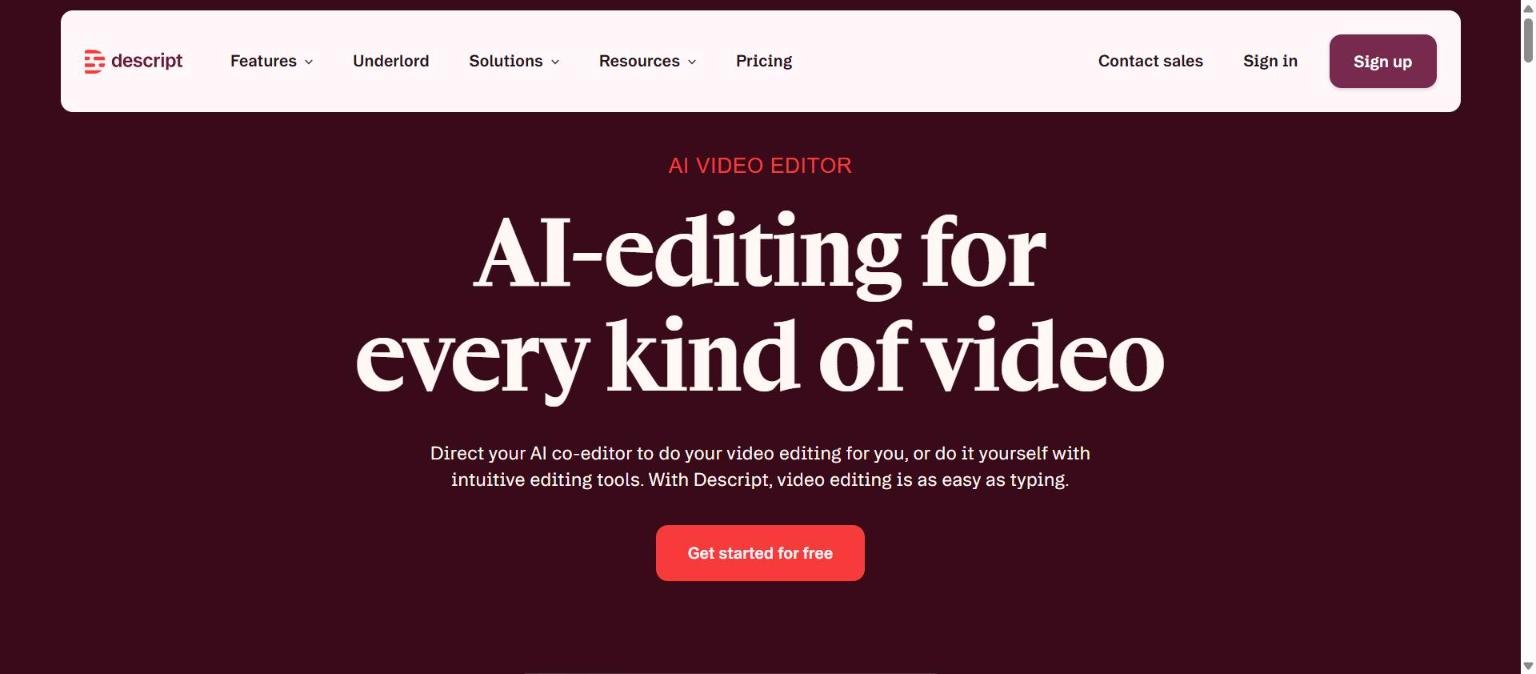
Descript is a software product for recording, editing and publishing video and audio. Its homepage headline on 14 November 2026 is “AI-editing for every kind of video”, and the supporting copy says you can direct an AI co-editor to do the editing for you, or edit yourself with intuitive tools, because “video editing is as easy as typing”.
The core idea is text-based editing. Descript transcribes a recording, and changing the transcript changes the video. The homepage frames the workflow in five steps: Record, Edit, Refine, Share and Multiply. We could not confirm company details such as founding year, headcount or funding from the official pages we read, so we leave those out.
The homepage names Amazon, Canva and Salesforce as enterprise users and shows a logo carousel that includes Okta, Spotify, Vox, Reuters, CBS, Microsoft and The New York Times. It also quotes outcomes from customers, such as Cloudinary reducing post-production time by up to 50 percent and Algolia saving 116 hours of video production time. These are vendor-selected claims, so treat them as marketing rather than independent results.
| Area | What the Descript site says |
|---|---|
| Editing model | Edit video and audio by editing the transcript |
| AI co-editor | Underlord, described as an all-purpose video agent |
| Recording | Screen recording and Rooms for remote podcast and video recording |
| Generation | Generate video, images and voice audio from prompts, plus AI voice cloning and stock AI voices |
| Distribution | Captions, clips, show notes, thumbnails, descriptions and translation into dozens of languages |
| Developers | An API and an MCP option for editing video through code or an AI assistant |
Who Descript is for
Descript is aimed at people who edit spoken content: podcasters, marketers, sales and support teams making explainer or training video, and leadership teams that record updates. The homepage names marketing, sales, support and leadership teams and podcasters as its audience. If most of your footage is people talking, a transcript-first editor can be quicker to learn than a timeline editor, because you can work in text.
It is a weaker fit for heavy motion graphics, complex colour work or multi-layer effects, where a traditional editor is the usual choice. We cannot rate Descript’s depth in those areas because we did not test it, but the product positions itself around speech-driven editing and AI assistance rather than advanced finishing.
If your priority is generating a voice rather than editing a recording, compare it with a dedicated voice tool, see AI voice tools: what changed this year.
| If you are… | Descript may fit because… | Watch out for… |
|---|---|---|
| A podcaster | Multitrack audio editing, Studio Sound and remote recording Rooms are listed | Plan recording hours and media hours per month |
| A marketing team | Captions, clips, thumbnails and translation are listed | Higher export quality and brand features sit on higher plans |
| A training or support team | Business plan adds Brand Studio and a transcription glossary | Seat limits and per-person pricing |
| A large organisation | Enterprise lists SOC 2 Type II, SSO, SCIM and audit logs | Custom pricing and a sales process |
Core features
Text-based editing
You edit a transcript and the audio or video follows. Deleting words cuts footage and moving sentences moves it. Descript says AI edits are meant to look natural and that you can control how far the AI goes or turn it off.
Underlord, the AI co-editor
Underlord is described as an AI video editor or all-purpose video agent that can turn a raw recording into a tight cut in minutes. The pricing page lists Underlord access from the Hobbyist plan, with full access and 20+ AI tools on Creator.
Studio Sound and cleanup tools
Studio Sound is a one-click AI tool for removing background noise and enhancing a voice. Other listed tools include Remove Filler Words, Remove Retakes and Edit for Clarity, which target the repetitive work of tidying a spoken recording.
Recording and remote Rooms
Descript includes screen recording and Rooms for recording remote podcasts and videos. The pricing page lists recording hours per drive per month, from 2 hours on Free to 25 hours on Business.
Refinement tools
Eye Contact, Green Screen and Automatic Multicam are listed under refinement. These aim to make a plain recording look more polished without a separate editor.
Captions, clips and repurposing
Descript lists dynamic captions, clip creation, YouTube thumbnails and descriptions, show notes and transcripts. The homepage calls the last step Multiply, meaning turning one recording into several pieces of content.
Newer and advanced features and integrations
AI generation and voice
Descript lists generating video, images and voice audio from prompts, AI voice cloning and stock AI voices. The Hobbyist plan lists AI speech with custom voice clones, and the Creator plan lists generating video with the latest AI models. The privacy policy notes that for AI Speakers your voice is recorded to create a voice model.
Translation and dubbing
The homepage mentions translation into dozens of languages and does not use the word dubbing. The pricing page lists, on the Business plan, translating and dubbing video in 30+ languages with proofreading. We did not check how closely dubbed output matches the original speaker.
API and MCP
The homepage lists an API and an MCP option for editing video through code or from an AI assistant. We did not read the developer documentation, so we cannot describe endpoints or rate limits.
Advanced formats and export
Creator lists advanced media formats such as Apple ProRes, batch export and timeline export to DAWs and NLEs, plus uploads up to 20 GB. Business raises uploads to 50 GB.
Integrations
The homepage links to an Integrations section but the text we read did not list specific integrations. The privacy policy mentions a Google Workspace integration, so at least that connection exists.
Pricing and plans
Descript uses plans measured in media hours and AI credits. The table is from the official pricing page, read on 14 November 2026. The page shows two prices for each paid plan under a Monthly / Annual toggle. The text we extracted did not label which figure belongs to which, and the page says annual billing saves “up to 35%”, so the lower figure is most likely the annual rate. Treat that as an inference and confirm on the live page. Per-person pricing applies, and extra seats are billed separately.
To understand why the structure matters, see how to read an AI tool’s pricing page.
| Plan | Price per person (two figures shown) | Media hours a month | AI credits | Local video export |
|---|---|---|---|---|
| Free | $0 | 1 hour | 100 (one-time) | 720p |
| Hobbyist | $16 / $24 | 10 hours | 400 a month | 1080p |
| Creator | $24 / $35 | 30 hours | 800 a month | 4K |
| Business | $50 / $65 | 40 hours | 1,500 a month | 4K |
| Enterprise | Custom | Sized to team | Custom | Custom |
Other limits listed on the page include 5 GB cloud storage on Free versus 100 GB, 1 TB and 2 TB on Hobbyist, Creator and Business, and watermark-free export starting at Hobbyist. Creator allows 1 to 3 seats and Business up to 5, billed separately. The page also mentions top-ups for more media hours and AI credits on Creator.
A practical point: the free plan gives 100 AI credits once, not each month, so it is a trial rather than an ongoing tier. Business adds priority support with a service level agreement, and Enterprise lists a dedicated customer success manager.
Strengths
A genuinely different editing model
Editing by text suits spoken content. If your raw material is interviews, webinars or tutorials, working on a transcript is a documented, core capability rather than an add-on, and the homepage builds the entire product around it.
Cleanup tools aimed at real recording problems
Studio Sound, filler word removal and retake removal address common issues in spoken recordings. The value for a team is time saved on tidying rather than creative effects.
One tool from record to share
Recording, editing, captions, clips and translation sit in one product. That reduces handoffs between tools, although you should check each step against your quality bar.
Clear plan ladder with usage units
The pricing page states media hours, AI credits, storage and export quality for each tier, so you can map your workload to a plan. Few AI tools list quite as many concrete limits.
Security claims for larger buyers
The homepage claims SOC 2 Type II certification audited annually with the report available on request, SAML SSO and SCIM, GDPR compliance and admin controls. Enterprise adds audit logs, custom data retention and an opt-out of AI training.
Weaknesses and limits
Per-person pricing can add up
Prices are per person and extra seats are billed separately, with Creator listing 1 to 3 seats and Business up to 5. Larger teams will want a quote before assuming the sticker price.
Free plan is limited
The free plan caps media at 1 hour a month, exports at 720p, includes 100 one-time AI credits and does not offer watermark-free export. It is suitable for learning the editor, not for regular publishing.
Feature gating across tiers
Underlord starts at Hobbyist and full access with 20+ AI tools is on Creator. Translation and dubbing, custom avatars and Brand Studio are on Business. If you need a specific feature, check which plan contains it.
AI use of your content by default
The privacy policy says Descript may use information for research and development, including training its AI models, and that you can opt out by disabling a “Share Data with Descript” setting. Enterprise lists an opt-out of AI training. Confirm your own settings before uploading sensitive material.
Marketing claims are vendor selected
Results quoted on the homepage, such as time savings at named customers, come from Descript. We could not verify them independently, and we did not test output quality.
Privacy, data handling and security
The Descript privacy policy, which we read on 14 November 2026, states that Descript collects information you provide (such as name, email, password and content like video, voice, audio and images), information collected automatically (such as log and device data and cookies), and information from other sources such as social networks and platforms you sign in through.
On AI training, the policy says Descript may use information for research and development, including training its AI models. It says projects are treated as confidential, processing is automatic and there is no human access to projects unless you consent or the law requires it. It says you can opt out of using projects to analyse and improve the service by disabling “Share Data with Descript”. For AI Speakers, your voice is recorded to create a voice model, and employees and contractors may listen to audio samples to test quality. Data from the Google Workspace integration is stated not to be used to train AI models. Projects set to public may be viewable publicly.
On retention, personal data is kept as long as needed for its purposes and legal obligations. Voiceprints are retained until the purpose is satisfied or up to three years after last access, whichever is earlier. The policy says information is processed and stored in the United States, and that Descript cannot guarantee security. Separately, the homepage claims SOC 2 Type II certification, SAML SSO and SCIM, and GDPR compliance. For a checklist on what to ask vendors, see how to protect company data when using AI tools.
How Descript compares
The tools below are alternatives from our 50-tool list that overlap with parts of Descript. The table compares documented positioning only, and we did not test any of them. For a direct three-way comparison with other video editors, see Descript vs CapCut vs VEED, and for recent market changes see what changed in AI video tools this quarter.
| Tool | Overlap with Descript | Documented difference | Pricing model we read |
|---|---|---|---|
| Descript | Text-based editing, captions, AI voice, translation | Edit video and audio by editing the transcript | Media hours and AI credits; Free to Business plus Enterprise (14 Nov 2026) |
| ElevenLabs | AI voice, cloning, dubbing, transcription | Voice platform with text to speech models, speech to text and an API rather than a video editor | Credits; free to $990 a month plus Enterprise (14 Nov 2026) |
| Murf | AI voiceovers | Studio for voiceovers plus a TTS API and dubbing, not a video editor | Creator $19 and Business $66 a month billed annually (14 Nov 2026) |
| Otter.ai | Transcription | Meeting notetaker with transcripts and summaries, not an editor | Basic free, Pro, Business and Enterprise (14 Nov 2026) |
If your core need is editing recorded video, Descript is the only tool in this table built around that job. If your need is a high-quality synthetic voice, a voice platform such as ElevenLabs or Murf is closer. For notes from live meetings, a notetaker such as Otter.ai is closer. See also how to compare AI tools side by side fairly.
Getting started
A sensible way to try Descript, based on its documented free plan:
- Create a free account from the homepage. No credit card is stated as required for the free plan.
- Import one real recording of a few minutes, ideally with filler words and background noise.
- Let the transcript generate, then edit by deleting a few sentences and review how the cut sounds and looks.
- Try Studio Sound and Remove Filler Words and listen with headphones for artefacts.
- Export at the free tier quality and check the watermark rules for your use.
- Before moving to a paid plan, estimate your monthly media hours and AI credits, and check the privacy setting “Share Data with Descript”.
Frequently asked questions
Is Descript free?
There is a free plan with 1 media hour a month, 100 one-time AI credits, 720p local export and 5 GB cloud storage, according to the pricing page we read on 14 November 2026. Watermark-free export starts on the Hobbyist plan.
What is Underlord?
Descript describes Underlord as an AI video editor, or all-purpose video agent, that can turn a raw recording into a tight cut. The pricing page lists Underlord access from the Hobbyist plan and full access on Creator.
Does Descript train AI on my content?
The privacy policy says Descript may use information for research and development including training its AI models, and that you can opt out of using projects to improve the service by disabling “Share Data with Descript”. Enterprise lists an opt-out of AI training. Read the policy and your settings before uploading sensitive material.
Does Descript support translation and dubbing?
The homepage mentions translation into dozens of languages. The Business plan lists translating and dubbing video in 30+ languages with proofreading. We did not test dubbing quality.
Can I clone my voice in Descript?
The Hobbyist plan lists AI speech with custom voice clones, and the privacy policy says your voice is recorded to create a voice model for AI Speakers.
Is Descript secure enough for business use?
The homepage claims SOC 2 Type II certification, SAML SSO, SCIM and GDPR compliance, and the Enterprise plan lists audit logs and custom data retention. Security reviews are described as supported through a sales demo. Verify the report and contract terms yourself.
Conclusion
Descript is documented as a transcript-first video and audio editor with a growing layer of AI tools. Its strengths are the editing model, the cleanup features and a plan ladder with concrete limits. Its limits are per-person pricing, feature gating across tiers, a small free plan and a privacy policy that allows AI training use unless you opt out.
Best for podcasters, marketers and teams who edit talking-head or screen-recorded content and want to work from text. Look elsewhere if you need advanced finishing, a pure voice generator or live meeting notes. Read our shorter review for a quick summary, use our testing checklist on your own recordings, and check how to check AI output for mistakes before you publish AI-edited content.
Sources
- Descript homepage, accessed 14 November 2026
- Descript pricing page, accessed 14 November 2026
- Descript privacy policy, accessed 14 November 2026
- ElevenLabs pricing page (comparison table), accessed 14 November 2026
- Murf pricing page (comparison table), accessed 14 November 2026
- Otter.ai pricing page (comparison table), accessed 14 November 2026


