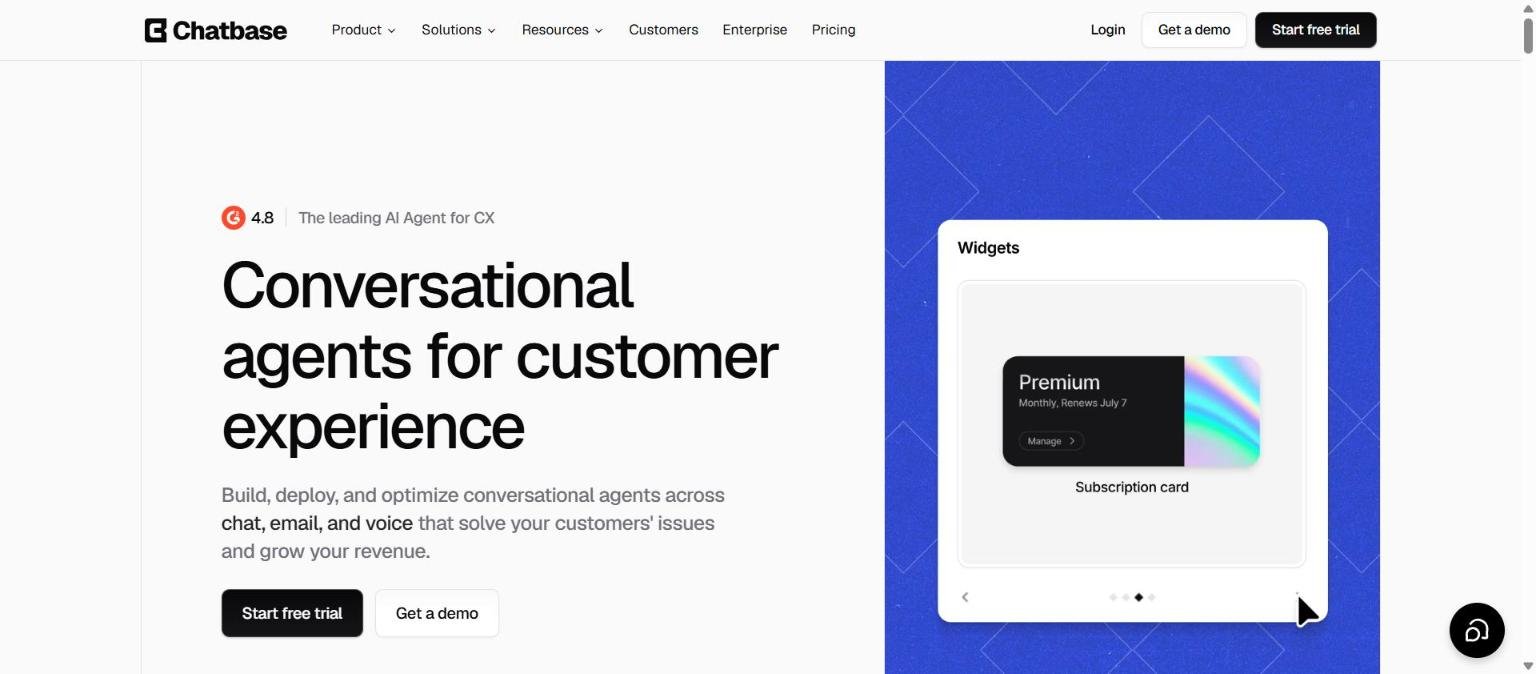
Chatbase lets businesses build AI agents that answer customer questions using their own content. Its homepage headline reads “Conversational agents for customer experience”, and it says you can build, deploy and optimise agents across chat, email and voice that solve customers’ issues and grow revenue. It began as a way to train a chatbot on your documents and now presents itself as a fuller customer support and sales platform.
This guide pulls together what Chatbase documents on its homepage and pricing page as we read them on 14 November 2026: the product, the plan structure, the limits and the claims we could not verify. Because customer-facing agents speak for your business, we pay special attention to testing, guardrails and data handling.
How we researched this: we did not run hands-on tests for this article. It is based on the vendor’s own documentation and public sources, checked on 14 November 2026. Features and prices change, so confirm details on the vendor’s site before you buy.
Key takeaways
- Chatbase builds customer-facing AI agents for support, sales and product guidance, and lists channels including website chat, email, voice, WhatsApp, Slack and a help page.
- The pricing page showed Basic at $120 per month and Business at $400 per month when billed yearly ($150 and $500 on monthly billing), plus a custom Enterprise plan.
- Plans are built on message credits (4,000 on Basic and 15,000 on Business per month) and limits on agents, team members, actions and training content.
- The vendor lists GDPR, SOC 2 Type II and HIPAA and says data is not used to train models, but results and ratings on the site are self-reported.
- Best for small and mid-sized teams that want a configurable support agent; check credit use and test answers before going live.
What it is and who makes it
A platform for customer-facing AI agents
Chatbase describes itself as a platform for building customer-facing AI agents for customer support, sales and product guidance. The homepage says it serves over 10,000 businesses and shows a 4.8 rating badge with the line “The leading AI Agent for CX”. Both are vendor presentations rather than independent verification.
The lifecycle it promotes
The homepage frames the work as Build, Test, Deploy and Optimize: connect data sources, define the agent’s role and set guardrails without code, publish to channels with a single click, and track resolution rates and review escalations.
Who makes it
The pages we captured did not state company details. Check the terms and privacy pages for the operator and data controller.
For a category overview, see Intercom Fin, Tidio and Chatbase: what to compare. If you only want to answer questions from your own files, how to build a custom chatbot from your own documents explains the approach.
Who it is for
Small and mid-sized support teams
The Basic and Business plans include one agent and a small number of team members, which fits teams that want a single well-tuned agent. Business lists five members.
E-commerce and service businesses
Actions such as looking up orders, updating records, creating tickets and triggering workflows (the homepage examples include “Get invoices”, “Get slots” and “Retrieve products”) point at transactional use.
Teams that want sales and product guidance too
The platform names sales and product guidance alongside support, so it can be used on a product page, not only in a help centre.
Larger organisations
Enterprise lists SSO, HIPAA eligibility, audit logs, custom roles and permissions, white-labelling, SLAs, a success manager and unlimited members with no seat fees.
Who should look elsewhere
Teams with very high conversation volume or complex multi-system workflows may want an enterprise agent platform, and teams that want outcome-based billing may prefer a different pricing model, as in our comparison article. See AI in customer support: the shifts of 2026 for context.
Core features
Grounded answers
Replies are based on your approved knowledge sources. The homepage does not explain in detail how training on documents or URLs works, so test with your own content.
Actions
Agents can look up orders, update records, create tickets and trigger workflows. Basic allows 8 AI actions per agent and Business 12.
Procedures
You write step-by-step instructions in plain language, with actions built in. Basic allows 4 procedures per agent and Business 6.
Guardrails
You set rules for the agent. The sample configuration on the homepage tells it to avoid promising unreleased features and to direct refund requests to billing support or a human.
Widgets
Agents can show interactive components, such as a package tracking map, instead of plain text.
Helpdesk
A ticketing view shared by AI and humans keeps the agent’s conversation attached to each ticket. Both Basic and Business list a helpdesk inbox.
Playground
The Playground lets you test different models and settings. The homepage lists models including Claude, Gemini, GPT, DeepSeek, Grok and Kimi.
Test credits
Both paid plans list separate test credits, 500 per month on Basic and 1,000 on Business, which suggests that testing in the Playground does not draw down your live message credits. Confirm this in the product before you rely on it.
Models and cost
Because the Playground lists several model families, ask whether model choice changes credit use. If a premium model uses more credits per message, your effective capacity per month will be lower than the headline number.
Newer or advanced features and integrations
Backstage
Backstage is described as an internal assistant for asking about customers and issues, with analytics on topics, sentiment and trends.
Voice and telephony
Both Basic and Business include voice and telephony, with 10 and 20 concurrent calls respectively.
API and MCP
The pricing page lists API access and MCP on Basic and Business, which suggests the agent can be called from other tools.
Analytics and source suggestions
Advanced analytics, source suggestions and the use of tickets and Zendesk macros as sources are listed on Business but not on Basic.
Integrations
The homepage mentions CRMs, helpdesks and more, and names Slack. It does not list other integrations in the text we captured, so check the integrations page for your stack.
Pricing and plans
Checked on 14 November 2026. The page shows prices billed yearly with a higher monthly list price. Confirm on the live pricing page.
| Plan | Price per month | Message credits and limits | Notable inclusions |
|---|---|---|---|
| Basic | $120 billed yearly ($150 monthly) | 4,000 message credits and 500 test credits per month; 1 agent; 3 members; 10 concurrent calls; 8 AI actions and 4 procedures per agent; 40 MB training content | Integrations, API, voice, telephony, widgets, MCP, basic analytics, helpdesk inbox, advanced model access |
| Business (marked popular) | $400 billed yearly ($500 monthly) | 15,000 message credits and 1,000 test credits per month; 1 agent; 5 members; 20 concurrent calls; 12 AI actions and 6 procedures per agent; 40 MB training content | Everything in Basic plus advanced analytics, source suggestions, tickets and Zendesk macros as sources |
| Enterprise | Custom | Custom credits, agents, actions, procedures and training size; unlimited members | SSO, HIPAA eligible, audit logs, custom roles, white-labelling, SLAs, success manager, priority support |
| Add-on | Price |
|---|---|
| Auto-recharge credits (non-expiring, added when balance falls below your threshold) | $40 per 1,000 message credits |
| Remove “Powered By Chatbase” | $99 per month |
| Extra agents | $25 per AI agent per month |
| Extra storage | $25 per 10 MB per month |
The homepage invites you to start a free trial, but the pricing text we read listed no free plan, so check what the trial includes. Message credits are the cost driver, and the page does not say how many credits a typical conversation uses. Our guide to reading an AI tool pricing page covers credit models.
What a message credit costs
This is arithmetic on the listed prices, not a vendor statement. On yearly billing, Basic works out at about $0.03 per included credit ($120 divided by 4,000) and Business at about $0.027 ($400 divided by 15,000). Auto-recharge is listed at $40 per 1,000 credits, or $0.04 each, so topping up costs more per credit than the monthly allowance. On monthly billing the prices are higher ($150 and $500). The takeaway is to size the plan so you rarely rely on top-ups, and to confirm what counts as one message credit, since the page does not say whether it depends on the model chosen or on the length of the answer.
Strengths
A complete agent toolkit
Actions, procedures, guardrails, widgets, a helpdesk and a testing playground cover the main needs of a support agent in one product.
Choice of models
The playground lists several model families, so you can test which suits your content.
Many channels
Website chat, email, voice, WhatsApp, Slack and a help page are listed, with one-click publishing described on the homepage.
Listed security and compliance
GDPR, SOC 2 Type II and HIPAA are listed, with encryption at rest and in transit and a statement that data is not used to train models.
Transparent plan limits
The pricing page lists credits, agent counts, members, actions, procedures and storage, plus the cost of add-ons.
Sensible guardrail examples
The homepage sample configuration shows concrete guardrails, such as not promising unreleased features and routing refund requests to billing support or a human. Writing rules like these before launch is good practice for any customer-facing agent.
Weaknesses and limits
Small training content allowance
Both Basic and Business list 40 MB of training content, with extra storage at $25 per 10 MB per month. Companies with large documentation sets may find this tight.
One agent per plan
Basic and Business each include one agent, and extra agents cost $25 per month. Multi-brand or multi-product companies will add cost.
Credits are hard to forecast
The page gives no per-conversation credit use, so budgeting needs a pilot. Auto-recharge at $40 per 1,000 credits can add cost when volume spikes.
Marketing numbers are customer-reported
Figures on the homepage such as 50% of support volume handled, a 2.2x lift in closed-won rate, 93% resolution accuracy and 7 million students guided per year come from customer examples, not independent studies.
Agents can still be wrong
Even grounded agents can misread content or answer outside scope. See how to check AI output for mistakes and test edge cases before launch.
Two levels of limits to watch
Besides credits, plans cap agents, members, concurrent calls, actions, procedures and training storage. A team can run into any of these before it runs out of credits, for example by needing a second agent for a different product line or more than five members on Business. Map your needs to each limit before choosing a plan.
Privacy, data handling and security
The homepage lists GDPR, SOC 2 Type II and HIPAA, says data is encrypted at rest and in transit using standard algorithms, and says your data is accessible only to your AI agent and not used to train models. Enterprise lists HIPAA eligibility, audit logs, custom roles and SSO. These are vendor statements, and the pages we captured gave no independent verification or detail on retention, data location or sub-processors.
- Ask whether conversation logs are retained and for how long, and how deletion works.
- Ask which model providers receive customer messages and on what terms.
- Review what actions the agent can take and with which credentials, since actions can change records.
- Do not train the agent on documents that contain confidential material you would not publish.
See our checklist on protecting company data when using AI tools.
Who should review the agent before launch
Because the agent speaks to customers, involve support, legal and security reviewers early. Check that its answers on refunds, warranties, medical or financial topics and personal data requests match your policies, and set clear handoff rules for anything sensitive.
How it compares
The table uses only points documented on pages we read on 14 November 2026. Tidio is not part of our 50-tool list but appears in our existing comparison article.
| Tool | Pricing model | Documented points |
|---|---|---|
| Chatbase | Plans at $120 and $400 per month billed yearly, with message credits | Agents trained on your sources; chat, email, voice, WhatsApp, Slack; actions and procedures; helpdesk inbox |
| Intercom Fin | Per outcome, $0.99 per resolution; helpdesk seats from $19 | Chat, email, voice, social, Slack and API; Procedures; simulations and batch testing |
| Tidio | Free, Starter $24.17, Growth from $49.17 per month on monthly billing | Lyro AI Agent conversations by quota; live chat and ticketing |
Chatbase sits between a simple chatbot builder and a full helpdesk agent. Fin charges for outcomes and works inside or alongside helpdesks, while Tidio prices by conversation quota. Our comparison method is in Intercom Fin, Tidio and Chatbase: what to compare.
Getting started
- Start the free trial and add a small, high-quality set of sources, such as your top 20 help articles.
- Write the agent’s role and guardrails, including what it must hand to a human.
- Use the playground and test credits to ask real past customer questions and check each answer.
- Add one action at a time, such as an order lookup, and test it with a staff account.
- Publish to one channel, watch conversations and escalations, then expand.
Our guide to building a custom chatbot from your own documents covers source preparation.
Write down a short list of 30 to 50 real customer questions, including awkward ones such as refund disputes and out-of-scope requests. Run the same list after every change to sources, guardrails or models, and record which answers a human reviewer would accept. That gives you a repeatable regression test, which matters more than any single impressive demo.
Frequently asked questions
How much does Chatbase cost?
On 14 November 2026 the page showed Basic at $120 per month and Business at $400 per month billed yearly, or $150 and $500 billed monthly, with custom Enterprise pricing.
Is there a free plan?
The homepage offers a free trial. The pricing text we read listed no free plan, so check what the trial includes.
What are message credits?
Credits are the unit that meters usage: 4,000 per month on Basic and 15,000 on Business, with auto-recharge at $40 per 1,000 credits. We could not confirm how many credits a typical conversation uses.
Which channels does Chatbase support?
Website chat, email, voice, WhatsApp, Slack and a help page are listed on the homepage.
Does Chatbase train on my data?
The homepage says data is accessible only to your AI agent and not used to train models. Check the privacy policy for details.
Can I remove the Chatbase branding?
Yes, removing “Powered By Chatbase” is a $99 per month add-on.
Can the agent take actions?
Yes. Actions such as looking up orders, updating records, creating tickets and triggering workflows are listed, with limits of 8 on Basic and 12 on Business per agent.
How many team members can I have?
Basic lists 3 members and Business 5, while Enterprise lists unlimited members with no seat fees.
What are procedures?
Procedures are step-by-step instructions written in plain language with actions built in. Basic allows 4 per agent and Business 6.
Conclusion
Chatbase is a configurable platform for customer-facing AI agents, with actions, procedures, guardrails, a testing playground, several channels and listed security credentials. Its limits are credit-based costs that are hard to forecast, small content allowances, one agent per plan and marketing figures that come from customer examples.
Best for: small and mid-sized teams that want a controllable support or sales agent. Think twice if: you have very large documentation sets or need outcome-based billing. Pilot with real questions, watch credit use and read the live pricing page.
Sources
- Chatbase homepage, accessed 14 November 2026
- Chatbase pricing page, accessed 14 November 2026
- Tidio pricing page, accessed 14 November 2026


