Adobe Firefly is Adobe’s generative AI studio. It started as an image generator and has grown into a hub that Adobe describes as one place to generate and edit images, video and audio, with Adobe’s own Firefly models and a growing list of partner models behind it. Because it sits inside the Adobe ecosystem, it is often the first AI generator that designers and marketing teams already working in Photoshop, Express or Illustrator consider.
This guide goes through what Adobe’s official pages say about the features, plans and credits, partner models, privacy and commercial-use position, and how it compares with other image tools. We have our shorter review if you want the quick version, and this guide covers the detail.
How we researched this: we did not run hands-on tests for this article. It is based on the vendor’s own documentation and public sources, checked on 14 November 2026. Features and prices change, so confirm details on the vendor’s site before you buy.
Key takeaways
- Adobe says Firefly lets you generate and edit images, video and audio in one studio, and its homepage offers free daily generations to get started.
- The plans page lists a Free tier and paid tiers (Standard, Pro and Pro Plus for individuals, plus team plans) measured in monthly generative credits, from 2,000 credits on Standard to 10,000 on Pro Plus.
- Adobe states that Firefly models are trained on licensed and public domain content, and that it does not train Firefly on customer content.
- Partner models from companies including Google, OpenAI, Black Forest Labs, Luma AI, Runway and ElevenLabs are available through Adobe, use credits, and carry their own suitability caveats.
- Prices on Adobe’s plans page change by region and promotion, so we quote credits and limits here and tell you to check the live page for the price in your currency.
What it is and who makes it
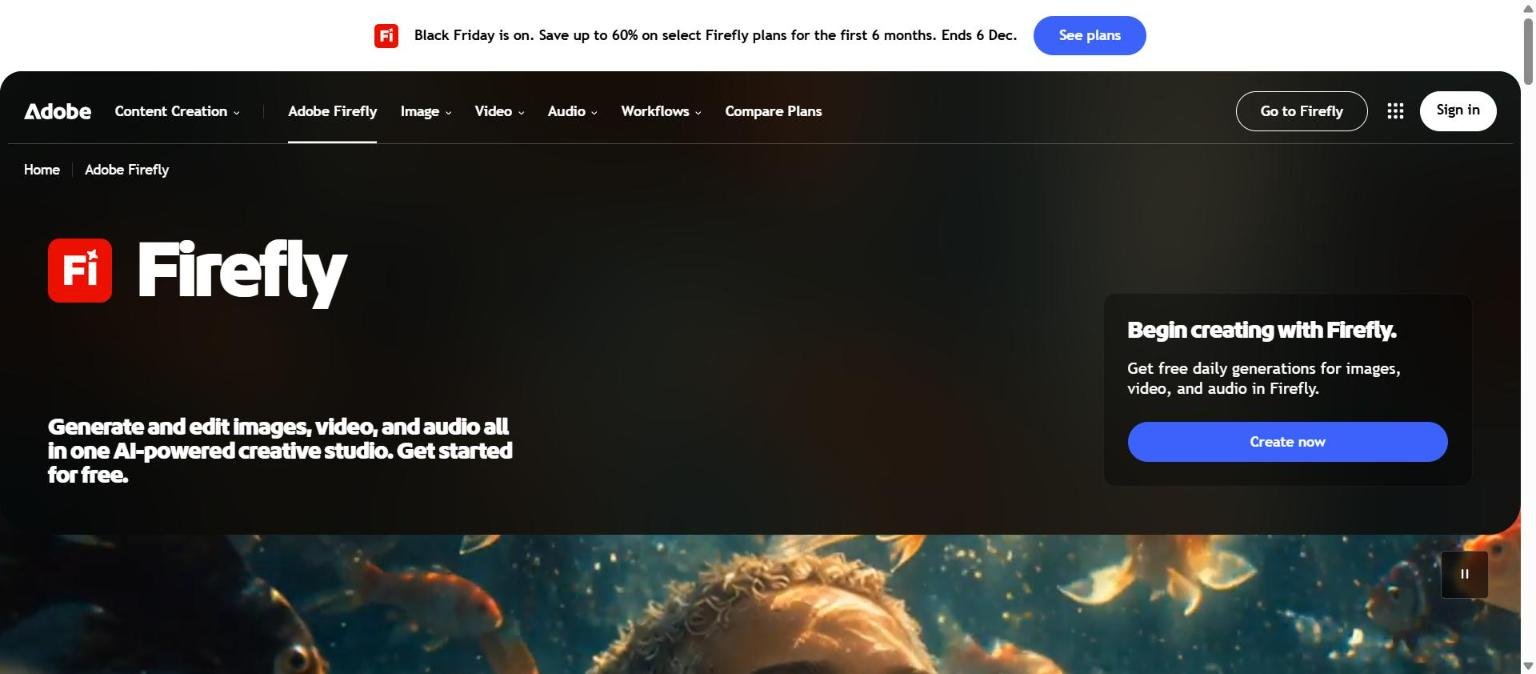
Adobe Firefly is made by Adobe, the company behind Photoshop, Illustrator, Express and the wider Creative Cloud range. Adobe’s Firefly page describes it as an AI-powered creative studio where you can generate and edit images, video and audio, and invites visitors to get started for free. The navigation on the homepage groups the product into Image, Video, Audio and Workflows areas, with a Compare Plans link.
Firefly is available as a web app, a mobile app and inside compatible desktop apps. Adobe’s plans FAQ says credits are shared across the Firefly web app, the mobile app and compatible desktop apps. The December 2025 entry in Adobe’s what’s new page also lists Firefly on iOS.
Firefly models and partner models
Adobe distinguishes between its own Firefly models and partner models. Adobe’s partner models help page lists partners such as Google, OpenAI, Black Forest Labs, Luma AI, Runway, Topaz Labs, ElevenLabs and Kuaishou, and notes that availability may vary by country or region. The help page states that you are responsible for deciding whether a model suits your project, and the plans FAQ says partner model use consumes generative credits.
Who it is for
From the documented features and plans, Firefly suits several groups.
- Designers and marketers already in Adobe tools who want generation and editing that connects with Photoshop, Express and Illustrator.
- Teams that want a commercially oriented position from the vendor, including documented commercial use and, on qualifying enterprise entitlements, IP indemnification.
- Creators who work across formats and want images, video and audio generation under one subscription and one credit pool.
- Newcomers who want to try before paying, because Adobe offers a free tier with limited daily generations.
It is less obviously the right choice for people who want a single dedicated image tool with a huge community of shared prompts, or for those who dislike credit-based billing. If you are still working out what you need, our guide on how to choose an AI tool sets out a short method.
Core features
Text to image and image editing
Firefly generates images from text prompts and, according to Adobe’s what’s new page, includes an Edit tab (added in March 2026) for adding or removing objects and backgrounds, expanding the frame and upscaling images. The page also lists Prompt to Edit as a preview, which edits images using natural language prompts.
Video generation and a browser video editor
Firefly includes video generation. The what’s new page describes a lightweight browser video editor in beta (December 2025) for trimming, arranging, titles, audio and generating scenes. Quick Cut, a beta feature added in February 2026, builds a first draft from key moments across multiple clips based on prompts. In January 2026, Adobe added transitions and partner models in the video editor, also in beta. The plans page counts video in five-second units, for example up to 20 five-second videos on Standard.
Audio: speech, soundtracks and sound effects
Adobe lists Generate Speech (text-to-speech in multiple languages, accents and vocal styles, in beta) and Generate Soundtrack (music matched to video mood, pacing and length, in beta), plus Enhance Speech, which reduces background noise and balances volume. The plans page also lists sound effects and music minutes as separate allowances.
Firefly Boards
Boards is a workspace for mixing ideas visually. Adobe’s June 2025 announcement described moodboarding in Firefly, and the current plans page lists Boards on every tier including Free. We did not open a dedicated Boards help page, so we do not describe its controls in detail.
Bulk tools
The what’s new page lists bulk tools for background removal, colour grading and cropping, plus headshot standardisation for enterprise users. These suit teams that process many images at once.
Newer or advanced features and integrations
Custom Models (beta)
Adobe lists Custom Models in beta, which lets Creative Cloud users train a Firefly model on their own style. Details of eligibility and limits were not captured in our research, so check Adobe’s help pages before planning around it.
Firefly Graph (beta)
The plans page lists Firefly Graph (beta) on the Pro Plus individual plan and on team tiers. Our source page was internally inconsistent about whether it appears on Pro for teams, which is a reminder to check the live plan comparison table.
Partner models inside Adobe apps
Adobe’s partner models page says the latest update adds partner models for image and video generation, the Firefly video editor, Boards and Firefly Graph across Firefly, Express, Illustrator and Photoshop. The page notes that Google will retire one of its Gemini models in October 2026, an example of how the model list changes over time.
Photoshop and Express access on paid tiers
The plans page lists Adobe Express Premium and full Photoshop access on web and mobile on the Pro and Pro Plus individual plans. Check the page for the current inclusions, because they are promotional bundles that may change.
Pricing and plans
Adobe’s Firefly plans page is region-specific. The version we read on 14 November 2026 showed prices in a local currency, with a banner on the homepage mentioning savings of up to 60 percent on select Firefly plans for the first six months, ending 6 December. Because of this, we list credits and limits, which are the same concept across regions, and leave out the prices. Check the live page for your own price.
| Plan | Monthly generative credits | Concurrent generations | Documented examples of what that covers |
|---|---|---|---|
| Firefly Free | Limited free daily generations, no fixed number stated | 1 | Video, sound effects, music and translation are limited |
| Firefly Standard | 2,000 | 2 | Up to 400 images, 20 five-second videos, 200 sound effects, 100 minutes of music |
| Firefly Pro | 4,000 | 4 | Up to 800 images, 40 five-second videos, 400 sound effects, 200 minutes of music |
| Firefly Pro Plus | 10,000 | 6 | Up to 2,000 images, 100 five-second videos, 1,000 sound effects, 500 minutes of music |
Adobe also lists team plans: Pro for teams (4,000 credits per licence), Pro Plus for teams (10,000) and Premium for teams (50,000), with admin tools and 24×7 support on the team tiers. The page says the Pro and Pro Plus plans include unlimited generations on select models for the first year, and that Pro Plus includes unlimited image generations on all models at 1K and 2K resolution and on select video models for the first year.
How credits work
According to Adobe’s plans FAQ, paid plans include a monthly allocation that resets each billing cycle, and unused credits do not roll over. The FAQ says standard image and vector generations are unlimited and that premium features use credits. When credits run out, you can wait for the reset, upgrade or buy a credit add-on. Our guide to reading an AI tool’s pricing page explains why credit systems need extra care when you estimate a monthly bill.
Inconsistencies we noticed
The plans page we read contained a few inconsistencies, for example the number of videos listed for Pro for teams differed between a card and the comparison table. We have not repeated numbers that conflict, and recommend checking the table on the live page.
Strengths
One studio for several media types
Images, video, audio, speech and soundtracks are all documented in the same product, with a shared credit pool. That reduces tool switching for teams who produce mixed content.
A free way to start
The homepage and plans page describe a free tier with limited daily generations, so you can try the interface without paying. We could not find a numeric cap for the free tier, so do not assume a number.
Stated approach to training data and commercial use
Adobe states that current Firefly models were trained on licensed content such as Adobe Stock and on public domain content. It also says outputs from Firefly models can be used commercially, and that qualifying enterprise plans can be eligible for IP indemnification, subject to terms. For buyers who worry about provenance, that documented position is a differentiator, although it applies to Adobe’s own models rather than to every partner model.
Content Credentials
Adobe says Content Credentials are applied automatically to assets fully generated by Firefly, attaching origin and editing metadata, and that Adobe is a founding collaborator of the Content Authenticity Initiative. This helps when you need to show how an asset was made.
Wide model choice through partners
The partner list includes image, video, upscaling and voice providers. If you want to switch models without changing tools, Firefly offers a way to do so, with credits as the metered currency.
Integration with the Adobe ecosystem
Firefly works across Firefly, Express, Illustrator and Photoshop, according to Adobe, and the paid plans bundle some Adobe apps. Teams that already use Creative Cloud have less to learn.
Weaknesses and limits
Credits make costs harder to predict
Credit allowances differ by model and media type, unused credits do not roll over, and partner models draw on the same pool. Estimating a monthly cost needs some arithmetic, particularly for video.
Partner models are not the same as Firefly models
Adobe states that you are responsible for deciding whether a partner model suits your project. The commercial-use statements we read apply to Adobe’s own models, so check the position for any partner model you use, and read our overview of where AI copyright cases stand for the wider context.
Many features are still in beta
The browser video editor, Quick Cut, Generate Speech, Generate Soundtrack, Custom Models and Firefly Graph are all labelled beta on Adobe’s page. Beta features can change, and Adobe’s commercial-use statement for beta outputs carries the qualifier that they can be used commercially unless the product states otherwise.
Plan details differ by region and change often
Prices, promotions and even model availability vary by country, so a plan you read about may not match what you see. Features also move between tiers over time.
Model retirements
Adobe’s partner page warns that Google will retire a Gemini model on 2 October 2026. Teams that standardise on a specific partner model should expect models to be replaced.
Privacy, data handling and security
This section reports only what Adobe’s official pages state, read on 14 November 2026.
| Topic | What Adobe states |
|---|---|
| Training data | Current Firefly models were trained on licensed content, such as Adobe Stock, and on public domain content where copyright has expired. |
| Customer content | Adobe does not train Firefly models on personal content from Creative Cloud or Experience Cloud subscribers, and states that Firefly does not train on customer data. |
| Content Credentials | Applied automatically to assets fully generated by Firefly, with origin and editing metadata. |
| Commercial use | Outputs from non-beta features can be used in commercial projects. Beta outputs can be used commercially unless the product states otherwise. |
| Indemnification | Customers on qualifying plans are eligible, subject to terms. Enterprise indemnity needs the right entitlement and is subject to exclusions. |
| Restrictions | Outputs cannot be used illegally or to train or improve AI or machine learning models. |
| Partner models | The page we read did not describe how partner models handle data, so check before using them with sensitive content. |
Even with these statements, treat confidential brand assets and personal images with care. Our checklist on choosing an AI tool includes questions to put to any vendor about data use.
How it compares
The table sets Firefly against three other tools on our list. Facts come from each vendor’s own pages read on 14 November 2026, and we have not tested any of them. For more, see our comparison of Midjourney, DALL-E and Firefly and our quarterly update on AI image tools.
| Tool | Positioning on its own pages | Pricing model we could confirm | Privacy note we could confirm |
|---|---|---|---|
| Adobe Firefly | Images, video and audio in one creative studio | Free tier plus credit-based paid plans | States it does not train Firefly on customer content |
| Midjourney | Community-funded research lab building AI models | Four paid plans, $10 to $120 a month, on its docs | Creations are public by default, stealth mode on Pro and Mega |
| Leonardo.Ai | The creator-first generative AI platform | Pricing page exists, details not captured here | Not captured in our research |
| Ideogram | Models with a focus on prompt fidelity, type and editing | Pricing page exists, details not captured here | Not captured in our research |
The honest summary is that Firefly’s differentiators are the multi-media studio, the Adobe integration and the documented provenance and commercial-use position. Others may win on community, style control or price, so match the tool to your own workload.
Getting started
- Open the Firefly website and sign in with an Adobe account to use the free tier.
- Try an image prompt and note how many generations you get per day.
- Test the Edit tab and any video or audio feature you care about, noting which are marked beta.
- Compare the plan table on Adobe’s live page, checking credits, concurrent generations and your local price.
- If you plan to use partner models, check which ones are available in your region and how many credits they consume.
- Keep Content Credentials intact when you publish, if provenance matters to you.
Frequently asked questions
Is Adobe Firefly free?
Adobe offers a free plan with limited daily generations, according to its plans page and FAQ. The page does not give a numeric daily cap, and more generation requires a paid plan.
What are generative credits?
Credits are the monthly allowance on paid plans. Per Adobe’s FAQ, they reset each billing cycle, do not roll over and are shared across the web app, mobile app and compatible desktop apps. Standard image and vector generations are unlimited, and premium features use credits.
Can I use Firefly images commercially?
Adobe says outputs from its Firefly models can be used for commercial purposes. Outputs cannot be used illegally or to train other AI models, and partner model outputs need your own suitability check. This is general information, not legal advice.
Does Adobe train Firefly on my content?
Adobe states that it does not train Firefly models on personal content from Creative Cloud or Experience Cloud subscribers, and that Firefly does not train on customer data.
Which partner models are available?
Adobe’s page lists partners including Google, OpenAI, Black Forest Labs, Luma AI, Runway, Topaz Labs, ElevenLabs and Kuaishou. Availability varies by region, and the list changes, so check the live page.
Does Firefly make video and audio?
Yes, according to Adobe. The homepage describes images, video and audio, and the what’s new page lists video generation, a browser video editor in beta, speech and soundtrack generation in beta, and sound effects.
Conclusion
Adobe Firefly is a credible choice for teams that want one studio for images, video and audio, backed by a vendor that documents its training data, Content Credentials and commercial-use position. The main caution points are credit-based costs that need careful estimating, many features still in beta, partner models with different rules, and plan details that vary by region.
It suits designers and marketing teams already in the Adobe ecosystem, and is worth a free trial for almost anyone curious. Pair it with our shorter Firefly review and the pricing page guide before you commit.
Sources
- Adobe Firefly homepage, viewed 14 November 2026
- Adobe Firefly plans, accessed 14 November 2026
- Adobe Firefly plans FAQ, accessed 14 November 2026
- Adobe Help: What’s new in Adobe Firefly, accessed 14 November 2026
- Adobe Help: Partner models in Adobe products, accessed 14 November 2026
- Adobe: Firefly approach to AI, accessed 14 November 2026


