Murf began as a studio for turning scripts into voiceovers, and its homepage now presents a wider voice platform: a text to speech API for developers, conversational voice agents for businesses, a studio for voiceover work and an AI dubbing product for video translation.
This guide is a researched profile of what Murf publishes on its homepage and pricing page: the product lines, the plan structure, the security claims and the limits. It is not a hands-on test. For a direct comparison with other voiceover tools, see ElevenLabs vs Murf vs PlayHT.
How we researched this: we did not run hands-on tests for this article. It is based on the vendor’s own documentation and public sources, checked on 11 November 2026. Features and prices change, so confirm details on the vendor’s site before you buy.
Key takeaways
- Murf describes itself as a platform for natural, scalable and efficient AI voice experiences, split across a text to speech API, voice agents, Murf Studio for voiceovers and AI dubbing.
- The studio pricing we read on 14 November 2026 lists Free, Creator at $19 a month and Business at $66 a month (both shown with annual billing totals), plus custom Enterprise, with voice generation measured in hours per year on paid plans.
- Murf lists API pricing per use, for example $0.01 per 1,000 characters for a conversational model and $0.03 per 1,000 characters for a studio-quality model.
- The site claims 200+ voices across 35+ languages and dubbing into 40+ languages, and lists SOC 2, ISO 27001, GDPR and HIPAA compliance; these are vendor claims we did not verify.
- The free plan has no commercial rights and gives 10 minutes of voice generation, so it is for evaluation only.
What Murf is and who makes it
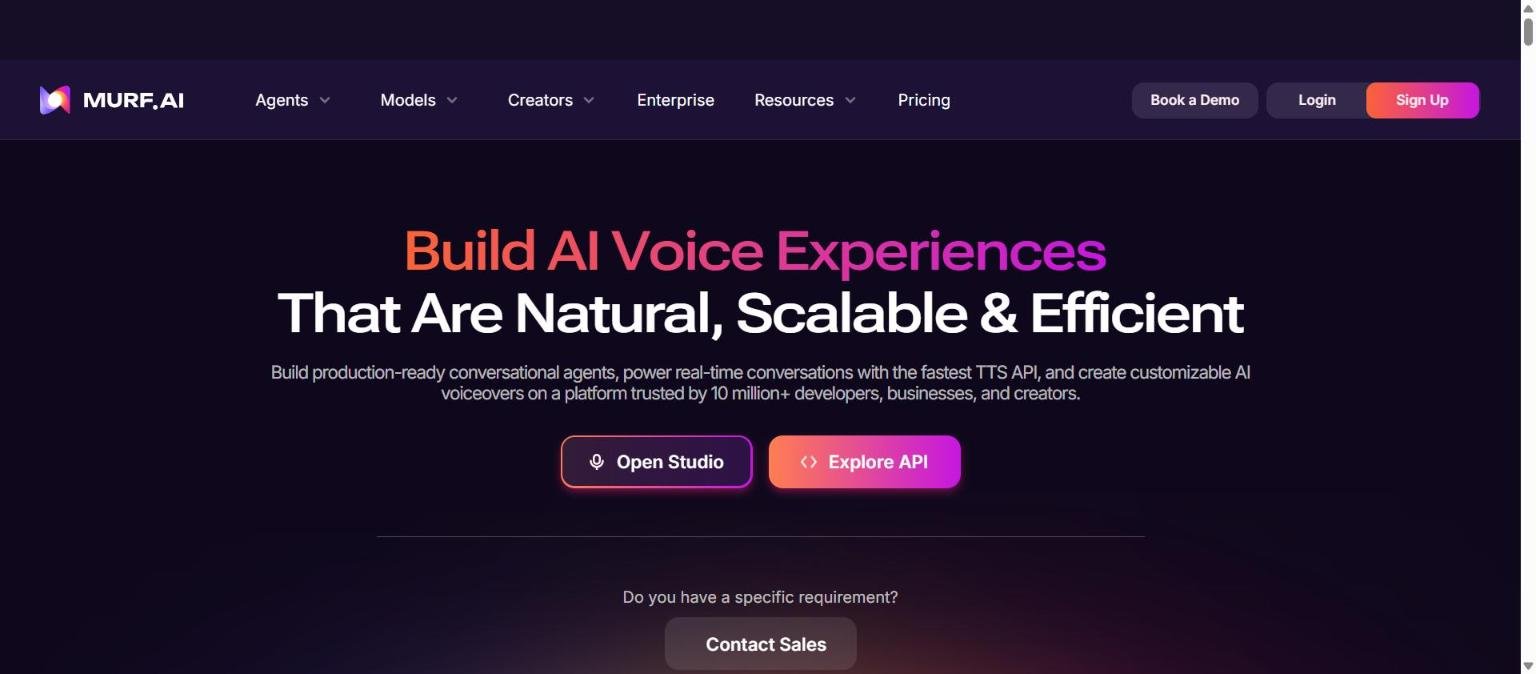
Murf is an AI voice company. Its homepage headline on 14 November 2026 is “Build AI Voice Experiences That Are Natural, Scalable and Efficient”, and the supporting text says you can build production-ready conversational agents, power real-time conversations with the fastest text to speech API and create customisable AI voiceovers, on a platform trusted by “10 million+ developers, businesses, and creators”. The two main buttons are Open Studio and Explore API.
The homepage groups its solutions into three tracks. Conversational Agents for Enterprises are described as purpose-built for low-latency, human-like conversations, with use cases listed such as customer service, sales and lead generation, appointment booking, debt servicing, hiring and IT helpdesk. AI Voice Solutions for Developers, Creators and Localisation Teams covers the Murf Falcon text to speech API, Murf Studio and AI dubbing.
The homepage says Murf is the solution of choice for 300+ Forbes 2000 companies and quotes testimonials from named customers. These are vendor-selected, and we could not verify them independently. We also could not confirm company size, funding or founding details from the pages we read.
| Product line | What the Murf site says | Typical use |
|---|---|---|
| Murf Studio | Voiceover studio with 200+ voices across 35+ languages, pitch, speed and intonation controls, a custom pronunciation library, Canva, PowerPoint and Captivate integrations | E-learning, podcasts, advertising |
| Text to speech API (Falcon) | Described as the fastest text to speech API, with sub-100ms time to first audio and 35+ languages | Voice agents and apps |
| Murf Agents | Conversational agents purpose-built for low-latency, human-like conversations | Support, sales, bookings |
| AI Dubbing | Localise videos into multiple languages while preserving original voice, meaning and tone; dubbing in 40+ languages | Education, marketing, YouTube, product demos |
Who Murf is for
Murf suits people who need polished narration from a script without recording it: instructional designers building e-learning, marketing teams making explainer videos and ads, and presenters who want voiceover inside PowerPoint or Canva. The listed integrations with Canva, PowerPoint and Captivate support that workflow.
Developers can use the API when they need speech in an app or voice agent, and the homepage claims latency and price advantages we could not verify. Localisation teams can use the dubbing product to translate video.
It may be less suitable if you want a general-purpose voice and audio platform with many extra capabilities, such as music generation or transcription at scale. Murf lists speech to text in beta on its API pricing, so check the maturity of anything outside text to speech and dubbing. For a three-way comparison with other voice vendors, see ElevenLabs vs Murf vs PlayHT.
| If you are… | Murf may fit because… | Watch out for… |
|---|---|---|
| An instructional designer | Studio integrations with Captivate and PowerPoint are listed | Voice generation hours are capped per year on paid plans |
| A marketer or creator | Creator lists all 200+ voices, unlimited downloads, commercial rights and a Canva integration | Free plan has no commercial rights |
| A developer | API priced per character, with a conversational model and a studio-quality model | Speech to text is labelled beta on the pricing page |
| A localisation team | Dubbing listed in 40+ languages with expert linguistic review | Dubbing is billed in credits per minute per language |
Core features
Murf Studio voiceovers
Murf Studio is the voiceover editor. The homepage lists 200+ voices across 35+ languages, control over pitch, speed and intonation, and a custom pronunciation library. The pricing page lists, for the Business plan, emphasis, variability and a “say it my way” option, which are features for shaping delivery.
Voice variety and multi-native voices
Creator lists all 200+ voices, styles and tonalities and multi-native voices, which the page marks with an info icon we could not expand. The homepage claims industry-specific voices across multiple languages and accents.
Integrations with presentation tools
The studio lists integrations with Canva, PowerPoint and Captivate. The Business plan lists a PowerPoint integration and Murf voices for Windows apps. Check the current page for what each integration does exactly.
Audio to text
The Business plan lists audio to text among its features, and the API lists speech to text in beta at $0.12 per hour. We did not read documentation on accuracy or languages.
Voice changer and translation
The API pricing lists a voice changer at $0.10 per minute, and translation at $0.02 per 1,000 characters. These are separate usage-based items from the studio plans.
Newer and advanced features and integrations
Falcon text to speech API
The homepage describes Murf Falcon 2 as the model for building conversational agents that respond in real time, with sub-100ms time to first audio, 35+ languages with seamless language switching and a price it calls one cent per minute. It also says it is ranked among the most natural on Artificial Analysis. We did not check that ranking, so treat it as a vendor claim.
Murf Agents
Murf Agents are described as purpose-built for low-latency, human-like conversations. The homepage shows sample agent personas for customer support, reservation and sales use cases, and a call preview. We did not find agent pricing in the text we read, so we cannot say how agents are billed.
AI Dubbing
Murf AI Dubbing localises video into multiple languages while preserving original voice, meaning and tone. The homepage lists instant dubbing in 40+ languages, high translation accuracy, expert linguistic review and advanced editing features. The pricing page says credit use is 2 credits per minute per language.
Voice cloning and enterprise extras
Enterprise lists custom voice clones as an add-on, AI translation, SSO, a master service agreement, an IT security assessment, purchase order and invoicing, and a customer success manager.
Ethical voice sourcing
The homepage says voices are created with permission and partnership from professional voice actors who earn royalties every time their voices are used. That is a vendor statement, but it speaks to a question many buyers ask.
Pricing and plans
Murf prices its products in three tracks: studio plans, API usage and dubbing credits. The figures below were read on the official pricing page on 14 November 2026, in US dollars. The studio tab shows Billed Monthly and Billed Yearly toggles with a note that yearly saves 33 percent. The monthly figures we extracted were shown alongside annual totals ($228 and $792), so they appear to be the annual-billing rates. Confirm on the live page. For how to read pages like this, see how to read an AI tool’s pricing page.
| Studio plan | Price (checked 14 Nov 2026) | Voice generation | Notable inclusions listed |
|---|---|---|---|
| Free | $0 | 10 minutes | 10 projects, 1 editor, no commercial rights, no downloads |
| Creator | $19 a month ($228 billed annually) | 24 hours a year | 100 projects, all 200+ voices, unlimited downloads, Canva integration, commercial rights |
| Business | $66 a month ($792 billed annually) | 96 hours a year | 500 projects, business license, emphasis, variability, PowerPoint integration, audio to text |
| Enterprise | Custom | Unlimited | Custom projects and editors, SSO, no training on your data, MSA, PO and invoicing |
API pricing on the same page was listed per use: text to speech optimised for conversational AI at $0.01 per 1,000 characters, studio-quality text to speech at $0.03 per 1,000 characters, speech to text (beta) at $0.12 per hour, voice changer at $0.10 per minute and translation at $0.02 per 1,000 characters. Dubbing is credit based at 2 credits per minute per language.
One quirk to plan for: paid studio plans cap voice generation in hours per year, not per month. A team with heavy seasonal use should compare that cap with expected volume. Run a small trial first, see how to test an AI tool before you pay for it.
Strengths
A voiceover tool built around finished output
Murf Studio is centred on producing voiceovers with control over pitch, speed and intonation, a pronunciation library and presentation integrations. For e-learning and marketing narration, that workflow focus is a documented strength.
Transparent usage-based API pricing
The pricing page lists the API price per 1,000 characters and per hour or minute for other items. That makes costs predictable for developers, though you should check which model you need.
Clear studio ladder
The studio plans list projects, voice hours, voices and licensing by tier, so you can see what you get at each level. Creator includes commercial rights, which the Free plan does not.
Compliance claims for business buyers
The homepage and pricing page list SOC 2, ISO 27001, GDPR and HIPAA compliance, and Enterprise lists no training on your data, an MSA and an IT security assessment.
Voice sourcing statement
Murf says voices were created with permission from professional voice actors who earn royalties each time their voices are used. For buyers worried about provenance, this is a point to verify with the vendor.
Weaknesses and limits
Hour caps per year on paid plans
Creator lists 24 hours a year and Business 96 hours a year of voice generation. Heavy producers may find the caps limiting and will need to talk to sales for more.
Free plan is for evaluation only
The free plan gives 10 minutes of voice generation, 10 projects and no commercial rights or downloads. It lets you hear the voices, not build a project.
Narrower scope than some rivals
The pages we read focus on text to speech, agents, studio and dubbing. Murf lists speech to text as beta, and we found no music generation. If you want a broad audio suite, compare with a wider platform such as ElevenLabs, see our ElevenLabs complete guide.
Several claims are vendor selected
Claims such as the fastest text to speech API, rankings, 99.38 percent pronunciation accuracy and customer results come from Murf. We did not test or independently verify any of them.
Pricing details need care
Studio prices appear to be annual-billing rates, API pricing is per use and dubbing is in credits. Total cost across tracks needs a calculation on your own volumes.
Privacy, data handling and security
The Murf pricing page lists a security section that says Murf is designed to meet your security and compliance requirements, with badges for HIPAA, GDPR, ISO 27001 and SOC 2 Type II. The homepage says its security standards include SOC 2, ISO 27001, GDPR and HIPAA compliance. These are statements on Murf’s own pages, and we did not review audit reports. If compliance matters to you, ask for the reports and a data processing agreement.
On training, the Enterprise plan lists “No Training on your Data”. We did not find a statement about training for the self-serve plans in the text we read, and we could not open the privacy policy, so we cannot say whether content from Free, Creator or Business accounts is used to improve models. Ask Murf and read the terms before uploading confidential scripts.
The homepage says voices are created with permission and partnership from professional voice actors who earn royalties. If you plan to clone a voice, note that custom voice clones are listed as an Enterprise add-on. For general questions to ask any vendor, see how to protect company data when using AI tools.
How Murf compares
These alternatives from our 50-tool list overlap with parts of Murf. The table compares documented positioning from pages we read, and we did not test any tool. See also ElevenLabs vs Murf vs PlayHT and AI voice tools: what changed this year.
| Tool | Overlap with Murf | Documented difference | Pricing model we read |
|---|---|---|---|
| Murf | Voiceover studio, TTS API, agents, dubbing | Studio focused on voiceover production with presentation integrations | Studio $19 and $66 a month (annual billing); API per use; dubbing credits |
| ElevenLabs | Text to speech, cloning, dubbing, agents | Broader platform with six TTS models, speech to text, music and a 10,000+ voice library | Credits; free to $990 a month plus Enterprise |
| Descript | AI voice and voice clones inside an editor | Primarily a text-based video and audio editor | Media hours and AI credits; Free to Business plus Enterprise |
| Suno | Audio generation | Generates songs rather than narration | Free, Pro $8 and Premier $24 a month with annual billing |
Choose Murf when your main output is narration for learning or marketing and you value presentation integrations. Choose a broader voice platform when you also need transcription, music or a large voice library. Choose an editor such as Descript when you are editing recordings. For a fair method, see how to compare AI tools side by side fairly.
Getting started
A cautious way to try Murf, based on its free plan:
- Open Murf Studio from the homepage and note that the free plan has 10 minutes of voice generation and no commercial rights.
- Paste a real paragraph from your script and try two or three voices in your target language.
- Adjust pitch, speed and emphasis, and use the pronunciation library for product names.
- Estimate your yearly hours of voice generation and compare with the Creator and Business caps.
- If you need an API, check the per-character prices and test latency with your own use case.
- Before uploading confidential material, ask Murf about training and read the privacy policy.
Frequently asked questions
Is Murf free?
There is a free studio plan at $0 with 10 projects and 10 minutes of voice generation, but it lists no commercial rights, according to the pricing page we read on 14 November 2026.
How much does Murf cost?
On 14 November 2026 the studio page showed Creator at $19 a month ($228 billed annually) and Business at $66 a month ($792 billed annually). Enterprise is custom. The API and dubbing are priced separately by usage.
Can I use Murf voices commercially?
Creator lists commercial rights and Business lists a business license, while the Free plan states no commercial rights. Check the license terms for your exact use.
How many voices and languages does Murf have?
The homepage claims 200+ voices across 35+ languages and dubbing in 40+ languages.
Does Murf have an API?
Yes. The homepage links to the API and the pricing page lists text to speech, speech to text (beta), voice changer and translation prices per use.
Is Murf secure?
The site lists SOC 2 Type II, ISO 27001, GDPR and HIPAA claims, and Enterprise lists no training on your data. We did not verify audit reports, so ask for them.
Does Murf clone voices?
Custom voice clones are listed as an Enterprise add-on on the pricing page. We did not find a self-serve cloning feature in the text we read.
Conclusion
Murf is documented as a voice platform with a studio at its centre, a text to speech API, conversational agents and AI dubbing. Its strengths are the voiceover workflow, clear studio and API pricing and presentation integrations. Its limits are yearly hour caps on paid plans, a narrower scope than some competitors and several vendor-selected claims we could not verify.
Best for teams producing narration for training, marketing and video who want control over delivery inside tools they already use. Look elsewhere if you need music, large-scale transcription or a free tier you can use commercially. Compare with our ElevenLabs complete guide, use our testing checklist on a real script, and confirm all prices on the vendor page.
Sources
- Murf homepage, accessed 14 November 2026
- Murf pricing page, accessed 14 November 2026
- ElevenLabs pricing page (comparison table), accessed 14 November 2026
- Descript pricing page (comparison table), accessed 14 November 2026
- Suno pricing page (comparison table), accessed 14 November 2026


