
Gemini is Google’s AI assistant, and it is also the name of the family of models behind many Google AI features. Google describes the Gemini app as an interface to a multimodal large language model that handles text, audio, images and more, and says it began life as an experiment called Bard in March 2023.
This guide profiles Gemini using Google’s own pages: what the app is, who it suits, the features it documents, how personal and business plans are structured, strengths, limits and what Google says about your activity data. A shorter take is in our shorter review. Where a page we read is old, we say so.
How we researched this: we did not run hands-on tests for this article. It is based on the vendor’s own documentation and public sources, checked on 14 November 2026. Features and prices change, so confirm details on the vendor’s site before you buy.
Key takeaways
- Gemini is made by Google. The overview page says it can summarise documents, help with coding, outline and generate images, and explain complex ideas.
- The subscriptions page lists a Free plan and paid Google AI Plus, Pro and Ultra personal plans, plus Gemini Enterprise editions for business. We quote the figures we read on 14 November 2026.
- The overview page we read says it was last updated on 25 July 2024, so some features it calls upcoming may already exist.
- Google states that Gemini can be confidently wrong, and lists bias, false positives and adversarial prompting as limitations.
- With Keep activity on, chats can be used to improve Google services including training models. With it off, chats are kept for 72 hours and not used for training unless you send feedback.
What it is and who makes it
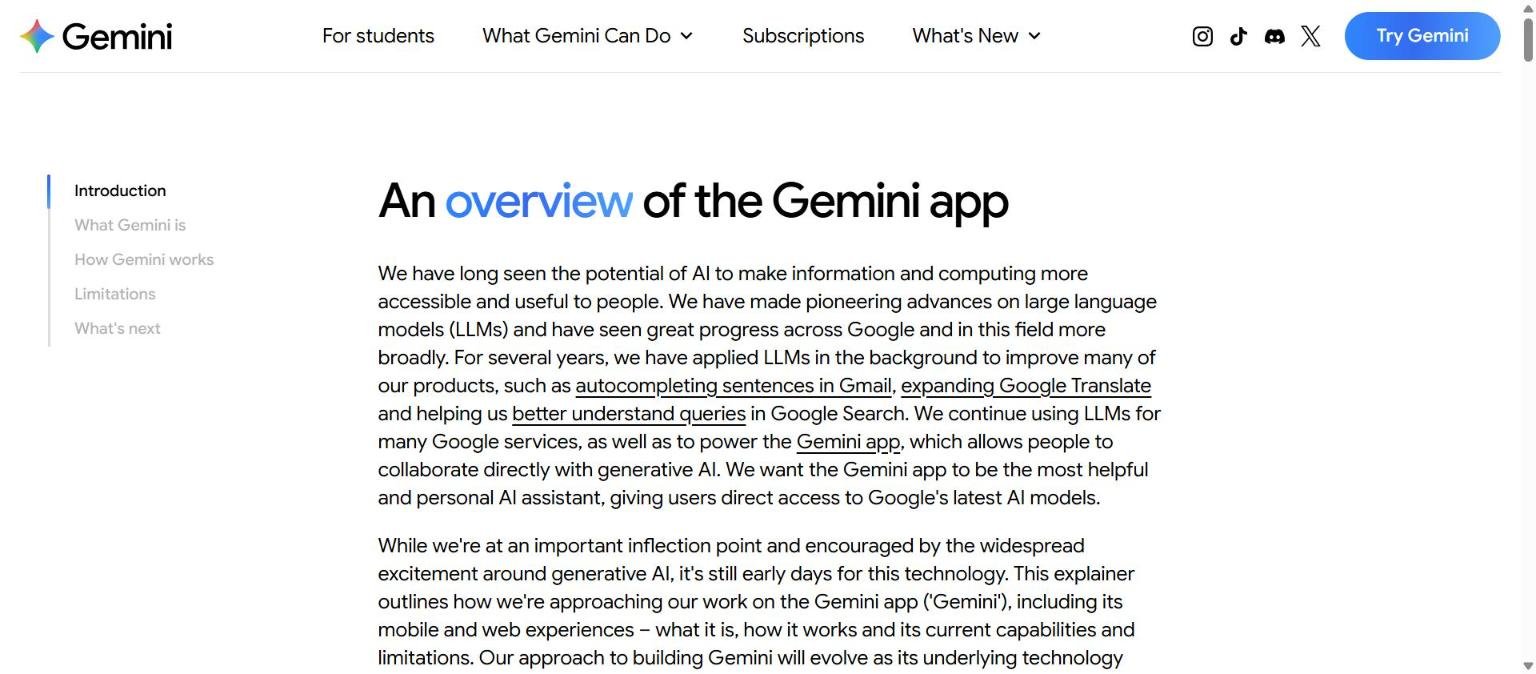
The Gemini app is Google’s consumer AI assistant, available on the web and on mobile. The overview page positions it around productivity, creativity and curiosity, and says it powers AI features across Google’s other services. Google says it has applied large language models in the background for several years, citing examples such as autocompleting sentences in Gmail, expanding Google Translate and better understanding queries in Google Search.
The overview explains how the model works in four steps. First, pre-training on filtered public data, with safety filtering and removal of evaluation data. Second, post-training with supervised fine-tuning on high-quality example answers and reinforcement learning from human feedback. Third, when you send a prompt, Gemini drafts several candidate responses using retrieval from sources such as Google Search, extensions and uploaded files, runs each through a safety check and shows the highest-quality ones, with outputs watermarked using SynthID. Fourth, human evaluators review responses and feed back into training.
That explanation matters for buyers because it shows where the weak points sit. Retrieval can bring in outside sources, which helps with current information but also means the quality of an answer depends on what was retrieved. Human feedback shapes behaviour, but the overview itself admits that outputs can reflect biases and gaps in training data. For general background on this technology, see what is a large language model.
Who it is for
- People already in the Google ecosystem. The paid personal plans bundle storage, and the Pro plan lists Google Home Premium and YouTube Premium Lite. If you live in Gmail, Docs and Chrome, the integration story is the main draw.
- Students. The navigation of the subscriptions page lists a “For students” section.
- Creators and experimenters. Plans mention Google Flow credits for creative generation and Audio Overviews in Gemini Notebook.
- Developers. Google AI Studio and Google Antigravity are listed as developer offerings with no cost to start, and the Gemini platform is listed as pay by usage.
- Businesses. Gemini Enterprise editions are sold per seat.
It may suit you less if you are not a Google user, or if you want a single vendor-neutral tool, since several benefits are tied to Google accounts and services. It is also a poor fit if your organisation cannot accept activity-based training settings and you have not yet confirmed the business terms, because the consumer privacy page we read describes consumer behaviour only.
Core features
Chat and summarising
The overview says Gemini can summarise long documents and help with coding. It is the baseline use that every assistant covers, and the place to start your own tests.
Image generation and editing
The Free plan lists image generation and editing. The overview also lists Image, Video and Music Generation in its navigation, with video generation listed on the AI Plus plan.
Deep Research
Deep Research is listed on the Free plan on the subscriptions page. The pages do not describe the method or limits, so test it on a topic you know well and check the sources it gives.
Gemini Live
Gemini Live is listed on the Free plan and in the overview navigation. The support page says Live transcripts are saved with other activity, and audio and Live video are saved only when Keep activity is on.
Canvas and Skills
Canvas and Skills are listed on the Free plan. We could not confirm a detailed description from the pages we read.
Gems and customisation
The overview says Gems were announced as a way to customise Gemini for specific roles. Because that page is dated, check the current app.
Long Context, Daily Brief and memory import
The overview navigation lists Long Context, Daily Brief, Personal Intelligence, Storybook and Import your memory. The subscriptions page ties Daily Brief to AI Plus and above.
Newer and advanced features and integrations
Gemini in Chrome and Gemini Notebook
The overview navigation lists Gemini in Chrome, and the plans mention Audio Overviews in Gemini Notebook with higher limits on paid tiers (more on AI Plus, five times more on AI Pro). Details beyond that are not on the pages we read.
Google Flow, Antigravity and Project Genie
Paid plans list Google Flow credits (200 on AI Plus, 1,000 on AI Pro, 10,000 or 25,000 on AI Ultra tiers), Antigravity rate limits (entry on Pro, 5x or 20x on Ultra) and Project Genie for Ultra only. These are creative and developer extras, and most casual users will not need them.
Model naming
The subscriptions page names models such as Flash-Lite (Free), Gemini 4 Hydrogen (AI Plus and above), Gemini 4 Argon (AI Pro and above) and Gemini 4 Carbon (AI Ultra). Model names change quickly, so use them as a snapshot and not as a permanent map.
Developer and business routes
Google AI Studio and Google Antigravity are listed as no cost to start. The Gemini platform is pay by usage, with rates not shown on that page. Gemini Enterprise has a Business edition (up to 300 seats) and Standard or Plus editions with unlimited seats, higher usage limits, VPC-SC and customer-managed encryption keys.
Bundled Google services
Higher personal tiers list Google Home Premium and YouTube Premium. These are not AI features, but they change the value calculation if you would pay for them anyway.
Pricing and plans
Checked on 14 November 2026. The subscriptions page shows a dollar sign for personal plans without naming the currency, with the page region being the United States. Confirm your local price.
| Plan | Price on the page | Highlights from the page |
|---|---|---|
| Free | $0 monthly with a Google Account | Flash-Lite, image generation and editing, Deep Research, Gemini Live, Canvas, Skills, limited Flow access, 15 GB storage |
| Google AI Plus | $4.99 monthly | 2x Free usage limits, Gemini 4 Hydrogen, video generation and Daily Brief, 200 Flow credits, 400 GB storage |
| Google AI Pro | $19.99 monthly | 4x Free usage limits, Gemini 4 Argon and Hydrogen, 1,000 Flow credits, Home Premium Standard, YouTube Premium Lite, 5 TB storage |
| Google AI Ultra | Starting at $99.99 ($199.99 for the 20x tier) monthly | Highest model access, 5x or 20x Pro usage, 10,000 or 25,000 Flow credits, Project Genie, YouTube Premium, storage from 20 TB |
| Gemini Enterprise Business | From $21 per seat per month | Up to 300 seats, 25 GiB pooled storage and indexing per seat |
| Gemini Enterprise Standard or Plus | From $30 per seat per month | Unlimited seats, 75 GiB per seat, VPC-SC and customer-managed encryption keys; contact sales |
Developer plans on the page (Google AI Studio, Antigravity) are described as “no cost to start”, and the Gemini platform as “pay by usage”. The page does not quantify the free usage limits, so the multipliers (2x, 4x and so on) are relative to an unstated base. For tips on reading tables like this, see how to read an AI tool’s pricing page.
Strengths
Low-cost entry and clear multipliers
AI Plus is listed at 2x Free limits, AI Pro at 4x, and AI Ultra tiers at 5x and 20x relative to Pro, so you can see how headroom scales.
Bundled extras
Storage, YouTube and Home benefits are bundled with paid plans, which can make the effective value higher if you already want those.
Free plan with many features
Image generation, Deep Research, Gemini Live and Canvas are all listed on Free, so you can test a lot before paying.
Honest limits section
Google’s overview lists accuracy, bias, perspective, persona, false positives and adversarial prompting as limitations, which is useful framing for new users.
Developer on-ramp
AI Studio and Antigravity are listed as free to start, so a developer can try the platform before committing money.
Weaknesses and limits
Dated overview page
The overview we read says it was last updated on 25 July 2024, so it does not describe the current feature set well. We used the subscriptions page for current plan features.
Activity can be used for training
With Keep activity on, chats are used to provide, develop and improve services, including training generative AI models. Human reviewers see a subset of chats.
Long retention for reviewed chats
Chats reviewed by human reviewers are kept for up to three years, even after you delete your activity, according to the support page.
Complicated tier names
Model names, Flow credits and tiers are complex. Mapping them to your needs takes effort.
Value tied to Google services
Several benefits assume a Google account and Google products. Outside that ecosystem, the advantage narrows.
Answers can be wrong
Google itself says responses can be confidently wrong or invent information. Review results using our guide to checking AI output.
Privacy, data handling and security
From Google’s Gemini Apps support page:
- What is saved. Prompts, uploads, feedback and Gemini Live transcripts. With Keep activity on, it also saves audio, Live video and screenshares, shared screens and location information in Gemini Apps activity.
- Human review. A subset of chats is reviewed by human reviewers, including trained service providers. Chats are disconnected from your account before they go to service providers.
- Keep activity on. Chats are saved and used to provide, develop and improve services, including training generative AI models. Audio and Live videos are not used to improve services by default.
- Keep activity off. Future chats do not appear in your activity and are not used to train AI models unless you send feedback, but they are kept for 72 hours.
- Retention. Activity auto-deletes after 18 months by default, with options for 3 or 36 months or off. Reviewed chats can be kept up to three years. Temporary chats are kept for 72 hours.
- Anonymised data. The page says Gemini settings do not control creation of anonymised data from chats to improve Google services.
For business policies, see how to protect company data when using AI tools. We did not read Gemini Enterprise data terms, so check them separately.
How it compares
This table sets Gemini beside three other assistants from the 50-tool list. It documents differences only. See also how to compare assistants.
| Aspect | Gemini | ChatGPT | Claude | Microsoft Copilot |
|---|---|---|---|---|
| Maker | OpenAI | Anthropic | Microsoft | |
| Individual paid plan names | Google AI Plus, Pro, Ultra | Go, Plus, Pro | Pro, Max, Ultra | Microsoft 365 Personal, Family, Premium, Pro |
| Where it is strongest by design | Google account and services | Standalone assistant with plugins | Standalone assistant with projects and Artifacts | Microsoft 365 apps |
| Consumer data and training | Keep activity setting controls training use | Opt-out setting for training | Model Improvement setting | See Microsoft privacy pages |
Our older ChatGPT review is a shorter reference for one of these.
| If you want | Consider | Why |
|---|---|---|
| Google Workspace and Android integration | Gemini | The plans bundle Google services |
| Microsoft Word, Excel and Outlook help | Microsoft Copilot | Copilot is documented inside those apps |
| Project and file workflows | Claude or ChatGPT | Both document projects and file features |
None of these is a winner in the abstract. The right choice depends on where your documents live, what data rules you work under and which tasks you repeat. Run the same five prompts on each free plan and compare the outputs side by side.
Getting started
- Sign in to Gemini with a Google Account and use the Free plan.
- Open activity settings and choose whether Keep activity stays on, and set the auto-delete period.
- Test image generation, Deep Research and Gemini Live on real tasks.
- Check limits before upgrading and compare AI Plus and AI Pro on the subscriptions page.
- If you only want the extras (storage, YouTube), weigh them in the price.
- For a business, review Gemini Enterprise editions with Google sales.
Frequently asked questions
Who makes Gemini?
Google. The overview describes the Gemini app as Google’s AI assistant.
Is Gemini free?
Yes. The subscriptions page lists a Free plan at $0 with a Google Account.
How much does Google AI Pro cost?
The page listed $19.99 monthly when we checked on 14 November 2026. Confirm your local price.
Does Gemini use my chats for training?
With Keep activity on, yes, according to the support page. With it off, chats are not used to train models unless you send feedback, but they are kept for 72 hours.
Do humans read my chats?
The support page says a subset of chats is reviewed by human reviewers, including trained service providers, after disconnection from your account.
What was Gemini called before?
The overview says it began as an experiment called Bard in March 2023.
Can I use Gemini for coding?
The overview says it can help with coding, and Google Antigravity is listed as a developer offering.
Can I stop my activity being saved?
The support page says you can turn Keep activity off, and set auto-delete to 3, 18 or 36 months. Chats are still kept for 72 hours so Gemini can respond.
Is the overview page up to date?
Not fully. The page we read says it was last updated on 25 July 2024. We used the subscriptions page and the support page for current plans and data handling.
Conclusion
Gemini is documented as a broad personal assistant with a generous Free plan, bundled paid tiers and Google ecosystem benefits. The main cautions are that the overview page is old, that Keep activity affects training and retention, and that tier and model names are complex. Test it on your own tasks first, and set your activity controls before you paste in anything sensitive.
For broader advice, read how to choose an AI tool and how to test an AI tool before you pay for it.
A practical way to decide is to run three tests. First, give Gemini a document you know well and check the summary against the original. Second, ask it a question that needs current information and check every cited source yourself. Third, review your activity settings and confirm you are comfortable with the retention periods the support page lists. If it passes those tests for your work, a paid tier becomes easier to justify, and if not, the Free plan costs you nothing to leave.
Sources
- An overview of the Gemini app (Google), accessed 14 November 2026
- Gemini subscriptions (Google), accessed 14 November 2026
- Gemini Apps privacy (Google Support), accessed 14 November 2026


