Zapier is one of the best known automation platforms on the web. It connects the apps a business already uses, so that an event in one tool (a new form entry, a paid invoice, a booked call) can trigger actions in others without anyone copying data by hand. Over the last few years the company has added AI features on top of that core, and it now describes itself in terms of AI workflows, agents and orchestration rather than only simple app-to-app links.
This guide is a full profile of Zapier as documented by the vendor: what it is, who it suits, how the products fit together, how its pricing model works, where it is strong, where it is limited, and how it compares with Make and n8n. We also link to our shorter review if you want the quick version.
How we researched this: we did not run hands-on tests for this article. It is based on the vendor’s own documentation and public sources, checked on 14 November 2026. Features and prices change, so confirm details on the vendor’s site before you buy.
Key takeaways
- Zapier connects apps through workflows called Zaps, and its current pitch adds AI agents, Tables, Interfaces, chatbots, Canvas and an MCP offering on top.
- On the pricing page we read on 14 November 2026, the Free plan includes 100 tasks per month, Professional starts from $19.99 per month and Team from $69 per month.
- Billing is based on tasks, and AI steps can count for more than one task, so cost depends on how you design workflows, not only on how many you build.
- Zapier states it holds SOC 2 (Type II) and SOC 3 certifications and does not train on data running through workflows on any plan.
- Weak spots to weigh: task-based pricing can climb with volume, and the vendor’s own pages give inconsistent app counts, so check the specific apps you need.
What Zapier is and who makes it
Zapier is a workflow automation service made by Zapier, Inc. Its core building block is the Zap: a workflow with one trigger, which is the event that starts it, and one or more actions, which are the things that happen afterwards. You build a Zap in the web editor, connect your accounts, and Zapier runs it whenever the trigger fires.
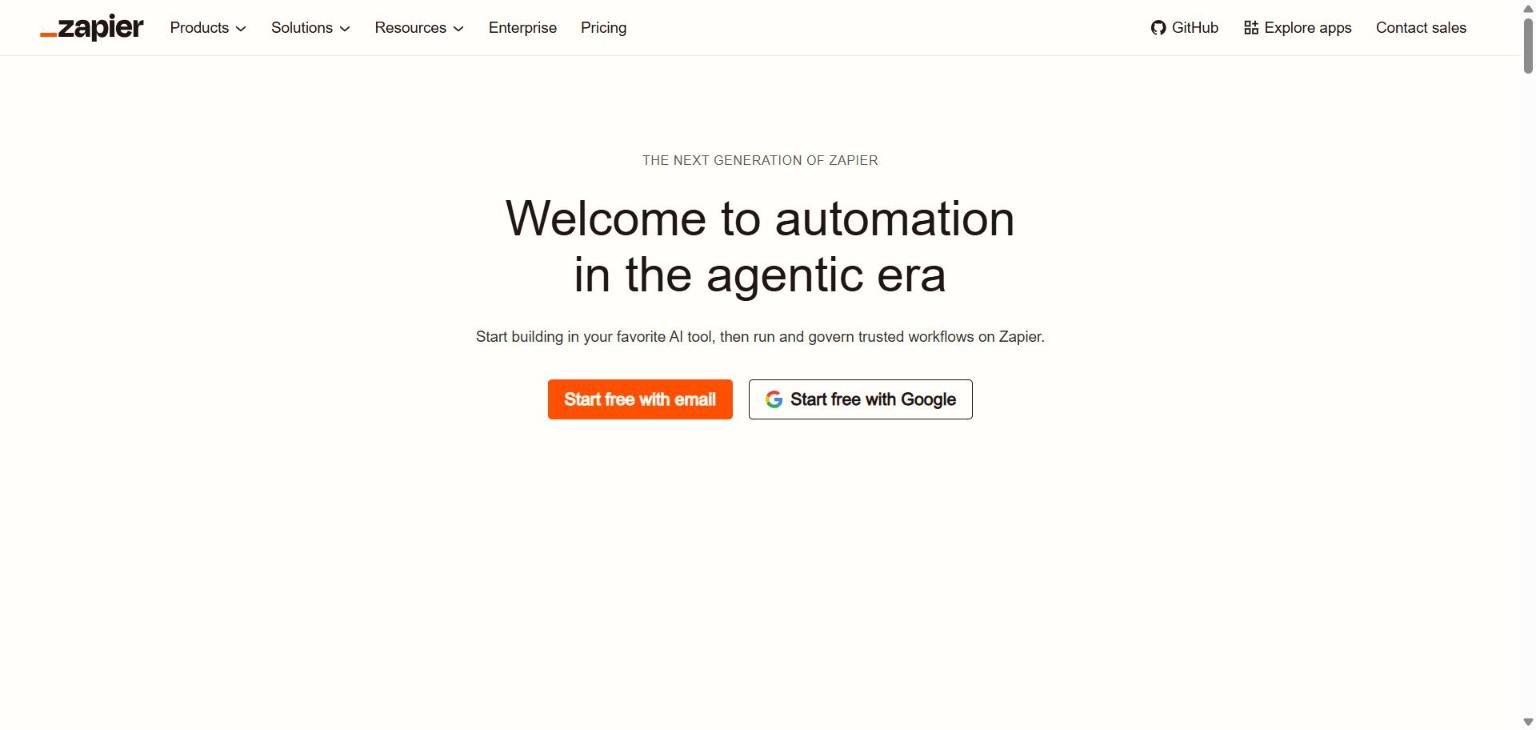
The homepage we captured on 14 November 2026 carries the headline “Welcome to automation in the agentic era” and the line “Start building in your favorite AI tool, then run and govern trusted workflows on Zapier.” Both sign-up buttons offer a free start, with email or with a Google account. The navigation lists Products, Solutions, Resources, Enterprise and Pricing, plus links to GitHub, an app directory and a contact-sales page.
In an April 2025 company blog post about its AI orchestration platform, Zapier described the product family as Zap workflows that tie the pieces together, agents, Tables for storing data, Interfaces for forms and apps, AI chatbots, and Canvas for mapping workflows. That post also reported 1.3 million people using Zapier and more than 200 million AI tasks automated. These are vendor figures from 2025, and we could not confirm current numbers.
Who Zapier is for
Based on the documentation and pricing structure, Zapier is aimed at a wide range of buyers.
- Individuals and small teams who want to connect a handful of apps without writing code. The Free plan and the low entry price for Professional point at this group.
- Operations, marketing and sales teams that need shared workflows. The Team plan adds shared folders, shared app connections and SAML single sign-on.
- Larger organisations that need governance. The Enterprise plan and the security page describe audit logs, admin controls over apps and actions, and observability features.
- People building AI-assisted processes who want an interface to agents, chatbots and tables in the same product as their workflows.
It is a less natural fit if you want to run the software on your own servers, because the documentation we read describes a hosted service. If that matters, see our comparison n8n vs Zapier: self-hosted or hosted.
Core features
Zaps: triggers and actions
A Zap starts with a trigger and runs one or more actions, and the pricing materials count each successfully completed action as a task. The Free plan is limited to two-step Zaps, while Professional is listed with multi-step Zaps, so the number of steps is one of the first practical differences between tiers.
Filters, Paths and Formatter
Zapier’s pricing guide names Filters, Paths and Formatter as logic and data tools that come with paid plans, and says these logic steps do not count toward task usage. In practice this lets you add conditions and clean up data inside a workflow without consuming tasks for each of those steps.
Zapier Copilot
Copilot is listed on the Free plan and described as included in every plan. The pricing guide says Copilot, unlimited Zap workflows and Zapier MCP are part of every plan. We could not confirm from the pages we read exactly how deep the Copilot builds go, so test it on a real workflow during your trial.
Tables and Forms
The pricing page lists unlimited Zaps, Tables and Forms on the Free plan. Tables are described as a place to store data that can be enriched with AI, and forms let you capture input that then triggers workflows.
AI fields and AI steps
The Professional plan lists AI fields. Zapier’s guide also explains how AI steps are counted for billing, which we cover in the pricing section because it affects cost directly.
Newer and advanced features and integrations
Agents
Zapier describes agents as AI that can make decisions and adapt inside workflows. The pricing page shows Agents as a separate set of plans measured in activities per month, which we list below. Agents can browse the web and use live data sources according to that page.
Interfaces and chatbots
Interfaces host forms and apps built around AI systems, and AI chatbots answer common questions automatically. The pricing page lists a separate Chatbots plan family with limits on the number of chatbots and the size of knowledge sources.
Canvas
Canvas is described in Zapier’s own blog as a way to map out end-to-end AI workflows. We found no pricing or detailed limits for Canvas, so treat it as a planning tool until you have seen it in your account.
Zapier MCP
Zapier MCP is listed as included in every plan. Zapier’s security documentation also covers MCP, saying that agents and MCP connections do not receive raw third-party tokens. If your goal is to let an AI assistant call actions in your apps, read that documentation closely before you decide.
App coverage
Zapier’s own pages give different app counts. The April 2025 article headline says nearly 8,000, its body says nearly 9,000 and its footer says 10,000. Because we cannot give one confirmed number, the safe approach is to search the app directory for the exact apps and actions you need before you commit.
Pricing and plans
Checked on 14 November 2026 on the Zapier pricing page and Zapier’s pricing guide (the guide was last updated in June 2026). Prices change, so confirm on the vendor page before you buy.
| Plan | Price as shown | Tasks | Notable inclusions |
|---|---|---|---|
| Free | $0 | 100 tasks per month | Unlimited Zaps, Tables and Forms, two-step Zaps, Copilot |
| Professional | From $19.99 per month | Selectable tiers; the pricing guide cites 750 tasks per month at the entry price | Multi-step Zaps, premium apps, webhooks, AI fields, conditional form logic |
| Team | From $69 per month | Selectable tiers | 25 users, shared Zaps and folders, shared connections, SAML SSO, priority support |
| Enterprise | Contact sales | Annual task limits, amounts not stated | Unlimited users, advanced admin and app controls, observability, technical account manager |
The pricing guide says the Professional and Team prices are billed annually after a 14-day free trial, and that Professional continues running past its included tasks with extra tasks billed per task. The pricing page itself did not tell us which task tier matches each price point, so we could not confirm what a given monthly price buys at higher volumes.
What counts as a task
Zapier’s guide defines a task as an action a Zap successfully completes. Triggers and logic steps such as Filters, Paths and Formatter do not count. AI steps are multiplied: a default AI model step counts as one task, an Advanced AI by Zapier step counts as three, and a premium AI step counts as five. If you plan AI-heavy workflows, model your volume with those multipliers. Our guide to reading an AI tool’s pricing page explains how to run that kind of estimate.
Agents and chatbots plans
| Product | Plan | Price shown | Limit |
|---|---|---|---|
| Agents | Free | $0 | 400 activities per month |
| Agents | Pro | $33.33 per month, $400 billed annually | 1,500 activities per month |
| Agents | Enterprise | Contact sales | Custom, plus sharing and audit logs |
| Chatbots | Free | $0 | 2 chatbots |
| Chatbots | Pro | $13.33 per month, $160 billed annually | 5 chatbots |
| Chatbots | Advanced | $66.67 per month, $800 billed annually | 20 chatbots |
These separate plan families sit on the pricing page alongside the main automation plans. Because they are priced separately from tasks, add them up if you intend to use workflows, agents and chatbots together.
Strengths
A low barrier to a first workflow
A free tier, free sign-up with email or Google, and a copilot that is included in every plan make it easy to try an idea without paying. The Free plan’s 100 tasks per month are enough to prove a concept, though not to run a busy process.
Clear governance options for larger teams
Zapier’s security page lists role-based access, allowed domains, domain capture, approval workflows that pause changes until approvers sign off, and per-user, per-team and per-workspace control of which apps and actions agents can use. These are concrete controls, which matters if a security team is reviewing the tool.
AI controls built into the platform
The page describes AI Guardrails that scan AI steps, agents and MCP connections for personal data, prompt injection and toxicity, with options to block, route or only detect. It also says customers can approve AI providers, bring their own model keys, or turn AI off entirely.
Logic steps that do not consume tasks
Because Filters, Paths and Formatter are not counted as tasks, you can build conditional workflows without paying for every branch.
Weaknesses and limits
Task-based pricing needs careful modelling
Since every successful action counts, a workflow with many steps or high event volume uses tasks quickly, and AI steps count for up to five. The pricing page does not state which task allowance maps to which price at higher tiers, so you must use the calculator in your account to forecast cost.
Free plan is small
One hundred tasks and two-step Zaps limit what you can do for free. Anything beyond a simple test will push you to a paid plan.
Hosted only, as far as we could see
The documentation we read describes a cloud service with data stored on AWS in the United States. We did not find a self-hosting option. If you need data residency elsewhere or want to run on your own infrastructure, look at n8n.
Inconsistent public numbers
The varying app counts in Zapier’s own materials mean you cannot rely on a headline number. Check each integration and each trigger or action you depend on.
Replay is not guaranteed
The security page states that autoreplay and flood protection exist but that replay is limited and not guaranteed. For critical processes, design your own error handling and monitoring.
Privacy, data handling and security
The following comes from Zapier’s security and compliance page, read on 14 November 2026.
- Zapier states it holds SOC 2 (Type II) and SOC 3 certifications, audited annually by an independent firm. SOC 3 is public, and SOC 2 requires an NDA.
- It states support for GDPR, UK GDPR and CCPA/CPRA through a data processing agreement, with standard contractual clauses for international transfers.
- Data is encrypted in transit with TLS 1.2 or higher and at rest with AES-256, and is stored on AWS in the United States.
- Two-factor authentication is available on every plan. SAML 2.0 single sign-on and SCIM provisioning are listed for Enterprise.
- Zapier says it does not train on data running through workflows on any plan. It may learn from workflow structure but not contents, Enterprise accounts are opted out automatically, and other plans can opt out through a form.
- Audit logs are described as immutable and searchable, and Enterprise customers can stream logs to tools such as Datadog or Splunk.
Compliance is described as shared, with customers responsible for lawful use of the data in their own workflows. For a practical checklist, see how to protect company data when using AI tools.
How Zapier compares
The table compares documented facts only, from each vendor’s pages checked on 14 November 2026. Other tools in our set do not overlap much with general workflow automation, so we compare with the two closest alternatives.
| Point | Zapier | Make | n8n |
|---|---|---|---|
| Billing unit | Tasks (successful actions) | Credits (most actions use 1) | Workflow executions |
| Free option | Free plan, 100 tasks per month | Free plan, 1,000 credits per month | Free trial on cloud plans (no card required), plus a self-hosted Community Edition |
| Self-hosting | Not described in pages we read | Not described in pages we read | Yes, Community Edition, Business and Enterprise |
| Stated compliance | SOC 2 Type II, SOC 3 | SOC 2 Type II, SOC 3, GDPR | Aligned to SOC 2 with annual audits, SOC 3 report available |
| AI and agents | Agents, Copilot, MCP, chatbots | AI agents, MCP server | AI Agent node, MCP server trigger and client |
For deeper head-to-heads, read Zapier vs Make: what to compare and n8n vs Zapier. Our guide to choosing an AI tool gives a general method.
Getting started
- Write down one repetitive process, such as sending new form entries to a spreadsheet and a chat channel.
- Sign up on the free plan with email or Google and connect only the apps that process needs.
- Build a two-step Zap, run it, and check how many tasks it consumed.
- Add a filter or a path to handle an exception, remembering these do not count as tasks.
- Estimate monthly volume, including any AI step multipliers, before choosing a paid plan.
- Read the security page and decide whether the controls match your data. Our guide on testing an AI tool before you pay can help structure the trial.
Frequently asked questions
Is Zapier free?
There is a Free plan. On the pricing page we read on 14 November 2026 it includes 100 tasks per month, unlimited Zaps, Tables and Forms, two-step Zaps and Copilot.
What is a task in Zapier?
Zapier’s guide defines a task as an action a Zap successfully completes. Triggers and logic steps like Filters, Paths and Formatter do not count, and AI steps count for more than one task.
Does Zapier train AI on my data?
Zapier states that it does not train on data running through workflows on any plan. It says it may learn from workflow structure rather than contents, and that Enterprise accounts are opted out of that automatically while other plans can opt out by form.
Can I self-host Zapier?
We found no self-hosting option in the pages we read. The security page says data is stored on AWS in the United States. If self-hosting is a requirement, n8n documents it.
How many apps does Zapier support?
We could not confirm a single current number. Zapier’s April 2025 article gives nearly 8,000, nearly 9,000 and 10,000 in different places, so search the app directory for your exact tools.
Does Zapier have AI agents?
Yes. Zapier describes agents as AI that makes decisions inside workflows and lists a separate Agents plan family. Agents have their own activity limits, which are listed in the pricing section above.
What does Zapier cost for a team?
The Team plan starts from $69 per month on the pricing page and lists 25 users, shared folders and SAML SSO. Final cost depends on the task tier you select.
Conclusion
Zapier is a mature, hosted automation platform with a free entry point, a clear plan ladder, governance features and a growing set of AI products. Its main trade-offs are task-based pricing that needs modelling, a small free tier and a hosted-only model as far as we could see. Teams that want the quickest route from idea to working automation, and that value documented governance, have a strong reason to try it. Teams that want self-hosting or very high volume at low cost should compare Make and n8n before deciding. Start with the free plan, measure real task usage, and use our tool selection guide to keep the decision structured.
Sources
- Zapier homepage, accessed 14 November 2026
- Zapier pricing, accessed 14 November 2026
- Zapier pricing guide (Zapier blog, updated June 2026), accessed 14 November 2026
- Zapier security and compliance, accessed 14 November 2026
- Zapier AI orchestration platform (Zapier blog, April 2025), accessed 14 November 2026
- Make pricing, accessed 14 November 2026
- n8n pricing, accessed 14 November 2026


