Make is a visual automation platform. You draw a workflow, called a scenario, as a chain of modules on a canvas, connect the apps you use, and Make runs it on a schedule or when something happens. The company now presents the product as a place to build and manage both automations and AI agents, with an emphasis on seeing everything that runs in one view.
This guide profiles Make from the vendor’s own pages: what it is, who it suits, the features it documents, how its credit-based pricing works, what it does well, where it is limited, and how it compares with Zapier and n8n. For a shorter take, see our shorter review.
How we researched this: we did not run hands-on tests for this article. It is based on the vendor’s own documentation and public sources, checked on 14 November 2026. Features and prices change, so confirm details on the vendor’s site before you buy.
Key takeaways
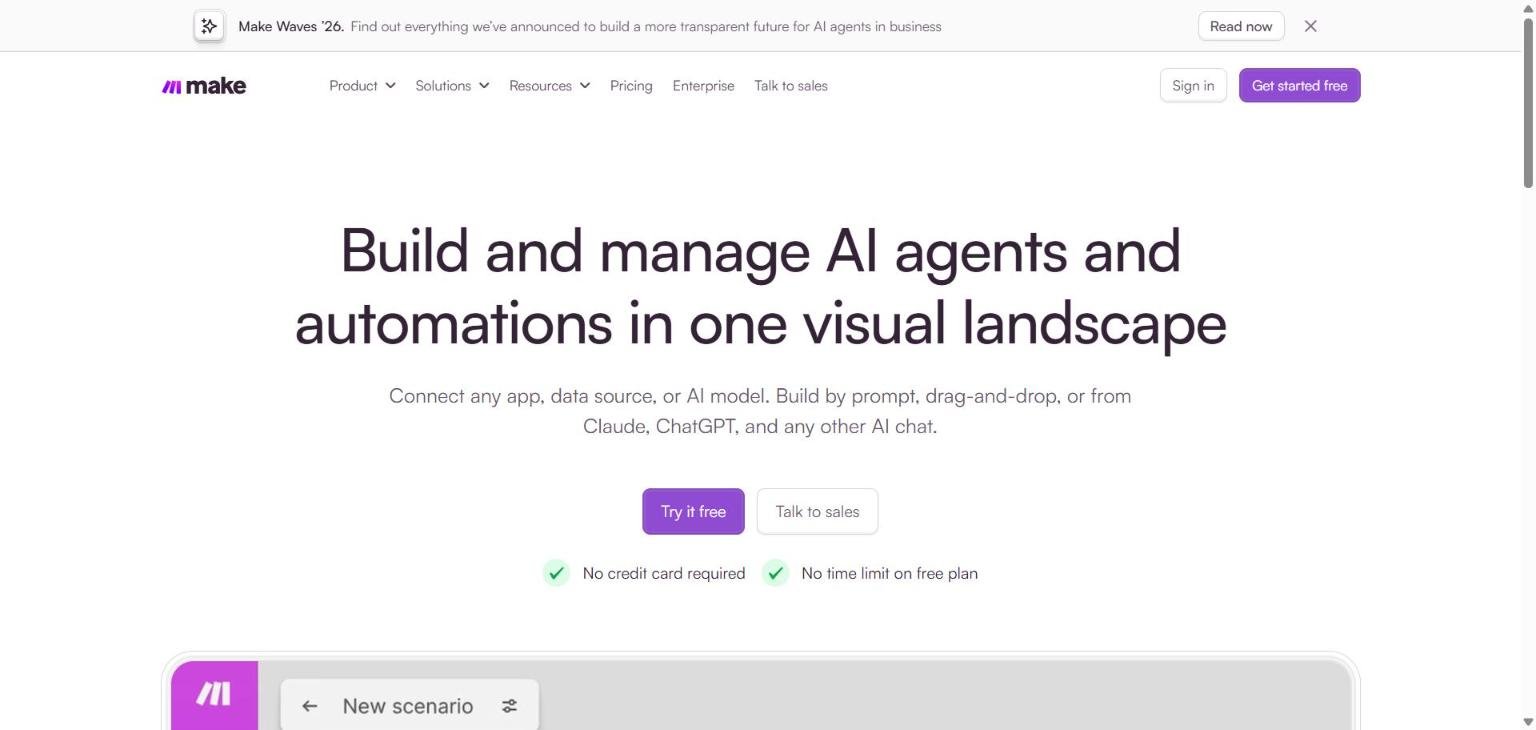
- Make’s homepage headline is “Build and manage AI agents and automations in one visual landscape”, and it lists a workflow builder, an MCP server, AI agents, custom code and governance tools.
- Billing is by credits. Most actions use one credit, and the Free plan includes 1,000 credits per month.
- On the pricing page we read on 14 November 2026, Make showed three columns: Free, a single paid Make Plan from $9 per month, and Enterprise on custom terms.
- Make states it is GDPR compliant and SOC 2 Type II and SOC 3 certified, with encryption, SSO, role-based access and audit logs.
- Credit use can be hard to predict for complex scenarios, since a single run can use anywhere from two credits to thousands.
What Make is and who makes it
Make is an AI automation platform. Its own FAQ describes it as a place where you build automated workflows and AI agents visually, connect them to the apps and data you already use, and see everything running in one place. The company says it is built for teams and organisations deploying AI and automation across the business, from a single department to company-wide. The homepage states that more than 500,000 teams build with Make. That is a vendor claim and we could not verify it independently.
The homepage we captured on 14 November 2026 offers three entry routes: start a paid plan, try Make free with no card, or go Enterprise. It also states that there is no time limit on the free plan. A banner on the page promotes an announcement event called Make Waves ’26, which the site says covers “a more transparent future for AI agents in business”. We did not find further detail on those announcements in the pages we read, so we do not describe them here.
The homepage also quotes a customer, a digital process improvement manager at an automotive retail group, who calls Make “the glue of our organization”. Customer quotes are marketing material, so we treat that as the vendor’s choice of story rather than evidence of how the product performs for you.
Who Make is for
- People who think in diagrams. The product is built around a visual canvas. The FAQ says anyone comfortable mapping steps, conditions and outcomes can build by prompting, dragging and dropping, or working from an AI chat, with no coding required.
- Developers who want an escape hatch. The homepage says you can fine-tune with JavaScript or Python if needed, and that custom integrations can be added for anything with an API.
- Teams adopting AI agents. The homepage describes agents where you set goals, provide tools, define limits and see the reasoning.
- Organisations with governance needs. The Enterprise column and the governance section mention role-based access, audit logs and real-time analytics.
If you only need a couple of simple app-to-app connections, a simpler tool may do. Our Zapier vs Make comparison sets out the questions to ask.
Core features
Visual workflow builder
The homepage lists the workflow builder as the first capability and says you can build by prompting, drag-and-drop or MCP. The builder is where scenarios are drawn, tested, debugged and run, according to the page’s description for builders.
Routers and filters
The Free plan lists routers and filters as included. Make’s help page also states that router modules, along with error handler modules such as Rollback, Break, Resume, Commit and Ignore, do not consume credits. This is a documented way to branch logic without paying for the routing itself.
Integrations
Make says it connects 3,500 or more apps out of the box, and that anything with an API can be added as a custom integration. The pricing page repeats the 3,500+ figure for the Free plan.
Observability
The homepage promises that you can see your whole stack live, including third-party resources. The paid plan lists full-text execution log search, which helps when you need to find a particular run.
Custom code
The page says you can add JavaScript or Python where visual modules are not enough. The Enterprise column also mentions custom functions support.
Data stores
The help page refers to data stores and says an organisation can have up to 1,000 of them regardless of plan, with storage allowances tied to the credits you license. The Free plan includes one data store and 1 MB of storage. Data stores let scenarios keep small amounts of state between runs, though we did not read a full description of how they are used.
Newer and advanced features and integrations
AI agents
The homepage says you can set goals, provide tools, define limits and see the reasoning behind what an agent does. The pricing help page notes that some advanced AI Provider features may use more than one credit per action, but it does not describe agent pricing, limits or which plans include them. We could not confirm those details.
MCP server
Make lists an MCP server that lets you build and run automations from Claude, ChatGPT or Gemini. The hero text also says you can build from Claude, ChatGPT and any other AI chat. This is an integration route for people who prefer to start in an assistant and let Make run the workflow.
Maia and agentic automation
The pricing page links to an AI assistant called Maia, plus pages on agentic automation and Make AI apps. We only saw the link labels, so we cannot describe what these do in detail.
API access and priority execution
The paid Make Plan lists access to more than 300 Make API endpoints, high priority scenario execution, custom variables, teams and team roles, and access to enterprise apps. The Free plan, by contrast, lists a 15-minute minimum interval between runs.
Governance across teams
The homepage describes three viewpoints: executives who want every agent and automation in one view, change leaders who want to see what teams build as it happens, and builders who want to build, test, debug and run in one environment. Whether those views are as complete as described is something to check during a trial.
Pricing and plans
Checked on 14 November 2026 on the Make pricing page and the Make help page on pricing parameters. Prices change, so confirm on the vendor page before you buy.
| Plan | Price as displayed | Notable inclusions |
|---|---|---|
| Free | $0 per month | 1,000 credits per month, no-code visual builder, 3,500+ apps, routers and filters, customer support, 15-minute minimum interval between runs |
| Make Plan | $9 per month shown, with $1.80 per 1,000 credits shown | Unlimited active scenarios, credit usage flexibility, 300+ Make API endpoints, high priority execution, custom variables, full-text execution log search, teams and team roles, enterprise apps |
| Enterprise | Custom | Everything in Make Plan, plus custom functions support, 24/7 enterprise support, Value Engineering team access, overage protection, advanced security features |
Two cautions. First, the page’s FAQ text, read by our research tool, still named Core, Pro and Teams plans and a start-up discount, while the displayed columns showed one paid Make Plan. The page may be mid-transition, so check which plans your account offers. Second, we could not confirm from the page whether the $9 figure assumes monthly or annual billing, or how many credits that price includes.
How credits work
Make’s help page says credits became the billing unit as of August 27 and that each action a scenario performs uses a set number of credits, usually one.
| Rule | What the help page says |
|---|---|
| What costs credits | Reading, searching, creating, updating and deleting data, plus transformations and iterations, are one credit each |
| What is free | Router modules and error handler modules (Rollback, Break, Resume, Commit, Ignore) |
| Size of a run | A scenario can use from two credits to thousands per run |
| AI features | Advanced AI Provider features may use more credits |
| Allowances per 10,000 credits per month | 5 GB data transfer, 10 MB data storage, 10 MB incomplete execution storage (up to 2 GB), webhook queue of 667 (up to 10,000) |
| When credits run out | Scenarios stop; webhooks queue up to the limit; polling scenarios resume from the last successful run |
| Expiry | Unused credits expire at the end of the term; extra credits expire after one month on monthly plans or one year on annual plans |
The Free plan also lists 1 MB of data storage and one data store. For help turning this into a real estimate, see our guide to reading an AI tool’s pricing page.
Strengths
A visual model that shows the whole process
Because scenarios are drawn as connected modules, the logic is easy to inspect. The homepage says builders can build, test, debug and run in one visual environment.
Generous free entry
The Free plan has no time limit according to the homepage and includes 1,000 credits and access to the full 3,500+ app catalogue, as listed on the pricing page.
Credit rules that favour branching
Routers and error handlers cost nothing, so scenarios with several paths do not pay a penalty for the branching itself.
Several ways to build
You can build by prompting, dragging and dropping, from MCP, or from an AI chat, and add JavaScript or Python when needed. That suits mixed teams of non-developers and developers.
Documented security posture
The homepage states GDPR compliance, SOC 2 Type II and SOC 3 certification, encryption in transit and at rest, SSO and role-based access. We cover this in the privacy section.
Weaknesses and limits
Credit use is hard to forecast
Almost every action costs a credit, including reads, searches and transformations, and one run can use from two to thousands. A scenario that loops over many records can burn credits quickly, so test with realistic data and watch usage.
Plan details were in flux when we looked
The mismatch between displayed plans and FAQ text, and the absence of a stated credit allowance beside the $9 price, make it hard to know exactly what you will get. Confirm in the checkout flow.
Agent pricing is undocumented on the pages we read
The help page does not say which plans include AI agents or what limits apply. If agents are central to your plan, ask Make before committing.
Free plan interval
The 15-minute minimum interval between runs means the free tier is not suited to near-real-time polling.
Learning curve for complex logic
The page claims no coding is required, but it also offers JavaScript and Python and custom functions for advanced cases. Plan time for people to learn how data moves between modules.
Cancelling and downgrading have side effects
The help page says downgrading stops active scenarios that use features from the higher plan, and that cancelling moves the organisation to the Free plan at the end of the billing period. Plan for that before you reduce your tier.
Privacy, data handling and security
From the Make homepage, read on 14 November 2026:
- GDPR compliant, with SOC 2 Type II and SOC 3 certification.
- Encryption in transit and at rest, single sign-on, and access controls described as satisfying a security review.
- Role-based access, audit logs and real-time analytics across workflows.
- Enterprise plans add further controls, including advanced security features according to the pricing page.
We did not read Make’s data processing terms, data location statements or any statement about training AI models on customer data, so we cannot report them. Before you connect sensitive systems, read the vendor’s privacy policy and use our guide to protecting company data when using AI tools.
How Make compares
| Point | Make | Zapier | n8n |
|---|---|---|---|
| Billing unit | Credits, usually one per action | Tasks, with AI steps counting for more | Workflow executions |
| Free option | 1,000 credits per month, no time limit | 100 tasks per month | Free trial on cloud, self-hosted Community Edition |
| Entry paid price shown | $9 per month | From $19.99 per month | 20 euros per month billed annually |
| Interface | Visual canvas, prompt, MCP | Zap editor, Copilot, Canvas | Visual editor, code steps, AI Agent node |
| Self-hosting | Not described in pages we read | Not described in pages we read | Yes |
Unit differences matter more than headline prices. Read Zapier vs Make: what to compare and n8n vs Zapier before you model costs, and use our side-by-side method to test fairly.
Getting started
- Create a free account and pick one process you repeat weekly.
- Build a scenario with a trigger and two or three modules, and run it with a small sample.
- Check the credit count after the run to learn how your actions are billed.
- Add a router or error handler, noting that these do not consume credits.
- Estimate a month of volume, then decide whether the free allowance or the paid plan fits.
- Review the security statements with whoever signs off on tools at your organisation.
Frequently asked questions
Is Make free?
Yes, there is a Free plan. The pricing page lists 1,000 credits per month, a no-code visual builder, 3,500+ apps and a 15-minute minimum interval between runs, and the homepage says there is no time limit.
What is a credit in Make?
It is the billing unit. Each action a scenario performs uses a set number of credits, usually one, and some advanced AI features can use more.
What happens when I run out of credits?
Per the help page, scenarios stop until more credits are added. Incoming webhooks queue up to your queue limit and polling scenarios resume from their last successful run.
Does Make support AI agents?
Yes, the homepage lists AI agents where you set goals, provide tools and define limits. We could not confirm agent-specific pricing or plan limits.
Can I use Make from Claude or ChatGPT?
The homepage lists an MCP server for building and running automations from Claude, ChatGPT or Gemini.
Is Make secure?
The homepage states GDPR compliance and SOC 2 Type II and SOC 3 certification, with encryption, SSO, role-based access and audit logs. Read the full terms for details.
Can I self-host Make?
We found no self-hosting option in the pages we read. If that is a requirement, look at n8n.
Do unused credits roll over?
According to the help page, unused credits expire at the end of the term, and extra credits expire after one month on monthly plans or one year on annual plans.
Conclusion
Make is a strong candidate if you like to see workflows as diagrams, want a free tier with a generous credit count, and expect to add AI agents over time. Its credit model rewards careful design, because branching is free but most data operations are not. The pricing page was in transition when we looked, and agent details were thin, so treat both as questions for the vendor. Try the free plan on a real process, measure credits, and compare with Zapier and n8n using the trial checklist before you pay.
Sources
- Make homepage, accessed 14 November 2026
- Make pricing, accessed 14 November 2026
- Make help: pricing parameters, accessed 14 November 2026
- Zapier pricing, accessed 14 November 2026
- n8n pricing, accessed 14 November 2026


