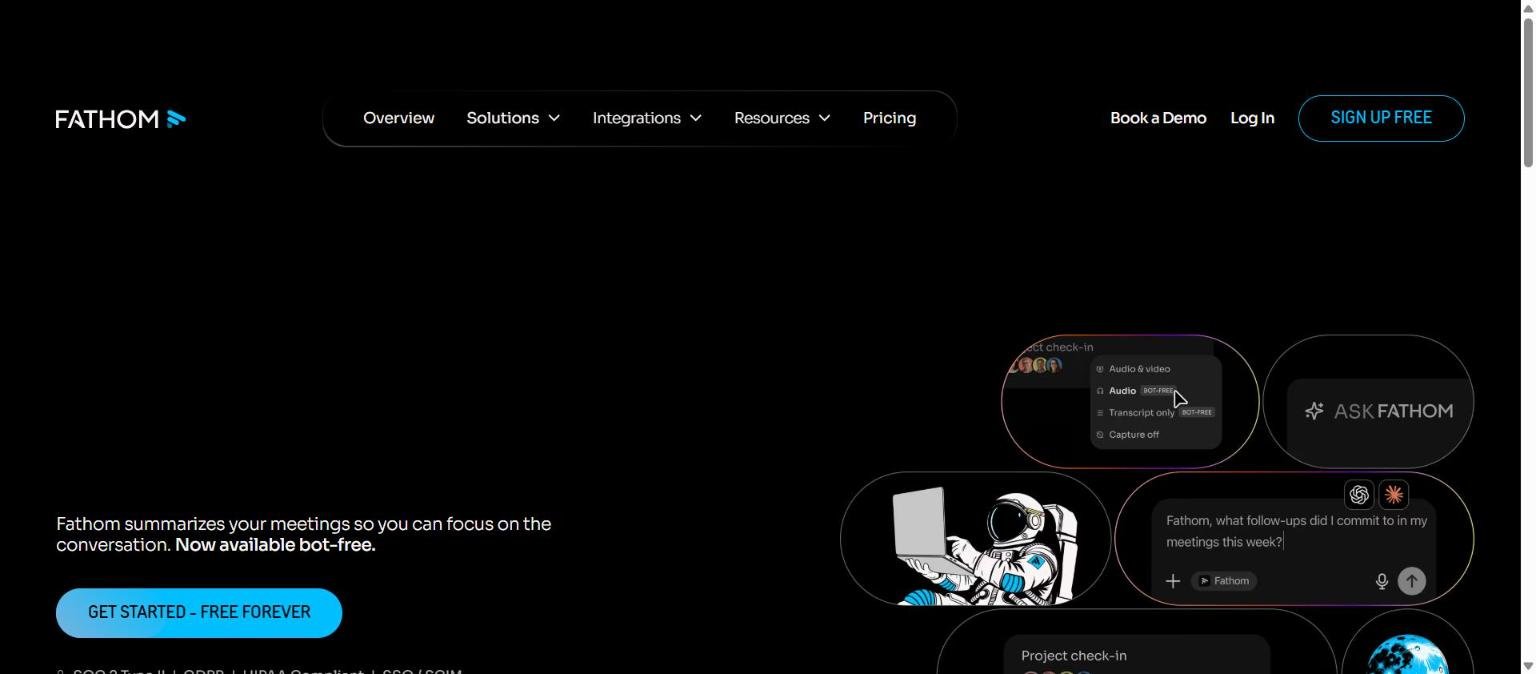
Fathom is an AI notetaker for meetings. Its homepage says it summarises your meetings so you can focus on the conversation, and it highlights that it is now available bot-free, meaning you can capture a call without a visible bot joining it. It records, transcribes and summarises calls, pulls out action items and lets you search across past meetings.
This guide pulls together what Fathom documents on its overview and pricing pages as we read them on 14 November 2026: how the product works, what the plans include, what the security badges claim, and where the limits are. Meeting tools handle sensitive conversations, so we pay particular attention to privacy, consent and the claims we could not verify.
How we researched this: we did not run hands-on tests for this article. It is based on the vendor’s own documentation and public sources, checked on 14 November 2026. Features and prices change, so confirm details on the vendor’s site before you buy.
Key takeaways
- Fathom works with Zoom, Google Meet, Microsoft Teams and Slack huddles, plus in-person meetings through its iOS app, but it says it cannot record phone calls today.
- It offers bot-free capture modes as well as a full audio and video recording.
- The free plan lists unlimited recordings, transcription and instant AI summaries; paid plans start at $16 per user per month billed annually for Premium and $15 for Team.
- The homepage badges claim SOC 2 Type II, GDPR, HIPAA compliance and SSO and SCIM, and the vendor’s time-saving and forecast figures are its own claims.
- Best for individuals and teams who want a low-cost notetaker; check consent rules before recording.
What it is and who makes it
An AI notetaker with a bot-free option
Fathom records meetings, transcribes them and produces summaries and action items. Its overview page says it works with video calls and in-person conversations and can be used with or without a bot in the call.
Supported platforms
The overview page lists Zoom, Google Meet, Microsoft Teams and Slack huddles, and in-person meetings through the iOS app. It states Fathom cannot record phone calls “today”.
Capture modes
The overview describes three modes: transcript-only (bot-free) with a transcript, summary and action items; audio plus transcript (bot-free); and full audio and video, including screen capture. The FAQ says bot-free capture on Mac includes full video, and that Windows support is on the way.
Who makes it
The pages we read did not give company details in the text we captured. Check the terms and privacy pages for the operator and data controller.
If you are comparing meeting tools, our article Otter, Fireflies and Fathom: what to compare sets out a method, and the Otter.ai review covers one of the alternatives.
Capture modes at a glance
The table summarises the three capture modes described on the overview page.
| Mode | What you get | Notes |
|---|---|---|
| Transcript only (bot-free) | Transcript, summary and action items | Bot-free |
| Audio plus transcript (bot-free) | Audio capture with a transcript and summary | Bot-free |
| Full audio and video | The complete recording, including screen capture | Bot-free capture on Mac includes full video; Windows support is described as on the way |
Capture modes at a glance
The table summarises the three capture modes described on the overview page.
| Mode | What you get | Notes |
|---|---|---|
| Transcript only (bot-free) | Transcript, summary and action items | No audio or video kept |
| Audio plus transcript (bot-free) | Audio capture with a transcript and summary | Bot-free |
| Full audio and video | The complete recording, including screen capture | Bot-free capture on Mac includes full video; Windows support is described as on the way |
Who it is for
Individuals and freelancers
The free plan lists unlimited recordings, transcription and instant AI summaries, which is unusually generous for a notetaker. A freelancer who runs client calls can try it with no payment.
Sales and customer-facing teams
The Business plan lists CRM field sync, Deal View, coaching metrics and AI scorecards. The overview mentions integrations with HubSpot and Salesforce. That points at sales and customer success use.
Teams that want shared search
Team plans list a shared workspace, team-wide trackers and search, and Ask Fathom across team calls.
Regulated or security-minded organisations
The Team plan lists HIPAA with a standard BAA, and Enterprise lists custom BAA eligibility, SSO and SCIM and custom data retention. The homepage shows badges for SOC 2 Type II, GDPR and HIPAA compliance.
Who should look elsewhere
If you need to record phone calls, Fathom says it cannot do that today. If you want a notetaker that also handles email and chat, compare it with a broader assistant such as Fireflies, whose positioning is wider.
Managers who review calls
The Business plan lists coaching metrics and AI scorecards, which suit managers who review sales or support calls. Because scorecards turn a conversation into a score, agree with your team how they will be used and whether people can see their own results.
Core features
Live and post-call summaries
Fathom produces live summaries during calls and a full recap, action items and transcript when the call ends.
Speaker attribution
The overview says speaker attribution works, including in bot-free recordings.
Custom dictionaries
You can add custom dictionaries for company-specific terms, which helps with product names and jargon.
Ask Fathom
Ask Fathom lets you search across calls, with citations linking to exact transcript moments. The free plan marks account-wide Ask Fathom as limited use.
Trackers
Trackers flag topics like competitors or objections across future calls. The overview notes this is a paid-plan feature.
Reusable prompts
Reusable prompts can be shared across a team.
Clips and playlists
The free plan lists clips and playlists, which let you share key moments rather than a whole recording.
Apps
The overview mentions a desktop app, a private scratchpad and an iOS app.
How to judge a meeting summary
A summary is only useful if it is faithful. A simple test is to pick one meeting where you took your own notes and compare four things: decisions, action items with owners, dates and numbers, and anything that was left open. Missing an open question is as damaging as inventing a decision, because people assume the summary is complete. Run this test on two or three meetings with different speakers before you trust the tool for anything important.
Newer or advanced features and integrations
Integrations
The overview lists Slack, HubSpot, Salesforce, Notion, Asana, Zapier, ChatGPT and Claude, and mentions a public API and MCP support. The pricing page lists CRM field sync on Business.
Languages
The overview says transcription and summaries are native in seven languages: English, Spanish, Dutch, French, Italian, German and Portuguese, with Portuguese noted for Premium and Team plans. Ask Fathom can translate into 29 additional languages.
Deal View and coaching
Business lists Deal View, coaching metrics and AI scorecards, which are aimed at managers reviewing sales calls.
Enterprise implementation
Enterprise lists Launch Assist implementation, custom summaries, SSO and SCIM, custom data retention, custom BAA eligibility and priority support.
Connecting to other AI tools
Because the overview mentions ChatGPT, Claude and MCP support, meeting data may be reachable from other assistants. Check what permissions you grant before connecting, and see our guidance on protecting company data when using AI tools.
What the API and MCP mention means in practice
The overview says Fathom has a public API and MCP support. For a team, that can mean piping call summaries into a CRM, a project tool or an AI assistant. It also means meeting content may leave Fathom for other systems, each with its own retention and training terms. Before connecting, list which systems will receive transcripts, who administers them and how a deletion request would reach each one.
Pricing and plans
Checked on 14 November 2026. The pricing page lists monthly and annual prices per user, and says annual saves 25% or more. Confirm on the live pricing page.
| Plan | Monthly | Annual (per month) | Minimum | Core additions |
|---|---|---|---|---|
| Free (individuals) | $0 | $0 | None | Unlimited recordings and transcription; instant AI summaries; clips and playlists |
| Premium (individuals) | $20 | $16 | None | Advanced summaries; AI action items; conversational assistant; custom meeting bot |
| Team | $19 | $15 | 2 users | Shared workspace; team-wide trackers and search; Ask Fathom across team calls; team security controls; HIPAA with standard BAA |
| Business | $34 | $25 | 2 users | CRM field sync; Deal View; coaching metrics and AI scorecards; custom summaries |
| Enterprise | Not clearly listed | $35, annual only | Not stated | Launch Assist implementation; custom summaries; SSO and SCIM; custom data retention; custom BAA eligibility; priority support |
All listed plans carry a 90-day guarantee, paid plans include free trials, and the Free plan is described as free forever. On the free plan, AI action items, account-wide Ask Fathom and the Slack integration are marked limited use, without numeric caps. The Enterprise row showed a $34 figure next to the $35 annual-only price without explanation, so confirm with sales. The page also describes programmes: affiliated startups of select VCs and accelerators may get up to two years of Team free, nonprofits can apply for 10 free seats, and teams switching from Gong or a similar tool may get Business free through their contract with data migration. Our guide on reading an AI tool pricing page explains how to check limits like these.
Strengths
A generous free plan
Unlimited recordings, transcription and summaries at no cost lets people use it for real work before deciding to pay.
Choice of capture modes
Bot-free options reduce the awkwardness of a bot joining a client call, and full video is available when you need it.
Searchable meeting memory
Ask Fathom with citations to exact transcript moments helps you find a commitment without rewatching a recording.
Plain plan structure
Five plans with prices listed for monthly and annual billing make comparison easy, and every plan carries a 90-day guarantee.
Strong integration list
Slack, HubSpot, Salesforce, Notion, Asana, Zapier, ChatGPT and Claude cover the usual workflow tools.
Low switching cost
With a free plan, a guarantee on all listed plans and integrations with common tools, trying Fathom and then leaving carries little financial risk. The main cost is the time spent learning the interface.
Weaknesses and limits
Cannot record phone calls
The overview says Fathom cannot record phone calls today. If much of your work happens by phone, you need another solution for those calls.
Windows bot-free support is pending
The FAQ says bot-free capture on Mac includes full video and that Windows support is on the way, so Windows users may have fewer options for now.
Limited use on Free is undefined
The free plan marks action items, account-wide Ask Fathom and Slack as limited use but gives no numbers.
Vendor figures are self-reported
The overview says more than 500,000 companies use Fathom, and case studies cite a 30% increase in forecast accuracy and a 38 minutes saved per meeting figure. The 38 minute figure comes from a Q4 2025 Fathom user survey and is self-reported by users, so treat these as marketing numbers.
Enterprise pricing is unclear
The Enterprise price row was ambiguous, with two figures shown. Ask sales for a written quote. Also remember that summaries can be wrong; see how to check AI output for mistakes.
Recording raises consent and policy questions
Any tool that records meetings brings legal and cultural questions that the product cannot answer for you. Rules on telling participants and on storing recordings differ by place and by employer. A bot-free mode can make recording less visible, which makes it more important, not less, to tell people clearly that the call is being captured and to follow your organisation’s policy.
Privacy, data handling and security
The homepage shows badges for SOC 2 Type II, GDPR and HIPAA compliance and SSO and SCIM. The overview claims SOC 2 Type II audit status, HIPAA compliance and GDPR alignment, with SSO and SCIM on team plans. The header says GDPR while the FAQ says GDPR-aligned, so the wording is not fully consistent. Team lists HIPAA with a standard BAA, and Enterprise lists custom data retention and custom BAA eligibility.
- Tell participants you are recording and check local consent laws and company policy before you record.
- Choose the capture mode that fits the sensitivity of the call, for example transcript-only.
- Ask how long recordings and transcripts are kept and whether they are used to train any model, because the pages we read did not state a training policy.
- Review who can see shared clips and playlists.
See also our summary of protecting company data when using AI tools.
Questions to ask the vendor
Ask for the data processing terms, the list of sub-processors, the default retention period for recordings and transcripts, how deletion works, whether any customer content is used to improve models, and how the SOC 2 Type II report can be obtained under NDA. The badges on a homepage are a starting point, not a substitute for the documents behind them.
How it compares
The table uses points documented on pages we read on 14 November 2026. We did not re-check Otter.ai for this guide.
| Tool | Main job | Documented points |
|---|---|---|
| Fathom | Meeting notes with bot-free capture | Free plan with unlimited recordings; Premium $16, Team $15, Business $25 per user per month billed annually; 90-day guarantee |
| Fireflies.ai | Meetings plus email, Slack and tasks | Free, Pro ($10 annual), Business ($19 annual), Enterprise ($39 annual only) per seat per month; AI credits; 240+ integrations claimed |
| Otter.ai | Meeting transcription and notes | See our Otter.ai review; pricing not re-checked here |
Fathom positions itself on a free core and bot-free capture, while Fireflies leans on a broader assistant and credits. See our three-way comparison method.
Getting started
- Sign up for the free plan and connect your calendar and one video platform.
- Record a low-stakes internal meeting with everyone aware.
- Read the summary against your own notes and fix any errors.
- Try Ask Fathom on a question you know the answer to.
- If you need team search or CRM sync, check the live pricing page and use the 90-day guarantee as a safety net.
Our guide to testing an AI tool before you pay gives a fuller checklist.
A useful habit is to agree a short meeting-notes policy before rolling the tool out across a team: which calls are recorded, who can view recordings, how long they are kept, and which calls are never recorded, such as legal, HR or medical discussions.
Frequently asked questions
Is Fathom free?
Yes. The free plan lists unlimited recordings and transcription and instant AI summaries, with some features such as AI action items, account-wide Ask Fathom and Slack marked limited use.
How much does Fathom cost?
On 14 November 2026 the page showed Premium at $20 per month or $16 billed annually, Team at $19 or $15, and Business at $34 or $25, per user. Enterprise was listed at $35 annual only, with an unexplained $34 figure.
Does Fathom need a bot in the meeting?
No. It offers bot-free capture modes, though full audio and video recording is also available.
Which platforms does it support?
Zoom, Google Meet, Microsoft Teams, Slack huddles and in-person meetings through the iOS app. It says it cannot record phone calls today.
Is Fathom secure?
The vendor claims SOC 2 Type II audit status, HIPAA compliance and GDPR alignment, and lists SSO and SCIM on team plans. These are vendor claims.
Is there a refund period?
All listed plans carry a 90-day guarantee, according to the pricing page.
Can it summarise in other languages?
Transcription and summaries are native in seven languages and Ask Fathom can translate into 29 more.
Should I tell people I am recording?
Yes. This is general guidance rather than legal advice: tell participants, follow your company policy and check the rules where you and the participants are located. A bot-free mode does not remove the need to be open about it.
Can Fathom replace taking notes myself?
It can draft notes, action items and a transcript, but a model can mishear names or miss context. Review the summary quickly after important calls instead of assuming it is complete.
Conclusion
Fathom is a straightforward AI notetaker with a notably generous free plan, bot-free capture options, shared search on team plans and a visible set of security badges. Its limits are that it cannot record phone calls, some features are marked limited use without numbers, and its time-saving and accuracy numbers are the vendor’s own.
Best for: individuals and teams on video calls who want searchable notes cheaply. Think twice if: you record by phone or need a notetaker that also manages email and tasks. Read the live pricing page, confirm consent and verify summaries.
Sources
- Fathom homepage, accessed 14 November 2026
- Fathom overview, accessed 14 November 2026
- Fathom pricing page, accessed 14 November 2026


